Posts in Technology
WWDC 2021: Wish List and Predictions

It’s that time of year again, where Apple nerds will gather around their screens for two hours to watch Apple executives tell us what we get to geek out over for the next year. Like last year, this year’s WWDC will be completely online, but for most of us, that’s how we’re used to experiencing it anyway.

My gut feeling is that this is going to be a big year. There have been several large, exciting announcements from Apple in just the past few weeks about new products and new software features. Announcing things like Spatial Audio and lossless Apple Music, the new iMacs and iPads, and impressive new accessibility features a month or two before Dubdub seems to indicate that they didn’t have time to include them in the keynote, which is exciting because it suggests the keynote is chock full of other cool stuff.

Here are the lists of things I’m hoping to see, and then some things I’m expecting to see.

Wish List:

  • [Recycled from 2019’s list.] Fix the atrocious Apple Music app. Get rid of the useless Browse, For You, and Radio tabs at the bottom, and replace them with Playlists, Artists, and Albums. Work in better sorting. Streamline the search feature.

    I’m still sick of Apple Music. All of those problems are still there, and they’ve brought some of the issues from the Music app to the Podcasts app. I’ve recently switched to using Overcast as my podcast app, but as an One subscriber, I'm stuck with the shitty Music app.

  • [Recycled from 2019’s list.] It is HIGH TIME for some Siri improvements. We have been waiting and watching for years, every year expecting this to be the keynote where Apple rolls out a badass new Siri. They’ve teased us a few times with things like Siri suggestions and other minor voice improvements, but at the end of the day, I don’t give a shit about having Siri tell me hockey scores. I’m talking Iron Man-style, JARVIS-level intelligence. I know that Apple is behind the curve on this as a result of their focus on privacy, but they’ve gotta figure out a way to at least get Siri up to speed with the Google Assistant. 

    [Recycled from last year’s list.] Please. Please, please. Puhleeeaaaazeee. PLEASE. PLEASE make this the year that Siri gets a major boost. I would honestly be completely content, nay, happy, if this were the only change they announce this year. It’s so overdue. Siri was the first voice assistant on the scene, and now she’s in last place for speed, accuracy, and general capabilities. There’s so much potential here to make a truly intelligent voice assistant that would really set the iPhone apart from its competitors.

    What do you have to do to get a decent virtual assistant around here? My god. As John Gruber has pointed out, if you hired a personal assistant and she was as stupid and contextually unaware as Siri is, you’d fire her within a week.

  • [Recycled from last year’s list.] I doubt Apple will ever implement this because it would be de facto acknowledging the fact that people use their iPhones to take nudes, but a locked photo album is also overdue.

    Apparently Samsung has something like this. Please copy it, Apple.

  • [Recycled from last year’s list.] New privacy features are always welcome. They didn’t disappoint last year, but a VPN or a social network would still be great.

    I will add to this to say that it isn’t on the list because Apple neglected privacy last year. They gave us some great improvements, I just want them to go even farther.

  • [Recycled from last year’s list.] iPadOS 14 has the potential to send my MacBook packing, if it’s upgraded as it deserves to be. The iPad Pro Magic Keyboard already has me reaching for my iPad more than I reach for my Mac, but there are some relatively basic everyday workflows (word processing, desktop class browsing, etc.) that are still just easier on the Mac. If they can use iPadOS 14 to make some of those processes even marginally easier, it will make the iPad a much more powerful platform and a truly viable option for people in the market for a new laptop.

    Apple didn’t do that last year. Maybe this is the year, now that the iPad Pro has an M1.

  • [Recycled from last year’s list.] In my opinion, macOS just deserves some bug fixes and attention to detail.

  • [Recycled from last year’s list.] As I mentioned in my Apple Card review, I would really like for them to expand the capability of the Cash card to function more like a typical checking account.

    I would really like this. A lot. Give me a nice, black titanium debit card, and then Apple can truly take all my money.

  • [Recycled from 2019’s list.] I would really like for them to revamp the Apple Watch UI in a meaningful way, and finally give the side button a distinct, useful role in controlling the device.

    I think it’s also time for third party watch faces. Apple’s offerings just don’t scratch the itch, anymore.

  • Meaningful updates to the Apple Watch’s sleep tracking functionality would be nice. It’s currently such a mess that it isn’t worth using. The mandatory bedtime “feature” sucks.

  • Some new widget sizes would be nice for the iPhone, as well as the ability to make widgets more interactive. A now playing widget would be great.

  • The Home app is in desperate need of attention. It’s about 70% reliable, which is about 29% below where it needs to be, if it wants you to trust it with the responsibility of controlling your home.

  • I also hope Apple announces that they’re working on new programs for third party companies to build HomeKit support into their products. The market for HomeKit compatible devices is just not diverse enough.

  • I can’t put my finger on what exactly has been wrong with tvOS the past few years, but I think it needs some attention.

  • I think we’re also getting to the point where it’s safe to say the rollout of Look Around on Apple Maps is way too slow. Only a handful of cities in the US support it. It’s a really useful feature that I think is way better than Google’s street view, but not nearly enough people can benefit from it.

  • An option to have your iMessage conversations remain end to end encrypted in ALL scenarios (see: iCloud backups) is very necessary. I hope Apple fixes this, and touts iMessage’s security and privacy features to compete with dedicated secure messaging apps like Signal or Wickr.

  • AirPlay has been a bit less stable lately. I hope they iron out those kinks.

  • Invoking Siri by holding the side button on iOS devices sucks. I hope they’ll figure something else out, but I know they won’t.

  • Did I mention a locked photo album? 🍆

Predictions

  • I think it’s reasonable, given the sheer volume of the rumors, that we may see a new MacBook Pro. I think it would be a little weird for them to introduce a new MBP without introducing a new MacBook Air (or MacBook plain, hopefully; please ditch the “Air” branding!)

  • [Recycled from 2019’s list.] I predict that Apple will, once again, disappoint me by leaving the Music app practically untouched.

  • I think a lot of the updates we’ll get for macOS are going to be performance improvements and bug fixes. It’s hard to imagine them revamping the UI or introducing a bunch of new features this year. For the name, I’m going to throw my hat in the “macOS Monterey” ring.

  • When it comes to iPadOS, I think we will get some decent updates and improvements, but I don’t think they’ll go far enough to make the iPad a real computer. We might be substantially closer if they fix multitasking, but I’ll believe that when I see it. I do think they’ll find a way to bring the App Library to the dock, so that’ll ease some pains with multitasking.

  • Speaking of iPadOS, I bet Apple will tout the ability to add widgets anywhere on the Home Screen this year. They should get no credit for that. It should’ve been there last year, so as far as I’m concerned, they’re a year late.

  • I think we could see some more health features for the Apple Watch. The blood oxygen sensor on the Series 6 seems like it could have a few more tricks up its sleeve, and I wouldn’t be shocked if they added something like blood alcohol level measurements through a WatchOS update.

  • I’m sure we’ll get something in the way of privacy, but I don’t think it will go as far as ATT from last year.

All in all, there haven’t been many leaks or rumors about the software we’re going to see this year, so I have a feeling we’re in for a good show with some exciting surprises.

Trump’s Blog Is Dead After Less Than A Month

Kevin Breuninger, reporting for CNBC:

Former President Donald Trump’s blog — a webpage where he shared statements after larger social media companies banned him from their platforms — has been permanently shut down, his spokesman said Wednesday.

The page “From the Desk of Donald J. Trump” has been scrubbed from Trump’s website after going live less than a month earlier.

It “will not be returning,” his senior aide Jason Miller told CNBC.

I’m shocked that this didn’t take off. I mean, it’s not like Trump only acquired an audience because the type of people who wanted to listen to him prefer short, incendiary tweets and were seemingly allergic to any sort of long-form reading. He should write another book, I’m sure his base of voracious readers would tear through a several hundred page volume with glee.

Dan Pfeifer makes an excellent point about this from a largely unconsidered angle on Thursday’s episode of Pod Save America, taking aim at Facebook:

It is a massive indictment of Facebook in particular, because their argument always is that “this is the content people want, we’re just serving it up to you.” But here you have: Trump has content, he’s off Facebook, and no one is going to get it. And so what that shows is that it’s not that Facebook is giving people what they want, Facebook is giving people something pretty dangerous that they think they want. And that has had a very alarming, radicalizing effect on the American people.

#deletefacebook

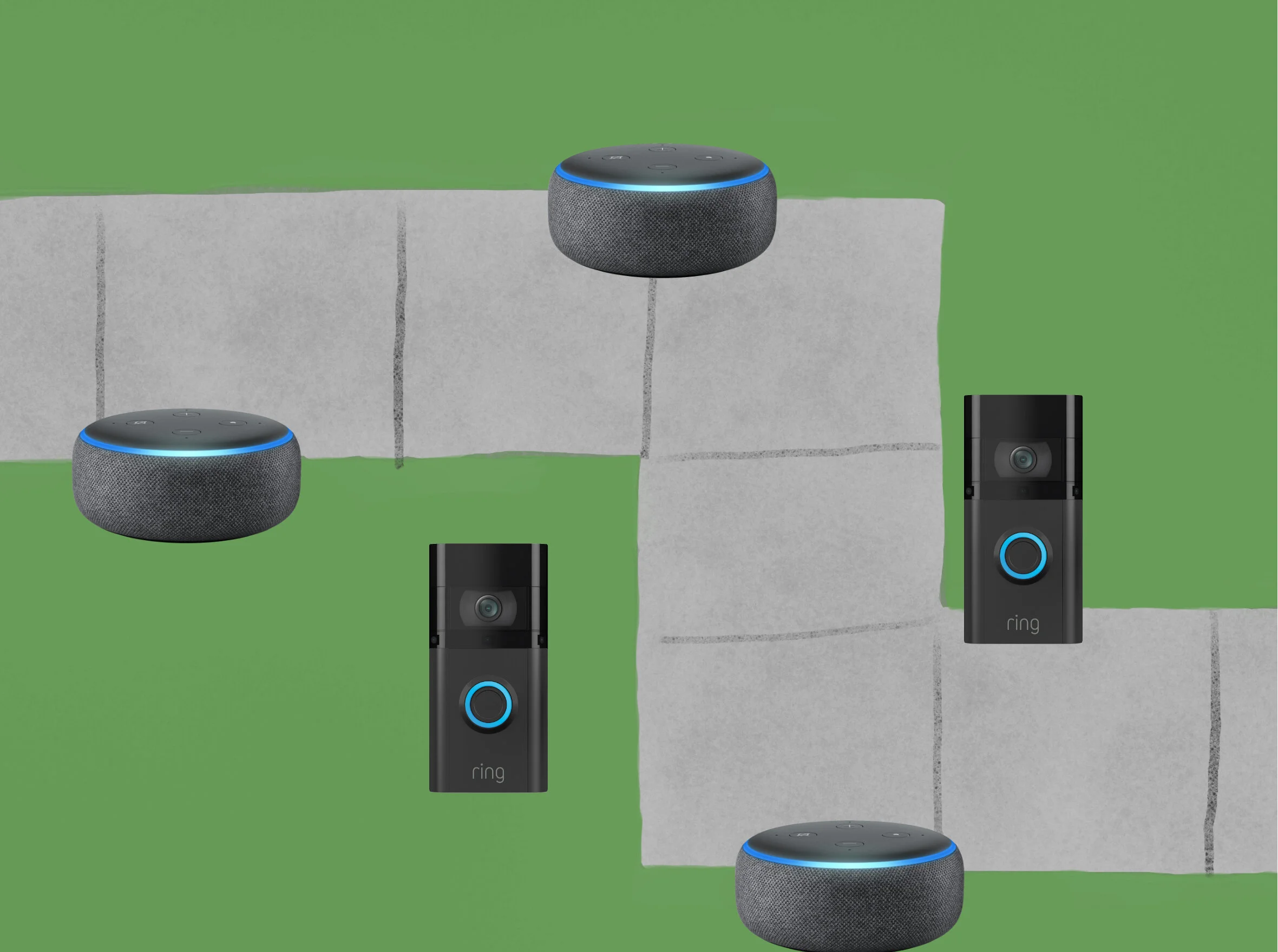
People Trust Amazon?

John Gruber on Daring Fireball:

Josephine Wolff, writing for Slate:

If you’ve already reconciled yourself to the privacy implications of owning an Echo or a Ring, the additional privacy and security drawbacks of participating in Sidewalk seem very limited and the benefits are potentially considerable, for you and for everyone around you.

I like this take. The thing to consider is whether you trust Echo and Ring devices with your privacy. If you do, you might as well participate in Sidewalk. It’s not that different, conceptually, from Apple’s Find My network.

I don’t like this take. There’s absolutely no reason you should trust the Ring or Echo, and you shouldn’t trust Sidewalk, either. In technology especially, trust has to be earned, and Amazon has done nothing to earn anyone’s trust.

The New Siri Remote

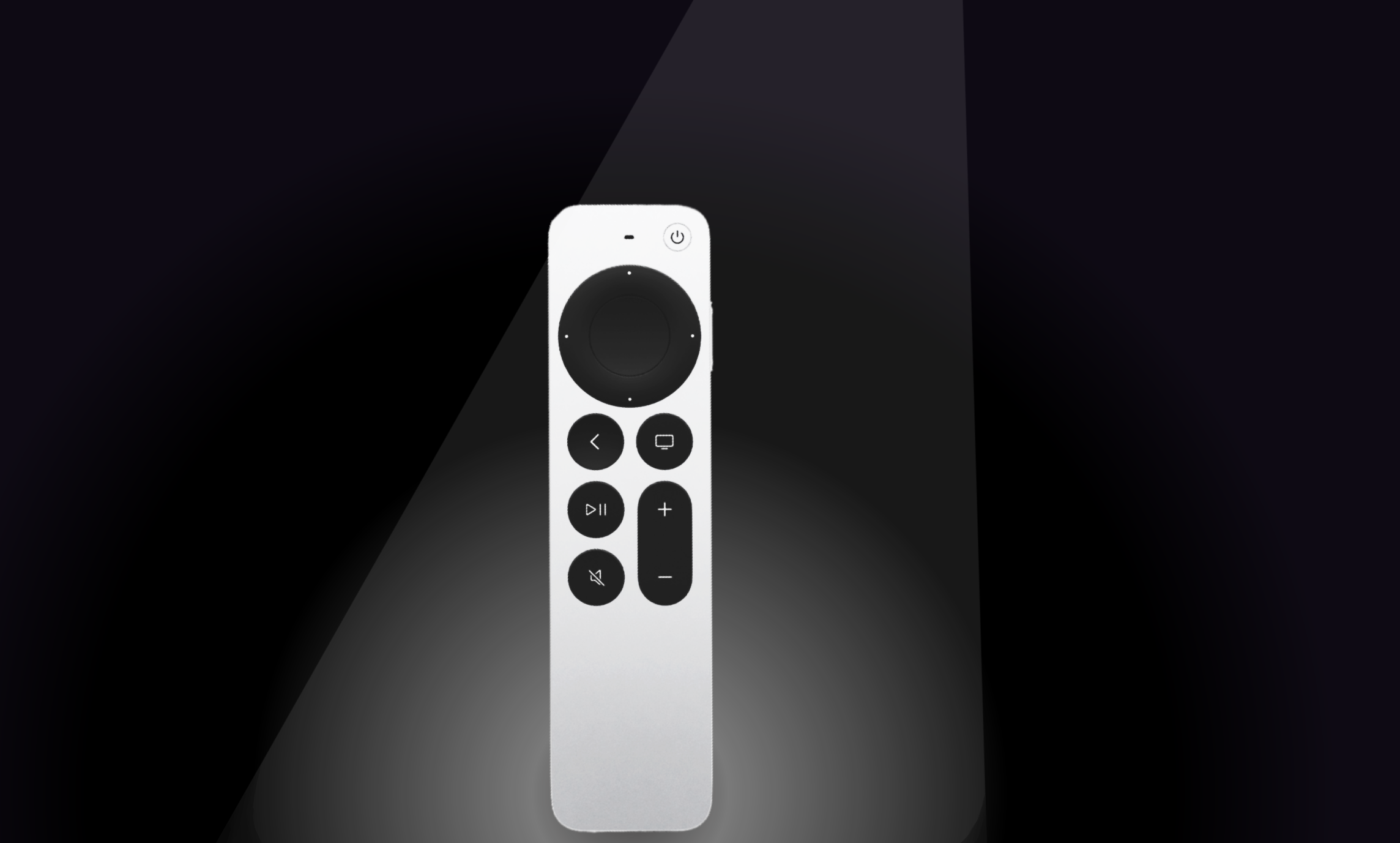
I was frequently annoyed by the old Siri Remote, but I didn’t loathe it like a lot of people did. The trackpad wasn’t all that precise and did occasionally result in unintended input, I did occasionally pick it up upside down, and it was fragile, but overall I thought that Siri and the swiping gestures genuinely added to the tvOS experience. That said, the new Siri Remote is a delight to use, and a vast improvement over its predecessor.

The new design is a lot more robust and sturdy. It’s made out of aluminum, rather than glass on the top, and the design is a bit thicker and heavier. It’s easier to pick up off of a table, and impossible to pick up backwards without realizing it.

There are also some changes to the buttons. The addition of a mute button wasn’t my favorite, and I could’ve done without it (especially since they put it in the same place as the old play/pause button; there have been several times where I mean to pause a show and don’t notice until a few minutes later that I’d just muted it). However, the other button they added was a power button, and while it isn’t very aesthetically pleasing, it works well and it’s simple. No more aimless trackpad clicking or button pressing to turn the tv on, no more pressing and holding and then swiping and clicking to turn it off. You just press the power button and it turns on or off. As for the Siri button, it has been relocated to the side of the remote. At first I didn’t really care either way about this, but in practice, I think this is actually worse. I can see the reasoning behind having the Siri button in a separate location from all the playback control buttons, but it wasn’t a good ergonomic choice to put it on the side. It’s awkward to press with your thumb, and it requires completely changing your grip on the remote.

But let’s talk about the buttons that people care most about: the circular trackpad and directional buttons, which Apple calls the “clickpad with touch surface.” This element makes the new Siri remote perhaps the best TV remote control I’ve ever used. They preserved the ability to quickly swipe through menus, and did it all on top of a functioning, clicky d-pad. The clickpad with touch surface is comprised of two separate surfaces, the outer ring and the center circle. The center circle functions as a “select” button, while the outer ring can be pressed up, down, left, and right for situations where more granular navigation is preferable to quick swipes. As far as the actual swiping goes, you can swipe on any portion of the clickpad with touch surface. The two discrete surfaces act as one large touchpad, meaning you can begin swiping on the far left edge of the outer ring (not touching the center circle), traverse the left side of the ring, then the center circle, and all the way over the right edge of the outer ring, and it will result in the remote recognizing one long swipe, rather than three distinct instances of the different touch surfaces receiving electrostatic input (even though that’s what’s technically happening).

When Apple introduced the new remote, they showed off a feature where you can use the outer ring of the clickpad just like an iPod click wheel to precisely scrub through videos. This works well, but it was a little difficult to discover (you first have to pause the video, then briefly rest your finger on the outer ring before beginning the circular gesture). For some reason, many people believed the outer ring was also capable of quickly scrolling down lists, like a playlist or settings menu, but this just isn’t the case, unfortunately. Trying to do so results in your selection moving up the list while your finger moves up on the outer ring, and then beginning to move back down the list as your finger rounds the top of the ring and begins traveling down the other side again. (This proves that the outer ring is a part of the whole touch surface, which was a point of confusion among many reviewers.)

It sucks that the remote doesn’t include the U1 chip so that you can use precision finding to locate it if it walks off or gets lost in the couch, and there’s really no good reason it couldn’t have included it. It’s also (slightly) disappointing that Apple removed the accelerometer and gyroscope. As much as they’ve focused on Apple Arcade, it’s curious that they would ship a remote that is incompatible with the vast majority of games available for tvOS. Don’t get me wrong, I’m not devastated — most games for Apple TV suck anyway — but if you’re someone who liked them, then this would be frustrating.

Overall, even though it’s not a perfect remote for a few reasons, it’s so much better and more fun than the last one that I would definitely recommend it to anyone with an Apple TV. It costs $59, so if you have an Apple TV HD, you may be better off upgrading your whole system, but if you have the first generation Apple TV 4K, you can’t go wrong by just upgrading to this remote.

Assistive Touch On Apple Watch

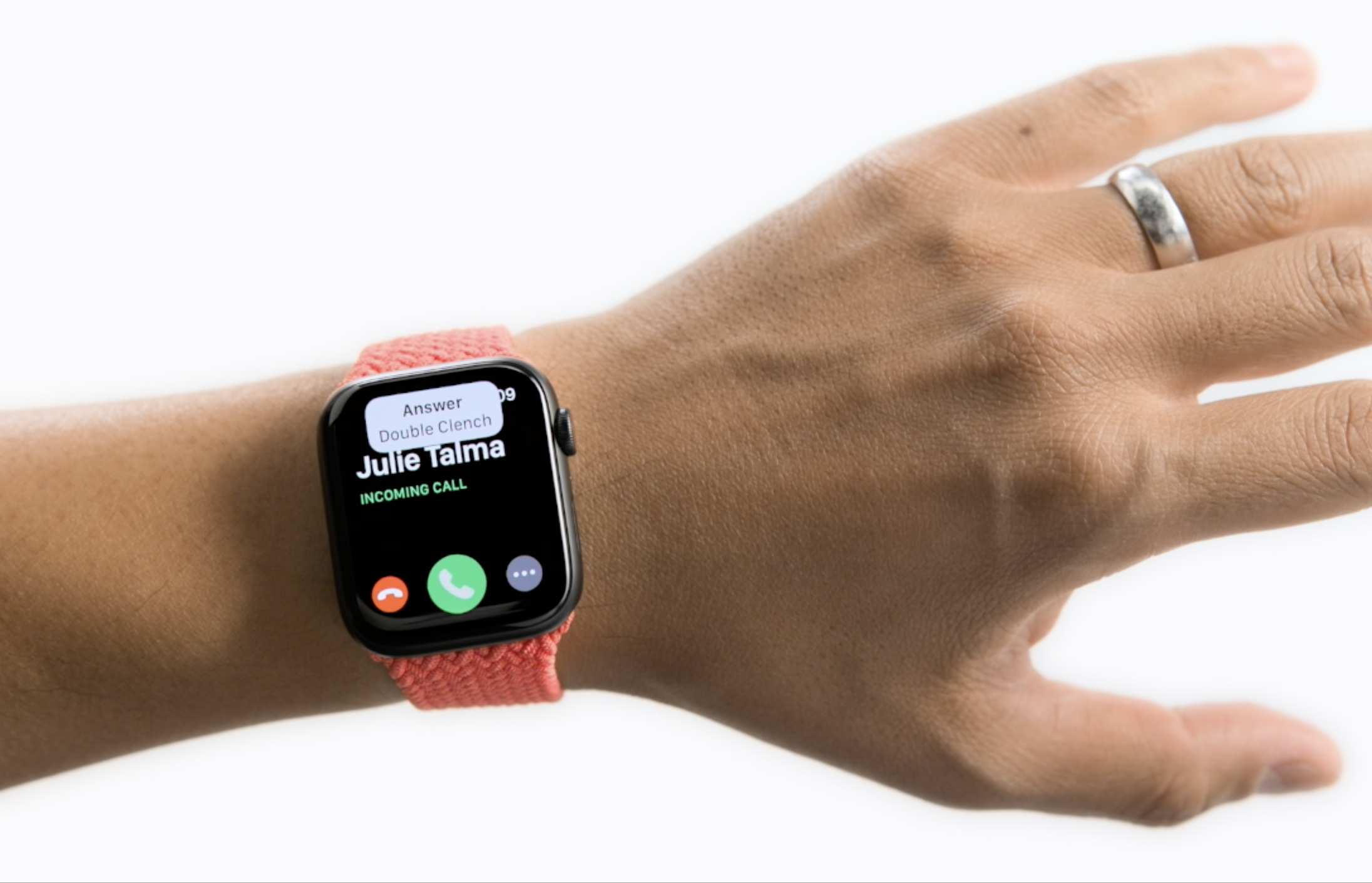
To support users with limited mobility, Apple is introducing a revolutionary new accessibility feature for Apple Watch. AssistiveTouch for watchOS allows users with upper body limb differences to enjoy the benefits of Apple Watch without ever having to touch the display or controls. Using built-in motion sensors like the gyroscope and accelerometer, along with the optical heart rate sensor and on-device machine learning, Apple Watch can detect subtle differences in muscle movement and tendon activity, which lets users navigate a cursor on the display through a series of hand gestures, like a pinch or a clench.

This is technically astonishing. Watch the video. It’s less than two minutes long, and it’s one of the most technically impressive things you’ll watch this year. Seriously, watch it.

Also astonishing, is Apple’s commitment to accessibility. It’s something that is totally unparalleled in the tech industry, and it’s something everyone at Apple should be truly proud of. Features like this don’t make Apple money and they probably take a lot of resources to develop, but for the individuals who rely on them, they really can be life changing. It warms the heart to see Apple continuing to make products that are truly for everyone.

New Blood-Related Health Features Rumored for Apple Watch

Hartley Charlton, writing for MacRumors:

Apple has been revealed to be the largest customer of the British electronics start-up Rockley Photonics, The Telegraph reports.

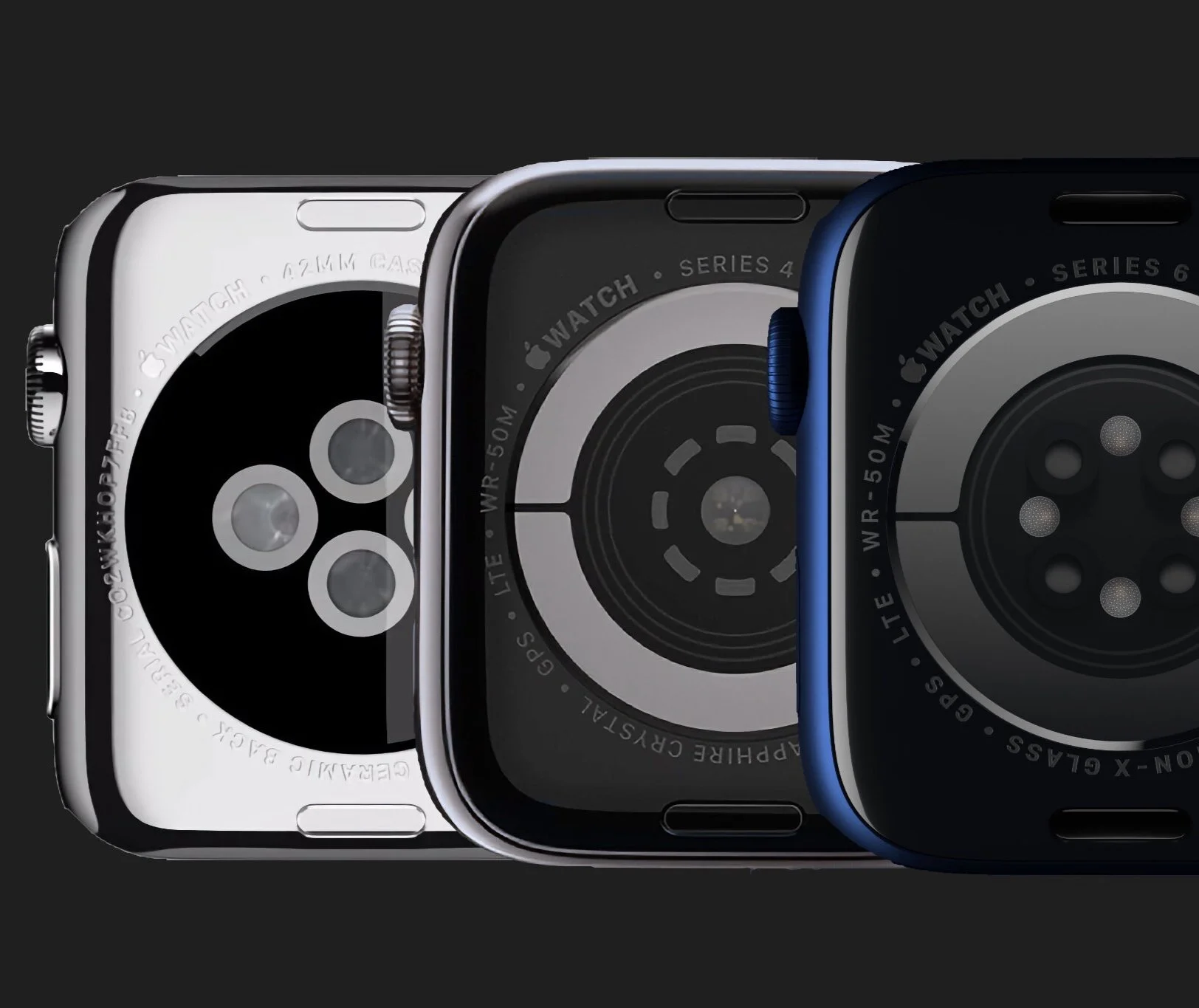
Rockley Photonics has developed non-invasive optical sensors for detecting multiple blood-related health metrics, including blood pressure, blood glucose, and blood alcohol levels, many of which are only normally detectable with more invasive dedicated medical equipment. Rockley's sensors beam infrared light through a user's skin, much like the existing sensors on the back of the Apple Watch for detecting heart rate and blood oxygen levels.

Rockley's disclosure that its biggest client is Apple came about as the company prepares to go public in New York. The company's filings said that Apple accounted for the majority of its revenue over the last two years and that it has an ongoing "supply and development agreement" with the company, under which it expects to continue to heavily rely on Apple for most of its revenue.

It’s never a great idea to read too much into Apple rumors, but I’m really excited by their strong focus on bringing health features to the Apple Watch, even if none of the individual features are revolutionarily impactful for me personally.

One health feature at a time, Apple is cementing the Apple Watch’s status as the best smartwatch available. They started with a heart rate sensor which is pretty much a given on any smartwatch or fitness tracker, but over time they’ve been adding to what the Apple Watch is able to detect and measure. The Apple Watch was able to not only check your heart rate rate, but alert you if it was unexpectedly high or low. Then they added fall detection so your watch could automatically call for help if you were unresponsive after a hard fall, which was an impressive and welcome feature, especially among older customers. But then the Series 4 came, when they added the ability to take an ECG and recognize signs of atrial fibrillation. This was the first medical function that was more specialized, and I think it marked a turning point in how Apple viewed the watch, adjusting their trajectory to more directly lead them down the health and fitness path. The following year, they added the ability to monitor noise levels to alert you when you could be at risk of damaging your hearing, and they added menstrual cycle tracking for women; both quite specific and not a concern for most wearers, but nice features to have if you want them. The year after that, they added the blood oxygen sensor for the Series 6, which again, was a highly specialized use case that isn’t likely to be used by the majority of wearers. The watch can also now use a variety of metrics to algorithmically calculate your cardio fitness, or VO2max.

Recent studies have even shown that the Apple Watch was able to detect COVID-19 up to a week before it showed up in lab tests based on changes to metrics the watch already measures, though this capability wasn’t rolled out by Apple.

Now, there are rumors that Apple could be eyeing more blood-related features, like blood alcohol levels, blood pressure, and blood sugar. The first of those three would be a fun (and potentially life saving) party trick for younger wearers. The blood pressure monitoring would be great for older people especially, and those with conditions where blood pressure may be a complication or indicator of other issues. But non-invasive blood glucose monitoring (without a finger prick) would be a real game changer for diabetics, and would also be useful in diagnosing new patients early to help them avoid more serious conditions. An ounce of prevention is worth a pound of cure, and Apple is trying to pack as much prevention into the Apple Watch as possible. All three of these rumored features would undoubtedly save lives.

The point isn’t that Apple is adding health features that everyone wants or that everyone will rely on, but that they’re relentlessly focusing on health features. At this rate, within the next five to ten years, the Apple Watch will likely be capable of tracking most if not all major vital signs (I can’t imagine that body temperature is too far down the road), as well as diagnosing (with all the proper legal disclaimers) a wide swath of common medical conditions that someone could be suffering from. It’s a bit of a patchwork now, but if they continue down this path, the Apple Watch Series 15 could be well on its way to becoming a proactive WebMD alternative that tells you what’s wrong, rather than leading you down rabbit holes. Imagine the peace of mind you’d have, knowing that a device you wear for convenience is also on the lookout, ready to alert you to any potential health problems you aren’t capable of noticing for yourself.

The Apple Watch is still a young product, and I’m very excited for its future.

AirTags

The idea is quite straightforward. An AirTag is a small round tracking device, slightly larger than a peppermint. You can pair an AirTag with your iPhone (which is extremely easy and can be done in just a few seconds) and then attach the it to something you don’t want to misplace. If you do lose that item, your iPhone will be able to lead you back to it.

A Word on Tile

AirTags have been a long time coming (since 2019, actually, according to Apple’s own packaging), and there were several Apple events prior to now where I really thought they were coming, but now they’re finally here. And the Tile company must be feeling a mix of things, validation (for their endless bitching to Congress about Apple “stealing” their (very obvious and destined to be sherlocked) idea), embarrassment (that their product is so much worse), fear (that their business is going to tank).

I was a fan of Tile back around 2015. I had a bad habit of misplacing my keys and wallet, and Tile was (seemingly) the perfect solution. In practice, though, they didn’t work well at all. They didn't connect half the time, the bluetooth range was very limited, and the network of other devices that had the tile app and could find your lost Tile was practically nonexistent. I never once found an item I’d lost because another Tile user had gotten close enough to it to alert me to its location. Their close-proximity finding tool was also extremely weak and inaccurate. The only real way Tiles would help you find your stuff was by beeping (which isn’t nothing, but Tiles on the whole certainly weren't nearly as useful as they had promised to be).

AirTags Versus Tiles

I didn't want to spend too much space in this review talking about Tile, but since this is a new type of accessory for Apple, and Tile happens to be AirTag’s biggest competitor and the only bluetooth tracker people may already be familiar with, it’s actually very useful and illustrative to contrast the two. And there is a lot of contrast, because AirTags have drastically improved everything about Tile’s experience.

When it comes to finding an AirTag that isn’t in close proximity, Apple’s Find My network whoops Tile’s network's ass. I’ve never left an AirTag anywhere that its location wasn’t updated within ten minutes by someone else with an iPhone getting near it. I lost Tiles for days at a time in public places and never saw them updated.

When it comes to finding an AirTag that is in close proximity to you, AirTags are, again, vastly superior to Tiles. Apple’s Precision Finding mode works pretty well. It isn’t perfect, but it gets close, giving you guided directions to your AirTag that are accurate to within about six inches in most instances. Tile’s interface (the last time I used it) gave a three step indicator to show your approximate distance from the lost Tile (and they weren't labeled with distances, they were just abstract circles that basically indicated “you’re cold,” “you’re lukewarm,” and “you’re warm,” but they were never accurate enough to actually get you to “you’re hot”). At best, the Tile would get you within about 8 feet.

One point that can go to Tile is the volume of the speaker used to make the trackers play a sound. Tile’s is technically a little louder if you just look at decibels. That said, I’m convinced Apple does some sort of voodoo with their speaker, like they’re intentionally playing frequencies that travel very well. It’s more difficult for an AirTag’s sound to be muffled than a Tile’s, so in practice, I’ve found the AirTag’s “play a sound” option to be more useful than Tile’s, despite it technically being (very) slightly quieter.

It’s also quite nice that AirTags have replaceable batteries, this was a(n extremely wasteful) mistake Tile made early on. The' batteries are supposed to last for a year, and the specific coin-shaped batteries they use are a pretty common type that will only cost you about $3 or $4 to replace.

The Pets/Kids Issue

A lot of people have been wondering if these can be used to track pets or children.

I don’t have a child, but I do have a dog, and while I haven’t lost him since putting an AirTag on his collar, I can tell you that it seems to work just fine and any time I leave him at home by himself, it only ever takes about 10 minutes at any given point for someone to get close enough for their iPhone to recognize his AirTag and let me know he’s still where I left him. If he ever did escape or get lost, then the AirTag would serve multiple functions. Since I live downtown and there are always a lot of people around, the odds of my dog running somewhere were no iPhones would be in close enough proximity to him to keep me appraised of his location is rather low. Additionally, if someone were to find him, they could use the AirTag to find out how to get in touch with me since you can put a custom message on the screen displayed to anyone to finds your missing AirTag (of course, you can also put your phone number on a normal name tag, but the AirTag allows for a lot more information to be passed on to whoever finds him than just a phone number).

Now, if you are wanting to use an AirTag to track for your kids, I would say you probably don’t need to waste your money. Again, I’m not a parent, but I’d imagine children don’t usually get lost in the same way pets do. I think children are less likely to just dart off by themselves, so I would imagine that if your child goes missing, they’re probably being accompanied by someone with less than pure intentions, and such an individual would probably have them empty their pockets/discard their backpack/etc. And then you’d be down one child and one AirTag, and that’d really suck! If you’re worried about your child going missing to the degree that you feel like you need to put a tracker on them, I’d probably just suggest saving your money and putting it towards some courses on how to be a more responsible parent.

The Stalking Issue

I think this is mostly a nonissue, and that a small kernel of genuine concern has been transformed by bored, Apple-critical tech journalists using clickbait headlines into a debate about human trafficking and stalking that are blown way out of proportion. The basic concern was that bad actors could slip AirTags into the purses (or otherwise) of individuals they wanted to stalk, and then track them around town. Obviously this would be possible, because it’s exactly what AirTags are built to do, but I seriously doubt that many people would do it. After all, it’s a pretty expensive trick, to treat AirTags as thirty bucks-a-pop disposable trackers that would be useless as soon as the victim found it in their bag, anyway. In any case, bluetooth trackers have been around for about a decade and I’m not aware of this ever happening before, this is just the Apple hate machine finding some new (Qanon-ish) bullshit to spout for a while.

Nonetheless, Apple did actually take several measures to prevent unwanted tracking. If an AirTag is separated from its owner and stays around the same person for a while, it will alert that individual that it’s there. It will also play a sound whenever it moves after being disconnected from its owner’s iPhone for a while. You might think “great, now it won’t be a problem at all,” but you’d be wrong. The sound doesn’t start until three days later, and alerts only work for people with iPhones, not Android devices. On top of that, it actually makes the AirTag itself less valuable, because it makes it far less useful to track stolen items. If a thief is going to be warned that whatever they stole could be tracked by you, they’re just going to toss out the AirTag, and with it goes any hope of getting your stuff back.

I wish Apple had just ignored this problem altogether and let a nonissue continue to be a nonissue. The “problem” they’re “solving” was far less likely than the problem their solution creates.

Price & Accessories

AirTags are one of Apple’s most reasonably priced accessories. I wouldn’t have put it past Apple to charge $50+, but they’re only $29 (or $25 each, if you spring for the $99 four pack). They also offer free engraving. If you’re in the market for AirTags and know you want one or two, go ahead and get the four-pack. Once you have them, you’ll find things you want to attach them to (and even if you don’t, they make nice little gifts).

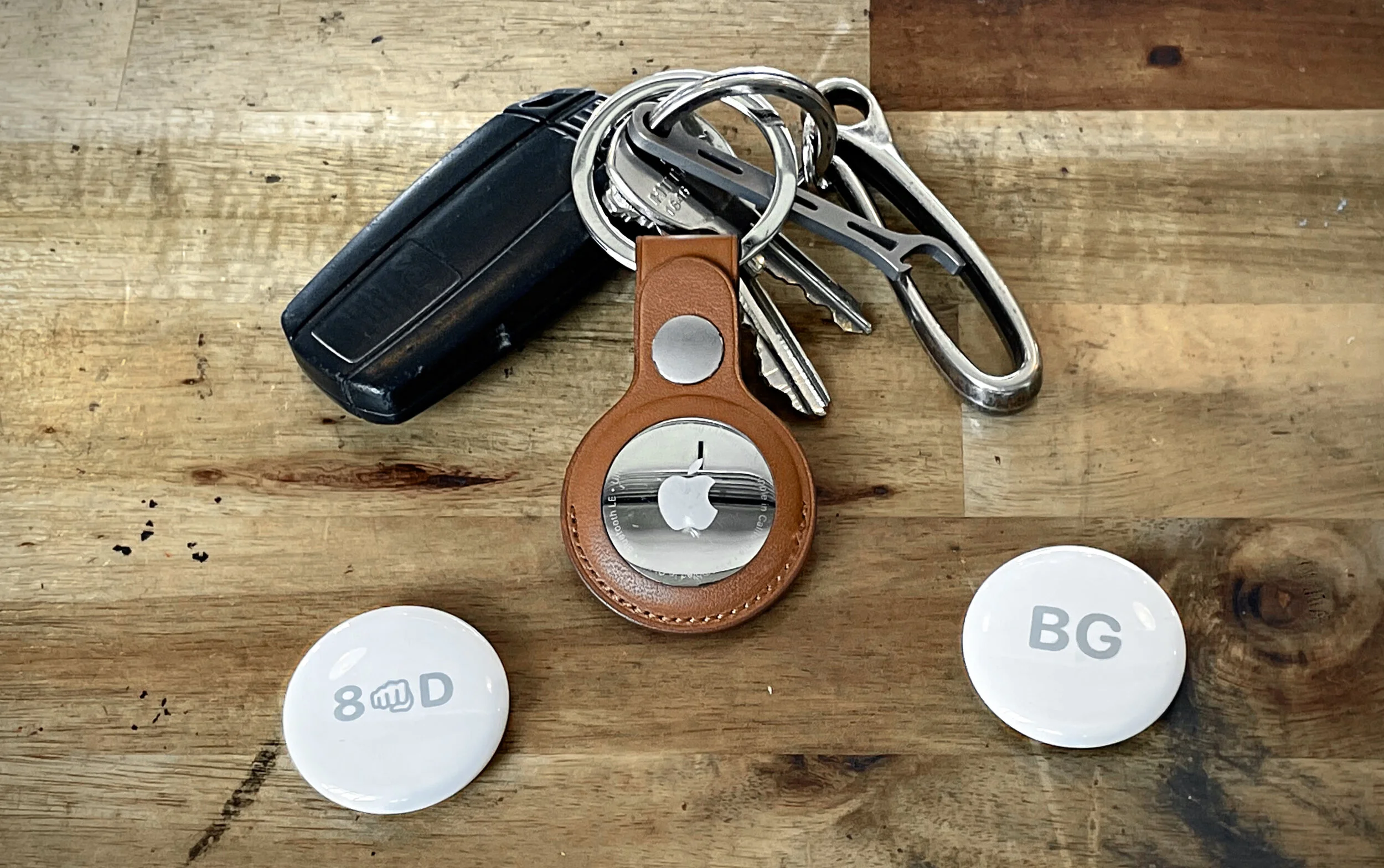
The accessories, though, are a bit pricier. Apple’s AirTag loop and AirTag Leather Loop ($29 and $39, respectively) are nice options if you want to attach an AirTag to something like luggage, but my personal favorite is the Leather Keyring ($35). Of course, it was a bit peculiar and price-grabby that Apple didn’t just put a hole on the AirTag itself to attach a keyring or a cord, but alas, they did not.

Miscellaneous

It would be nice if AirTags had a button which could be used to find your iPhone or something like that (though you can already use your Apple Watch for that), but they did something similar: the NFC coil in AirTags can be used as an automation trigger in the shortcuts app. Basically what that means is that you can set your AirTag up to prompt your iPhone to perform an action (just about anything you want) when you hold the AirTag within an inch or two of your iPhone. For example, I set up the AirTag on my keys to trigger an automation that starts directions to my home. It’s not a button, but in some ways it’s actually more versatile.

Final Word

The bottom line here is that AirTags work well and they’re fairly inexpensive. I have five (one for my keys, wallet, backpack, dog, and car), and when I’ve had to use them, they’ve been able to lead me back to my items in under a minute. If you’re an iPhone user who occasionally misplaces things, a pack of AirTags will probably be a good investment for you.

UPDATED: 06/03/21, 14:00

April 2021 Apple Event Thoughts

This was a pretty packed event, especially for the spring. Apple announced (or teased) several updates to services, included the ability for users to share an Apple Card account and a new podcasts service. When it comes to hardware, we got updates in four major categories, from Apple TV to iMac, and the introduction of a cool new accessory. Let’s get to it.

iPhone 12

The only update here is that the iPhone 12 and iPhone 12 mini now come in a purple color, which happens to look nicer in photos than it does in person. It’s not the same purple from the iPhone 11, and it isn’t great, in my opinion. It’s a little darker but also a bit dull.

Apple TV

The Apple TV certainly deserved some attention. Unfortunately, it didn’t get much. The only difference in the actual Apple TV hardware seems to be that they swapped 2016’s A10 chip for 2018’s A12. They did update the remote, though, and fortunately you can purchase it separately to use with any Apple TV released since 2015. I particularly like the remote’s iPod-esque click wheel functionality, but it still doesn’t seem like as great of a remote as Apple could come up with. It still has the confusingly similar “back” and “home” buttons that I never know how to choose between when trying to back through the operating system.

iPad Pro

The big story here is that the iPad Pro lineup is now powered by the Apple M1 chip, the same Apple-designed processor used in most of the Mac lineup. The decision to put the M1 chip in the iPad Pro took me a bit by surprise, but it’s not so shocking when you consider how hard Apple has tried in the past few years to convince us that the iPad Pro can replace your computer. It certainly seems to be more powerful, but the 2018 iPad Pro still kicks ass. The 2020 update was just a slight speed bump and a LiDAR Scanner. The 2021 iPad Pro is another speed bump (and an impressive new display, in the 12.9” model) to the same basic device from 2018, which is just as powerful today as it was three years ago.

If Apple wants to make the iPad Pro replace your computer, what they need to do is rejuvenate iPadOS with more powerful capabilities. The reason people aren’t switching to iPads instead of Macs or PCs isn’t because they’re underpowered, it’s because they don’t give you a way to harness all their power like you can with a laptop.

iMac

The new iMacs have an an absolutely stunning form factor. The thinness is incredible: thinner than two iPhones stacked on top of each other. But it isn’t perfect. My biggest complaints are the fact that it still has a chin (with no logo, curiously) and the color choices they made. I’m not mad that it comes in colors, and I like that they roughly tried to match the colors of the retro Apple logo. But the shades are weird; why would they pick a green with so much of a blue tint, a color that’s so dissimilar to the yellow that fits right beside it in the lineup; why is the red one called pink instead of red; why is the orange so similar to the pink; why do they all have that hideous two-tone thing going on where they have a beautiful, vibrant color on the back, and a gross, pale color on the stand, chin, and peripherals? They should’ve stuck with the same color for the whole machine, and picked colors that are a little more equidistant from one another on the color wheel. As far as the lack of a gray or black option, I think we’ll just have to wait for Apple to release a “Pro”-grade desktop for that.

When it comes to the actual performance and specs though, Apple has left nothing to be desired. The M1 blows the old iMacs out of the water, and they have larger displays than the smaller Intel iMacs they replace (I assume we’re going to get a larger “Pro” desktop later this year to replace the 27” Intel iMacs). Touch ID on the keyboard is fantastic and long awaited.

I’m not much of a desktop guy, but these make me wish I were.

AirTags

It’s been a long time coming, but they’re finally here. If you haven’t heard, AirTags are a brand new accessory from Apple that you can attach to items you might lose or misplace, and in that case, you can use your iPhone to locate the AirTag and find your item.

They’re totally private, but they make use of all the iPhones in the world to find your stuff. Basically, if you leave an AirTag somewhere or it gets taken, anytime someone who has an iPhone comes within bluetooth range of your AirTag, their iPhone will (unbeknownst to them) recognize your AirTag and note its location so that you get frequently updated data on where your AirTag is located. You can also use an iPhone 11 or newer to get specific, guided instructions on how to find your nearby AirTag with a mode they call Precision Finding, where your iPhone will tell you exactly how many feet away your AirTag is, and in what direction. If all that doesn’t work, you can make it play a sound to help you find it even faster. Again, Apple has made sure that this all happens in a totally private way, so that AirTag owners, other iPhone owners, nor Apple themselves actually get any location data that can be associated with any of the individuals involved.

They only cost $29 for a single AirTag, or you can get four for $99, and they offer free engraving. They also offer some nice accessories, I really like the saddle brown leather keychain.

Also check out CopyrightBro’s full AirTag review, which will be published later this week.

Facebook Upholds Trump Ban, For Now

Lauren Feiner and Salvador Rodriguez, reporting for CNBC:

Facebook’s independent oversight board ruled Wednesday to uphold the company’s January decision to suspend the Facebook and Instagram accounts of former President Donald Trump.

Facebook seemingly doing something good? Nah, you know there’s a “but” coming:

But, the board said, the indefinite time frame of the suspension “was not appropriate.” The board effectively punted the decision on the length of the suspension back to Facebook, saying it “insists” the company “review this matter to determine and justify a proportionate response that is consistent with the rules that are applied to other users of its platform.”

This is good news for now, but don’t count on the decision from this “independent oversight board”* to last for very long. I’d bet a thousand dollars that Zuckerberg comes up with some bullshit excuse to allow him back on the platform before 2023, and probably by the end of this year. The only thing that drives Zuck is profit, engagement drives profit, and Donald Trump drives engagement.

*Calling this entity an ”independent oversight board” is laughable. It’s basically a new arm of Facebook, paid by Facebook, to issue faux ethical positions on decisions made by Facebook proper.

#deletefacebook

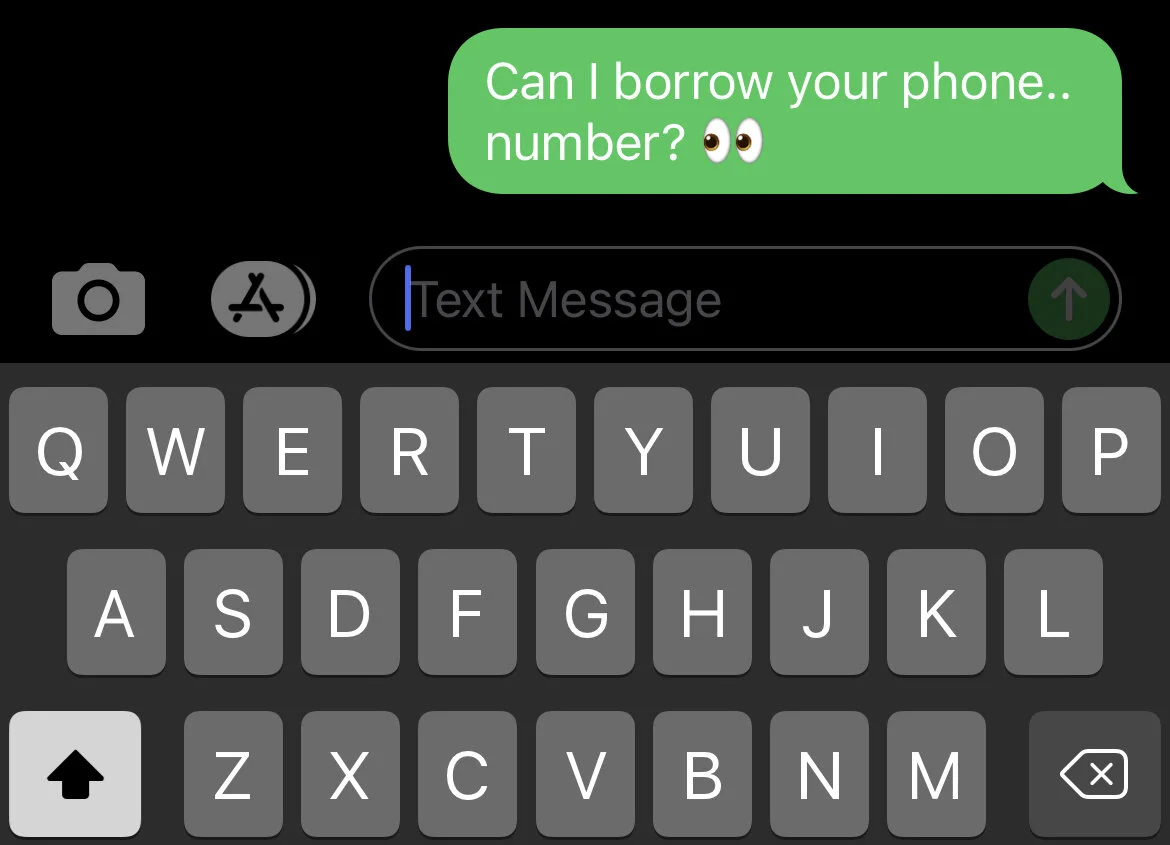
Another Vulnerability of SMS Text Messaging

Joseph Cox, reporting for Motherboard:

While I was on a Google Hangouts call with a colleague, the hacker sent me screenshots of my Bumble and Postmates accounts, which he had broken into. Then he showed he had received texts that were meant for me that he had intercepted. Later he took over my WhatsApp account, too, and texted a friend pretending to be me.

Looking down at my phone, there was no sign it had been hacked. […] But the hacker had swiftly, stealthily, and largely effortlessly redirected my text messages to themselves. And all for just $16.

I hadn't been SIM swapped, where hackers trick or bribe telecom employees to port a target's phone number to their own SIM card. Instead, the hacker used a service by a company called Sakari, which helps businesses do SMS marketing and mass messaging, to reroute my messages to him. This overlooked attack vector shows not only how unregulated commercial SMS tools are but also how there are gaping holes in our telecommunications infrastructure, with a hacker sometimes just having to pinky swear they have the consent of the target.

Sure, the carriers have patched this flaw now, but how many others exist? SMS is and has always been an inherently unsafe way to communicate.

Two things to take away from this:

  1. Two-factor authentication using SMS is only going to stop the laziest, stupidest “hackers.”

  2. SMS messages are on the verge of being publicly available, and you should use an encrypted messaging service (iMessage, Signal, etc.)

Facebook Finally Ruins WhatsApp

Filipe Espósito, reporting for 9to5Mac:

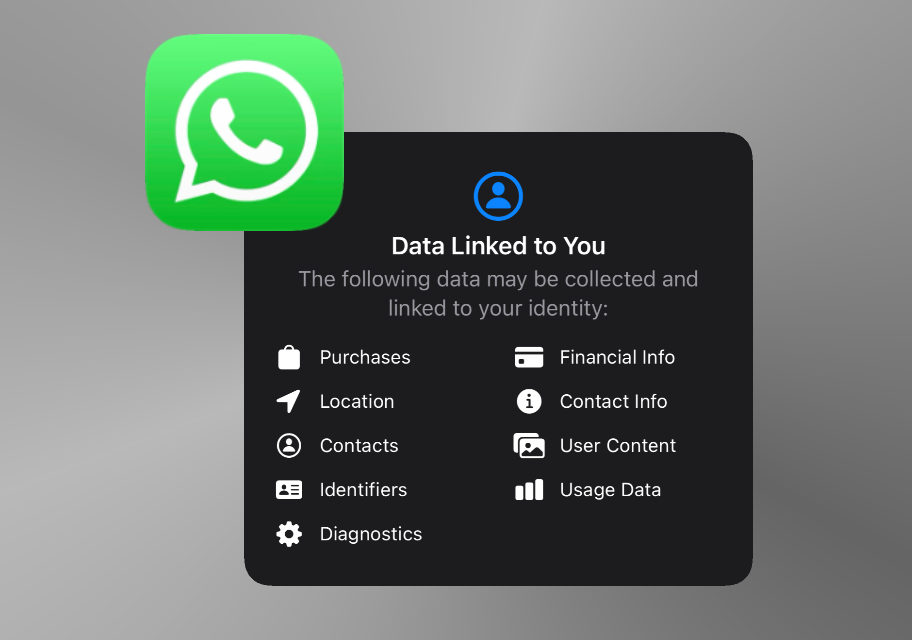
WhatsApp recently introduced new privacy policies for its users, which includes new terms ensuring that the app will share data with Facebook as a condition of use. Although this was postponed at first, WhatsApp will now disable some app functionalities until users accept the new privacy terms.

WhatsApp was the longtime holdout among Facebook’s three main platforms (Facebook, Instagram, WhatsApp) when it came to maintining some of their original identity and palatable privacy practices, but the sun is finally setting on WhatsApp. I’m frankly surprised it took this long, and I’m sure it won’t be too much longer before they start talking about getting rid of end-to-end encryption.

#deletefacebook

Facebook Bans Advertisers For Being Honest

From the Signal blog:

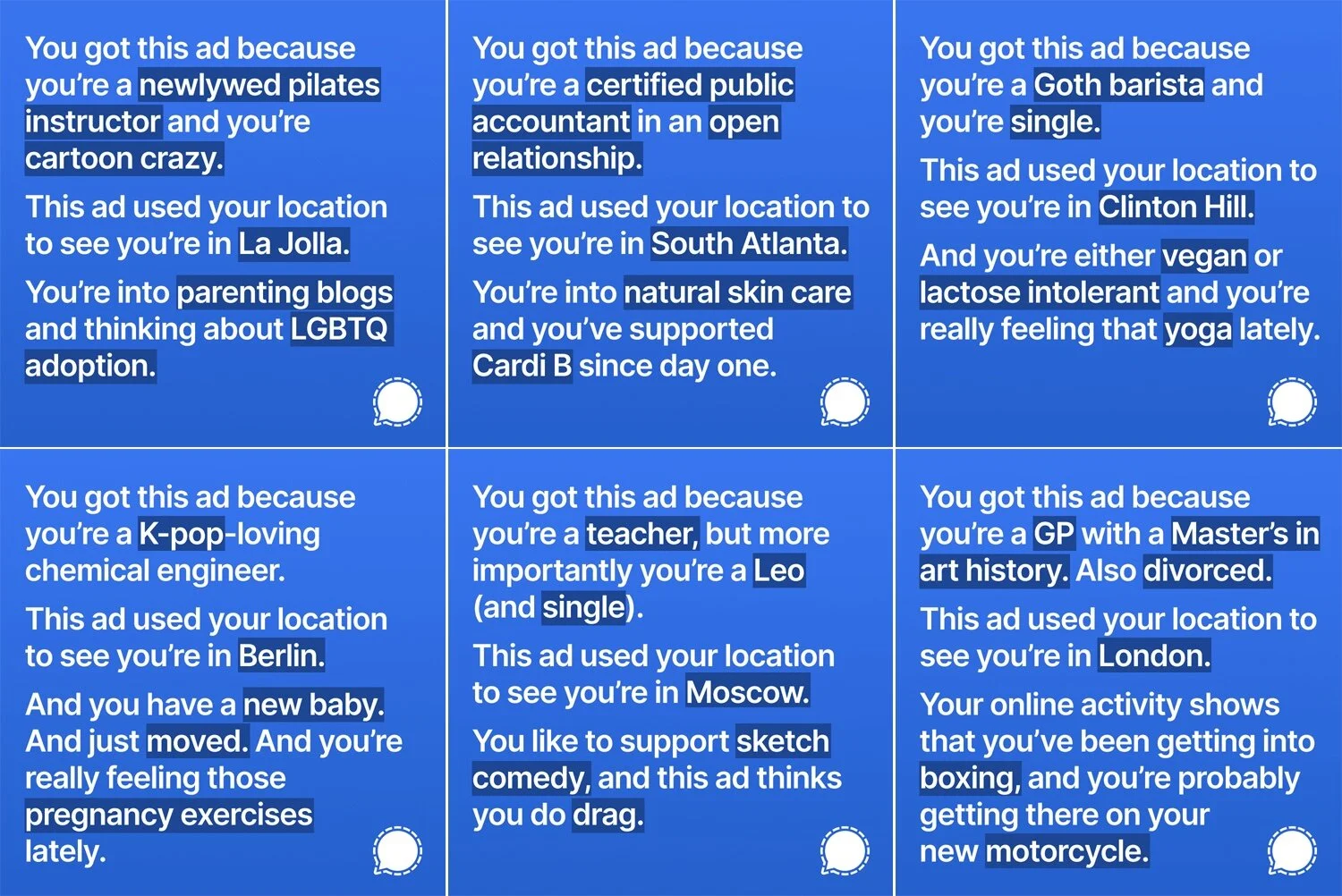
Companies like Facebook aren’t building technology for you, they’re building technology for your data. They collect everything they can from FB, Instagram, and WhatsApp in order to sell visibility into people and their lives.

This isn’t exactly a secret, but the full picture is hazy to most – dimly concealed within complex, opaquely-rendered systems and fine print designed to be scrolled past. The way most of the internet works today would be considered intolerable if translated into comprehensible real world analogs, but it endures because it is invisible.

However, Facebook’s own tools have the potential to divulge what is otherwise unseen. It’s already possible to catch fragments of these truths in the ads you’re shown; they are glimmers that reflect the world of a surveilling stranger who knows you. We wanted to use those same tools to directly highlight how most technology works. We wanted to buy some Instagram ads.

We created a multi-variant targeted ad designed to show you the personal data that Facebook collects about you and sells access to. The ad would simply display some of the information collected about the viewer which the advertising platform uses. Facebook was not into that idea.

Facebook is more than willing to sell visibility into people’s lives, unless it’s to tell people about how their data is being used. Being transparent about how ads use people’s data is apparently enough to get banned; in Facebook’s world, the only acceptable usage is to hide what you’re doing from your audience.

Shamelessly hypocritical. Facebook is fine with your data being distributed, sold, and leaked to just about anyone on the planet, just so long as it isn’t you.

#deletefacebook

Intel Is Flailing

Sami Fathi, reporting for MacRumors:

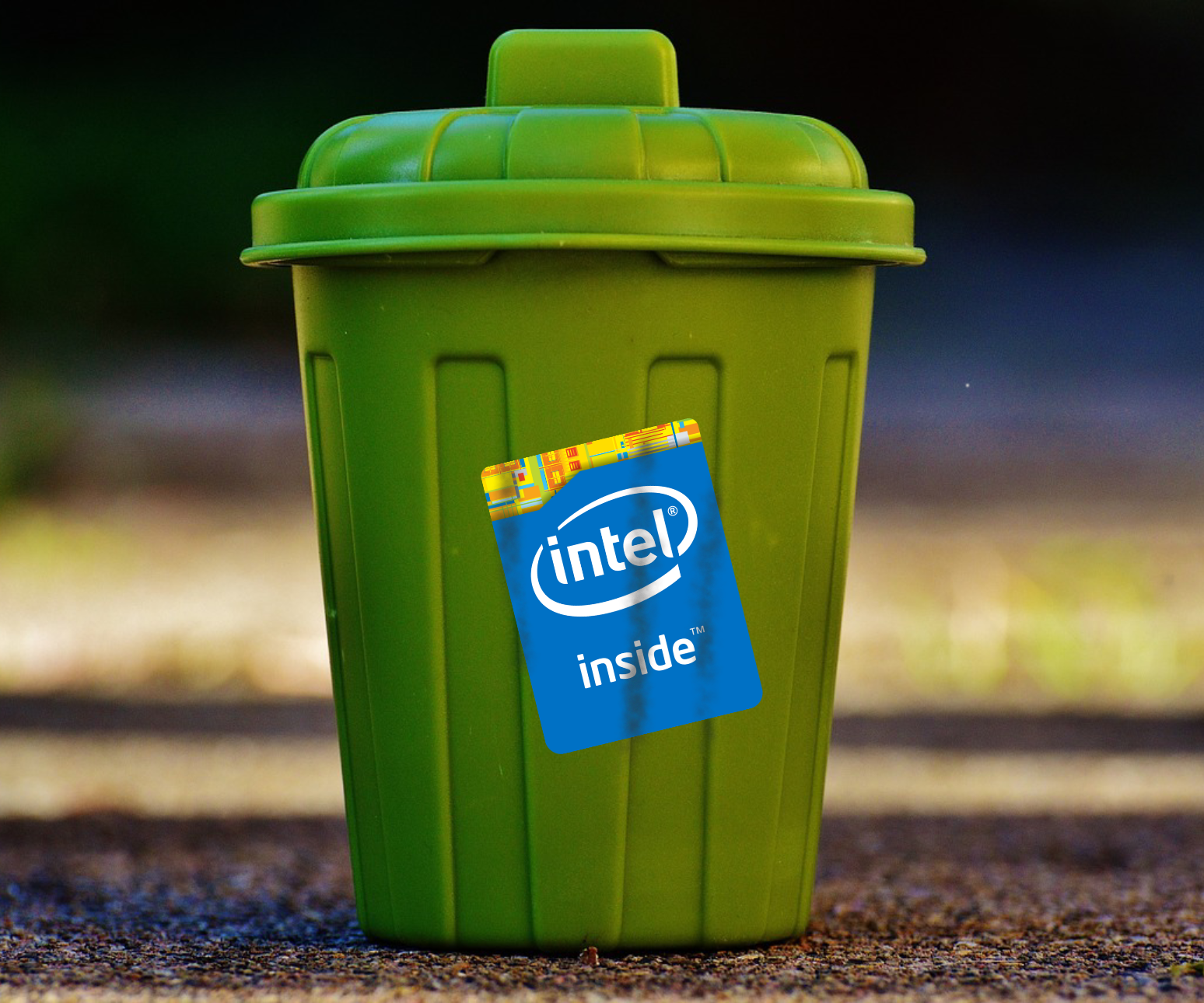
Over the next two years, Apple will transition its Mac lineup away from Intel processors to its own Apple silicon chips. Apple is already well underway on the transition, having released three Mac computers based on its M1 SoC. Intel in response launched a marketing campaign last week to label Macs and ‌M1‌ as inferior to Intel processors.

Despite the barrage of attacks, Gelsinger has indicated that he hopes to have Apple as a future customer.

Coming on the heels of Apple absolutely eating Intel’s lunch with the M1’s performance and versatility, and then Intel’s tactless ad campaign against Apple, this shit is just embarrassing. It sure looks like Intel is a ship on fire.

Facebook Accidentally Admits They Won’t Focus on Preventing Future Data Leaks, Instead Hoping To Normalize Them

These fuckers are absolutely shameless. Rather than putting forth any meaningful effort to actually prevent data leaks from their surveillance network, they just want to convince you that it’s something you’ll have to live with and not really a big deal. It’s just a part of their larger to plan to keep user’s from realizing how much value all the data Facebook steals from them really holds.

#deletefacebook

Breaking Olds: Google Is Collecting Way More Data From Android Users Than Apple Collects from iOS Users

Dan Goodin, reporting for Ars Technica:

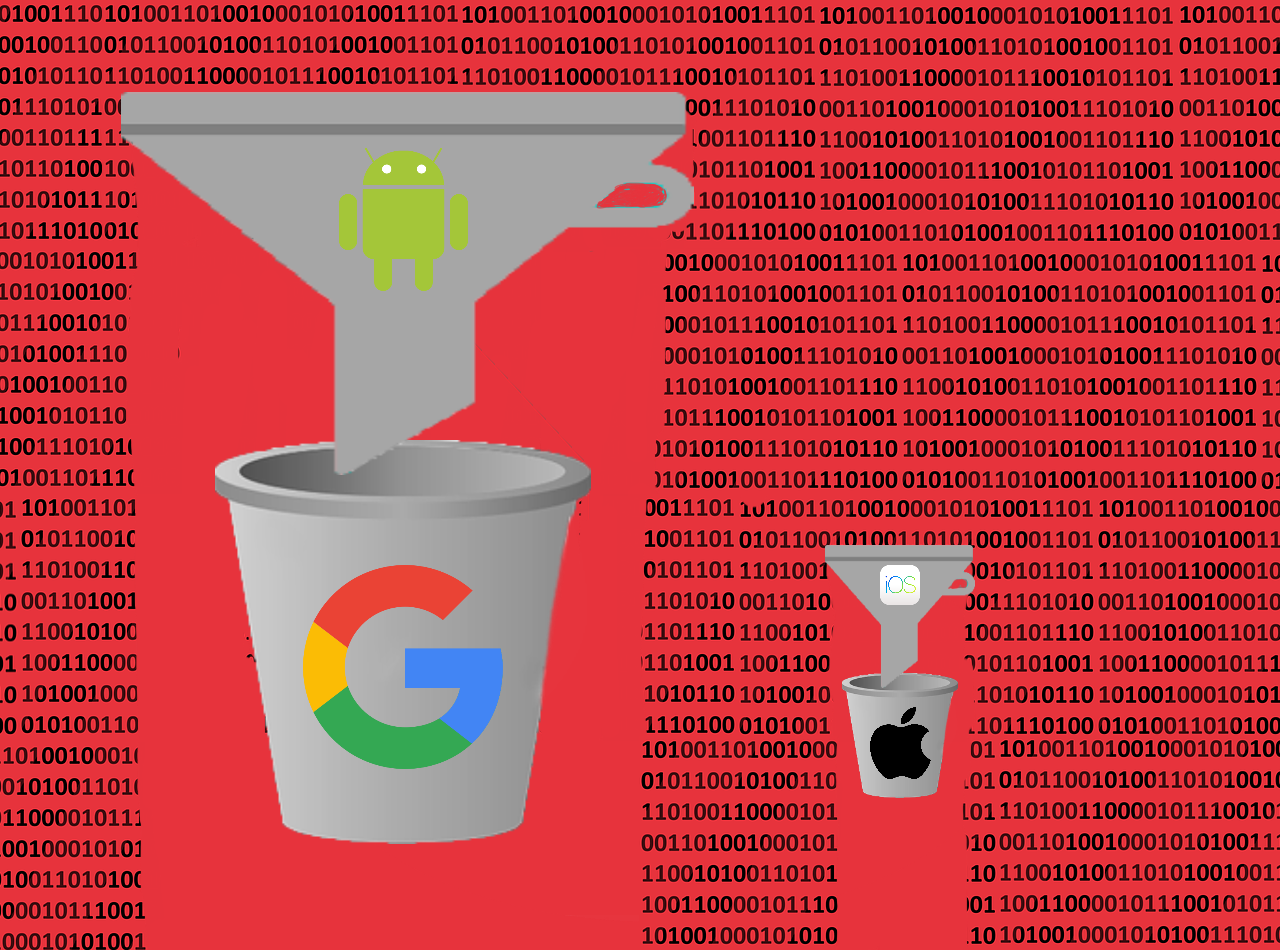
[…] a researcher has provided a side-by-side comparison that suggests that, while both iOS and Android collect handset data around the clock—even when devices are idle, just out of the box, or after users have opted out—the Google mobile OS collects about 20 times as much data as its Apple competitor.

Google and Apple have both disputed aspects of this “research,” and there are glaringly obvious shortfalls to the methods the researchers used, but the basic findings are still probably pretty close to the truth. Of course Google collects as much data as they can, that’s how they make money. Their statement saying that the research was off by an order of magnitude probably means that they’re underestimating how much data Google scrapes: I wouldn’t be surprised if it were 200x the amount Apple takes.

Apple Training Siri To Understand Users With Atypical Speech

Katie Deighton, reporting for The Wall Street Journal:

Apple Inc. said its Hold to Talk feature, introduced on hand-held devices in 2015, already lets users control how long they want the voice assistant Siri to listen for, preventing the assistant from interrupting users that have a stutter before they have finished speaking.

The company is now researching how to automatically detect if someone speaks with a stutter, and has built a bank of 28,000 audio clips from podcasts featuring stuttering to help do so, according to a research paper due to be published by Apple employees this week that was seen by The Wall Street Journal.

The data aims to help improve voice-recognition systems for people with atypical speech patterns, an Apple spokesman said.

Maybe they can train Siri to understand users with typical speech next.

In all serious, Apple’s commitment to accessibility is a good thing, but you’d think they would start by making Siri work well for the vast majority of the population.

Apple Discontinues The HomePod

Matthew Panzarino, reporting for TechCrunch:

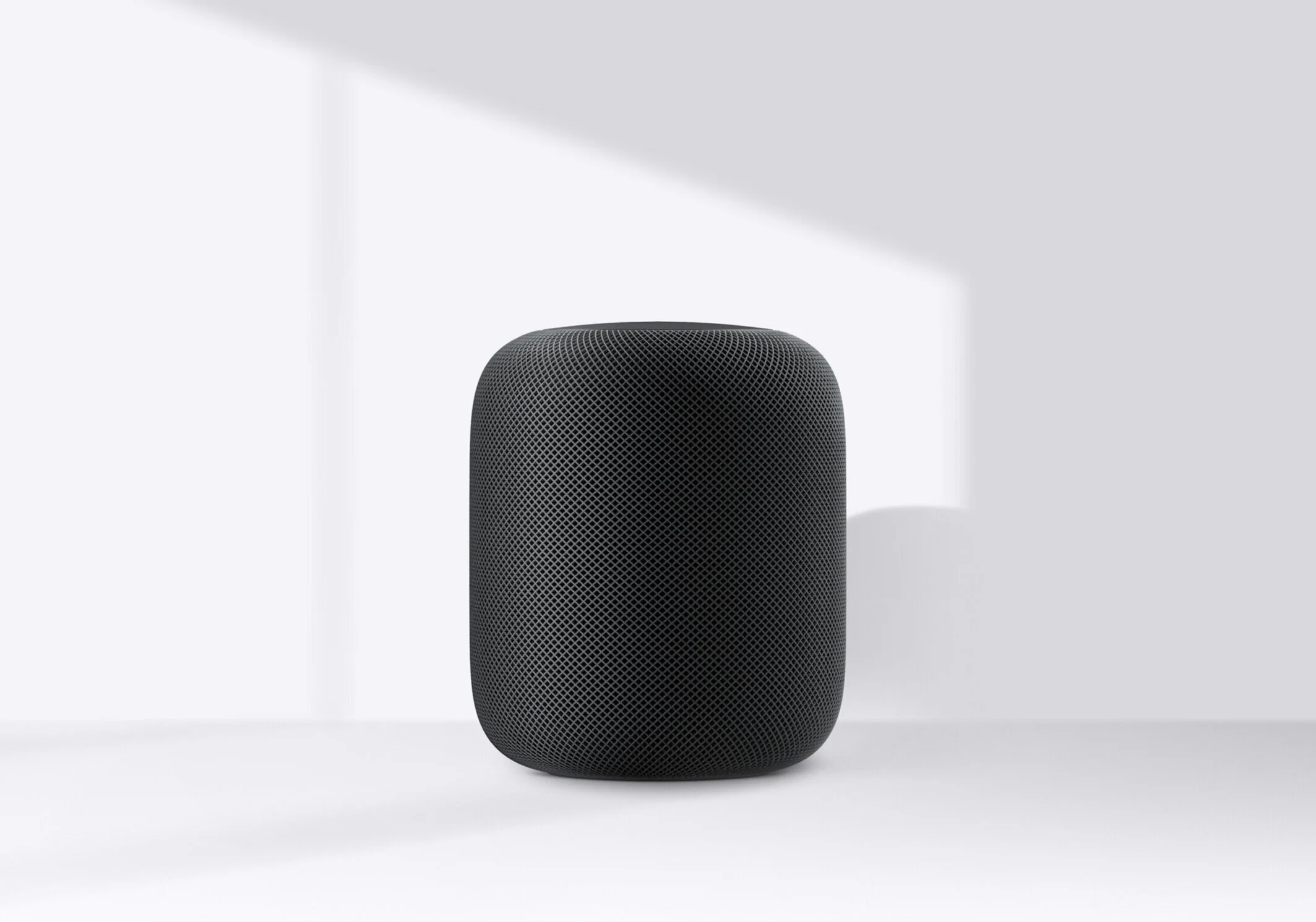
Apple has discontinued its original HomePod after four years. It says that it will continue to produce and focus on the HomePod mini, introduced last year. The larger HomePod offered a beefier sound space but the mini has been very well received and clearly accomplishes many of the duties that the larger version was tasked with. The sound is super solid (especially for the size) and it offers access to Siri, Apple’s assistant feature.

The original HomePod was a feat of audio engineering that Apple spent over five years developing. In order to accomplish its development, the team at Apple built out a full development center near its headquarters in Cupertino, with a world-class development environment with a dozen anechoic chambers, including one of the bigger anechoic chambers outside of academic use in the US. I visited the center before its release, noting that Apple took it the extra mile to get the incredibly complex series of tweeters and woofer that built its soundspace:

But slathered on top of that is a bunch of typically Apple extra-mile jelly. Apple says that its largest test chamber is one of the biggest in the US, on a pad, suspended from the outside world with nothing to pollute its tests of audio purity. Beyond testing for the acoustic qualities of the speaker, these chambers allowed Apple to burrow down to account for and mitigate the issues that typically arise from having a high excursion subwoofer in such a small cabinet. Going even further, there are smaller chambers that allow them to isolate the hum from electronic components (there is a computer on board after all) and make attempts to insulate and control that noise so it doesn’t show up in the final output.

I found it to be one of the best speakers ever made for the home when I reviewed it in 2018. From the booming base and well-shaped nature of the tweeter assembly inside; the cloth cover that was specially shaped to avoid interfering with sound quality in any way; the way that it sensed the way that audio was being shaped by walls and other obstructions and adjusted its output to compensate. It was the definition of ‘no effort spared’ in the speaker department.

I found this news surprising and disappointing, but not shocking. Plenty have tech pundits have already remarked that the HomePod’s demise was almost certainly a direct result of its high price. Not enough consumers care enough about audio quality to pay $300 (or $350, when it first launched) for what they understood to be a smart speaker whose virtual assistant was actually rather dim witted. The public perception was the problem all along: the HomePod was always intended to be an incredible sounding speaker, not an astonishingly intelligent one, but the market was (and still is) captivated by shitty little Amazon pucks that can do about a billion “smart” tasks but have sound quality akin to an iPhone 4 speakerphone inside a Folgers can. Apple wasn’t playing the same game as their competitors, and the market didn’t understand that.

The only thing I do find odd is that Apple was rolling out brand new, meaningful HomePod (proper) features as little as a couple months ago. The ability to use a pair of them as the default audio output for your Apple TV 4K just launched late last year, and it’s a great feature that is easy to set up, works flawlessly most of the time, and makes your tv sound incredible. Perhaps we’ll continue to see new features despite its discontinuation? Maybe they’ll revamp the HomePod, or come out with some sort of HomePod Pro? One can dream.

Twitter Asks Users What They Should've Done About Trump

From a Twitter press release:

[…] we want to hear from the public on whether or not they believe world leaders should be subject to the same rules as others on Twitter. And, should a world leader violate a rule, what type of enforcement action is appropriate.

Starting on March 19, we’ll be calling for responses to a public survey that will help inform the development of our policy framework […]

Crowdsourcing advice for platform rules seems like a great way to quickly sink a social network.

Google Still Tracks Users Who Use Chrome’s ‘Incognito’ Mode

Jonathan Stempel, reporting for Reuters:

Google was sued on Tuesday in a proposed class action accusing the internet search company of illegally invading the privacy of millions of users by pervasively tracking their internet use through browsers set in “private” mode.

The lawsuit seeks at least $5 billion, accusing the Alphabet Inc unit of surreptitiously collecting information about what people view online and where they browse, despite their using what Google calls Incognito mode.

According to the complaint filed in the federal court in San Jose, California, Google gathers data through Google Analytics, Google Ad Manager and other applications and website plug-ins, including smartphone apps, regardless of whether users click on Google-supported ads.

This helps Google learn about users’ friends, hobbies, favorite foods, shopping habits, and even the “most intimate and potentially embarrassing things” they search for online, the complaint said.

Real shocker.

Photos of Mars

I know we’ve had pictures of Mars before, but not like this. These images are really breathtaking and hard to comprehend, even though they’re mostly just pictures of the Martian ground. There are already over 5,000, and I’m sure they’re going to keep coming and weI’ll see plenty more wild sights from Mars, but it’s already well worth your time to click through a few pages of the images NASA has made available.

Here are a few I liked:

Mars_Perseverance_ZLF_0003_0667220316_000FDR_N0010052AUT_04096_034085J01.png
Mars_Perseverance_ZRF_0003_0667217600_000FDR_N0010052AUT_04096_034085J01.png
Mars_Perseverance_ZRF_0003_0667218910_000FDR_N0010052AUT_04096_034085J01.png
Mars_Perseverance_ZRF_0003_0667217846_000FDR_N0010052AUT_04096_034085J01.png