Posts tagged june21
First Active NFL Player In History Comes Out of The Closet

The year is 2021, the NFL has been around for a century, and an active player has just come out of the closet for the first time. On the one hand, it’s astonishing that it took this long, but on the other hand, it’s a miracle that it happened at all. 

Earlier today, Las Vegas Raiders defensive end Carl Nassib posted a video and a statement on Instagram today coming out as gay:

I think this has the potential to spur similar announcements (not that they’re required to share the details of their personal lives) from more NFL players and other professional athletes. 

Whether that happens or not, I think this announcement will definitely be a big deal for boys and young guys who are having trouble reconciling their attractions to other guys with stereotypically masculine demeanors and interests, because Nassib is totally correct, representation does matter. And it doesn’t just matter for little boys who want to be broadway stars or princesses, but also for boys who want to be soldiers or football players. There’s nothing wrong with boys who have more feminine personalities or interests, but our society seems to forget that not all same-sex attracted guys fit that mold. 

For the first time, boys who can tell that they’re a little different but otherwise feel normal will have a man to look up to who acts them and likes some of the same things they like. And I think that means a lot — I know it would’ve made life a lot less confusing for me, personally — because it’s important for boys to know that honestly acknowledging who you’re attracted to, whether publicly or privately, doesn’t mean you have to alter your behavior, interests, or personality to fit a stereotype. Seeing masculine, everyday guys come out in roles they look up to will help to show young guys that healthy expressions of traditional American masculinity don’t just belong the insecure, conservative, evangelical men who have tried to exclude other men who make them feel threatened.

On that note, while progressives have done a ton for same-sex attracted people, there’s a large part of the movement that thinks being male and acting like it gives you enough privilege to alleviate all your other problems, and that’s just not the case. Being able to pass as a straight guy in a homosexual-hostile community has its advantages, but it also results in a lot of internalized problems that these men don’t deserve to be blamed for, because they’re conditioned to never feel comfortable addressing them. Given this hurdle, it’s remarkable that a successful football player with everything to lose finally worked up the courage to go against the grain and take this step, but it’s great that he did because it helps to break a link in a vicious cycle. If more young guys in those homophobic environments see same-sex attraction as a normal aspect of human sexuality, then they won’t have to wrestle those demons as young men, and our whole society will be better off. 

All that to say, representation does matter, and for a lot of kids, having a football player to look up to who is open about his same-sex attraction is a big deal. Nassib is going to be at least a few kids’ new favorite player.

Only One Democrat Refused To Attend Vice President Harris’s Traditional Dinner For All Female Senators

Jasmine Wright and Veronica Stracqualursi, reporting for CNN:

Vice President Kamala Harris held a private dinner Tuesday night for the female US senators, a show of bipartisanship among a deeply divided Congress. 

It was the first known time that Harris hosted lawmakers in the vice-presidential residence at the Naval Observatory since moving in April, a process that was delayed due to renovations.

CNN previously reported that Harris had invited all 24 female senators -- 16 Democrats and eight Republicans.

[…]

The senators who attended included Tammy Baldwin, Marsha Blackburn, Maria Cantwell, Shelley Moore Capito, Susan Collins, Catherine Cortez-Masto, Tammy Duckworth, Joni Ernst, Dianne Feinstein, Deb Fischer, Kirsten Gillibrand, Maggie Hassan, Mazie Hirono, Amy Klobuchar, Lisa Murkowski, Patty Murray, Jacky Rosen, Jeanne Shaheen, Debbie Stabenow, Tina Smith and Elizabeth Warren.

Only two senators didn’t show, and only one was a Democrat. I give you zero guesses who it was, you should already know. It was Kyrsten Sinema. Fucking bitch.

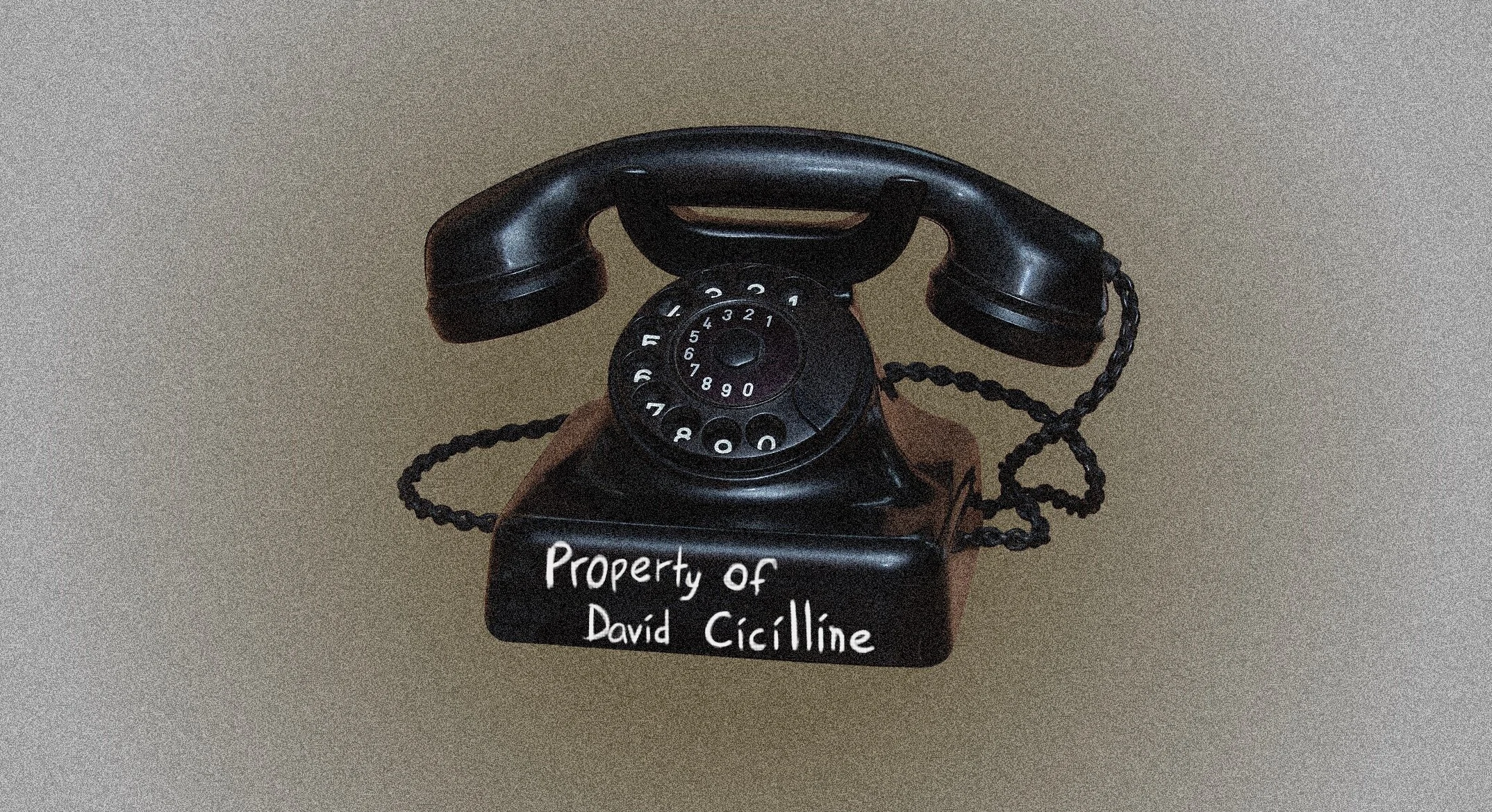
60 Year Old Rep. David Cicilline Thinks You Should Be Able to Remove Every App From Your Phone

Rebecca Kern, reporting for Bloomberg (for whatever that’s worth):

Cicilline told reporters Wednesday that a proposal prohibiting tech platforms from giving an advantage to their own products over those of competitors would mean Apple must let consumers decide which apps to use or remove.

[…]

The bill contains a provision that would prohibit Apple, for example, from restricting or impeding iPhone users from uninstalling apps that have been pre-installed

David Cicilline is a sixty year old single gay man, the only substantial experience he has with technology is searching “NSA young tops” on the Craigslist personals section. Nobody asked him to come up with asinine legislation that would force Apple and other manufacturers to ship phones that allow users to delete every app. Sure, let users delete the phone, or the clock, or the settings app, or the App Store. We’ll see how that goes.

In all seriousness, we do need substantial antitrust legislation in the tech industry, but this is not it. The legislation we need is going to have to be written by people who are capable of understanding the issues at hand (i.e., people who are under 45).

It’s worth pointing out that this story was completely changed by Bloomberg (an outlet with damaged credibility in the first place, especially in the tech sphere); they originally said that the legislation would require Apple to ship iPhones without any apps in the first place. If tech journalists want to be taken seriously in these conversations with politicians, we’re going to need them to be significantly less sloppy.

Spatial Audio and Lossless Audio in Apple Music

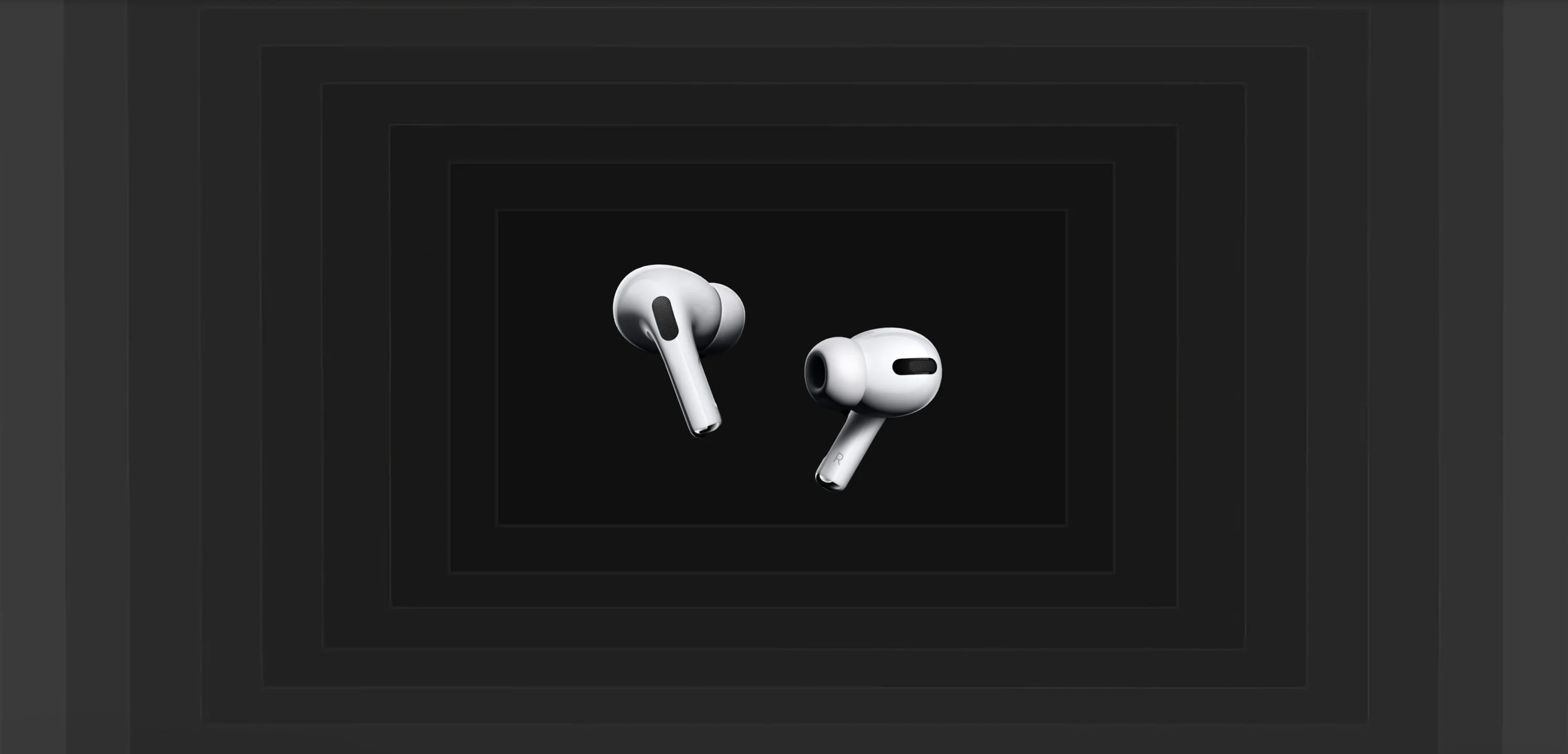
I’m not an audiophile, but most people who claim to be are full of shit anyway, so. Long story short: Spatial Audio is incredible. Lossless is completely unnoticeable.

Apple has really hyped up this announcement, and I don’t think the hype is unwarranted. Everyone I’ve had try listening to a song in Spatial Audio has been thoroughly impressed by it. It might take a little getting used to, but I think this really could be the next big step for audio quality that we’ll point to decades from now as a turning point. It doesn’t necessarily improve every song, but it doesn’t really make any song worse. Particularly with older music, there are tradeoffs when listening to them in the Spatial Audio format, but I think it’s pretty much a wash. But with newer songs that were mastered specifically for this format, it’s far more immersive and enjoyable than stereo. When Spatial Audio doesn’t work well with a song, it’s fine, but when it does work well with a song, it’s incredible. If your ears are having trouble noticing the difference, there’s a place in settings where you can toggle between a Spatial Audio and stereo version of a sample track that really allows you to hear the difference and know what to listen for.

Specifically, Spatial Audio sounds like you’re situated in the middle of the music. Imagine being in a circular room with your favorite artist or band. It’s different depending on how each individual song is mixed, but for example, you could be listening to the artist’s voice front and center, while there’s a guitar off to the right a bit, some drums behind you and to the left, etc.

With AirPods Pro and AirPods Max, this effect gets even better, because they further amplify Spatial Audio with the addition of Dynamic Head Tracking. This feature uses the motion sensors in the headphones to follow your head and move the sound around you based on the position of the headphones in 3D space. For example, if the artist’s voice is coming from right in front of you, and you turn your head to the right, you’ll hear the voice in your left ear, as if it’s originating from the same point in space. When this works well, it makes you forget you have anything in your ears (and it makes the people in the coffee shop next to you wonder why you keep turning your head so far in their direction). It’s seriously uncanny, it’s as is if the music was made for you in that moment. In my testing, it seems like this is already working with a lot of the songs that are available in Dolby Atmos but not with all of them (I guess it’s possible that my ears just suck, but I don’t think so). There’s no rhyme or reason to when it seems to work and there’s no way to know for sure whether Dynamic Head Tracking is active, but the feature is still in beta testing so hopefully this is just a bug and it’ll be more consistent by the time the feature rolls out. In any case, this is another great feature for AirPods Pro. I could never recommend AirPods Max to anybody, but I can’t say enough good things about AirPods Pro. I wrote a glowing review when they first came out, and Apple has continued to add features like Dynamic Head Tracking and the just-announced Conversation boost that make them an even better value.

It has to be said, though, that there is a pretty big downside to Spatial Audio and lossless. Songs downloaded in Dolby Atmos or lossless take a TON of storage. I downloaded about four albums to test the feature out, a total of about 75 songs, and it took 2.6 GIGABYTES of space. If you like music, you should probably consider doubling up on your iPhone storage next time you upgrade.

In addition to being a storage hog, these features highlight another failing of the music app’s design. It’s always unclear what format any particular song is downloaded in, and the only way to change it is to remove and redownload the song after adjusting your preferences in the Settings app. There needs to be a way to adjust the version on a per-song basis. I see no reason why they couldn’t add two or three options to the menu when you long press on a song or album to include options like “Download Dolby Atmos” and “Download Lossless.” And they should have master buttons to convert all songs in your library to the Dolby Atmos or lossless when they become available; it’s not reasonable to expect people to delete and re-download albums as they become available, which has a the potential to mess up their playlists that include any of those songs. I think this is probably something that Apple will work on throughout the summer as iOS 15 matures.

Despite those drawbacks, the bottom line here is that Spatial Audio really does have the potential to revolutionize music, and I’m having a ton of fun with it. Also, if you’ve been considering a new pair of headphones, AirPods Pro are still a terrific buy.

PSA: Always Ask Apps Not To Track You

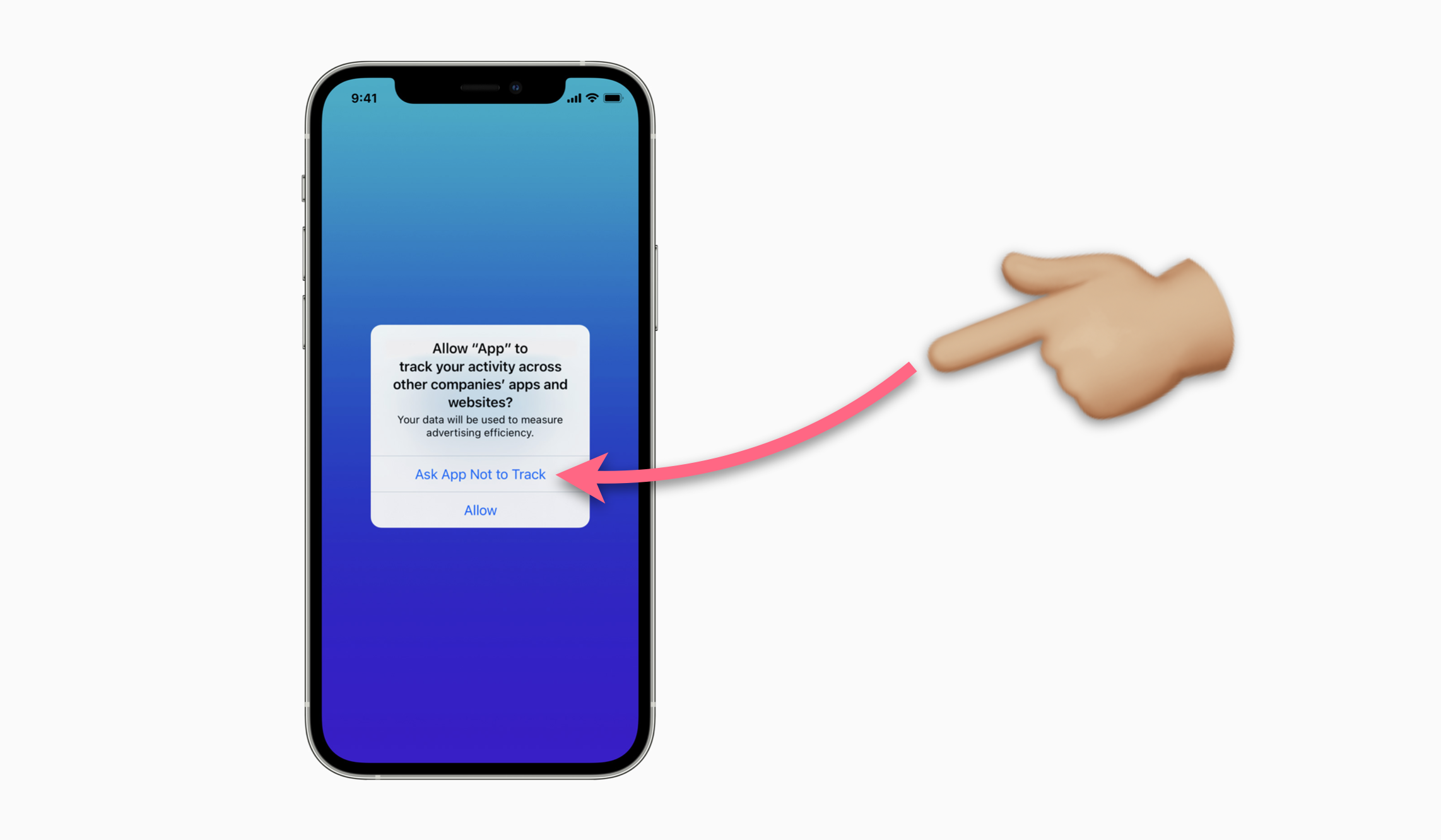
A few weeks ago, Apple issued an iOS update with a killer new feature to protect users from unwanted tracking. It’s pretty straightforward, the policy is called “App Tracking Transparency,” and it requires applications to display a pop-up box asking the user for their permission to track their activity across other apps and websites. You should always click “Ask App not to Track.”

It seems pretty obvious: nobody really looks forward to or enjoys being tracked. We’ve all gotten those creepily specific ads that make us think our devices are secretly listening to us, and it’s unsettling. The truth, though, is that those ads aren’t a result of apps using your microphone to spy on you (99% of the time, at least). They’re the result of them using your activity on other apps and websites to spy on you. Apple allowing users to cut off the flow of data to the mysterious surveillance advertising companies is huge.

Here are two important things to consider when an app asks for permission to track you, (because they'll undoubtedly try to convince you that you should click “Allow”):

  • Apple has forbidden app developers from using any means to track your activity if you click “Ask App not to Track.” That means if you don’t give them permission to track you, they aren’t allowed to use Apple’s built in advertising tracker, but they’re also forbidden from coming up with their own creative ways to track you.

  • Apple has forbidden app developers from punishing you for asking them not to track you. Apps aren’t allowed to reduce functionality, force you to pay money, or do anything else to you if you select “Ask App not to Track.”

  • Violating either of those two policies can result in the app being removed from the App Store, so the developers don’t have a choice but to comply with your decision.

Again, I’ll emphasize: you should ALWAYS click “Ask App not to Track.” But actually, you can do even better than that. If you don’t want to have to deal with the permission pop-ups, there is a sort of master switch that lets you automatically refuse tracking for all apps. To do so, go to Settings → Privacy → Tracking, and then turn OFF the toggle that says “Allow Apps to Request to Track.” Below that toggle is a list of individual toggles for each app that has requested to track you, if you’re interested. Just make sure they’re all switched off.

You may wonder why Apple doesn’t just save you the trouble and cut off this access from the jump, why even make us tap the button? After all, nobody wants to be tracked. The answer is complex, but essentially, Apple is on the most stable legal ground if they let users make the choice for themselves, and they probably also want to make a moral argument about just how many consumers aren’t okay with being tracked without their permission.

Regardless, these protections are strong and I’m glad Apple is giving us more control over our data. The notion that privacy is a thing of the past and that “everyone already has all your data” is simply not true, and it’s time we let the advertising industry know that they aren’t entitled to knowing all the intimate details of our lives so they can exploit us and convince us to buy more crap.*

*Of course, we know that will the vast amount of data these advertising surveillance companies collect through platforms like Facebook, they’re able to do things that are a lot more consequential and insidious than just convincing you that you need a new razor or a Diet Coke. The Cambridge Analytica scandal proved just how capable these companies are of guiding our behavior, including not only our consumer impulses, but also our political ideas and how we cast our votes. If you want to know more about the Cambridge Analytica scandal, and check out this illustrative and explosive documentary.

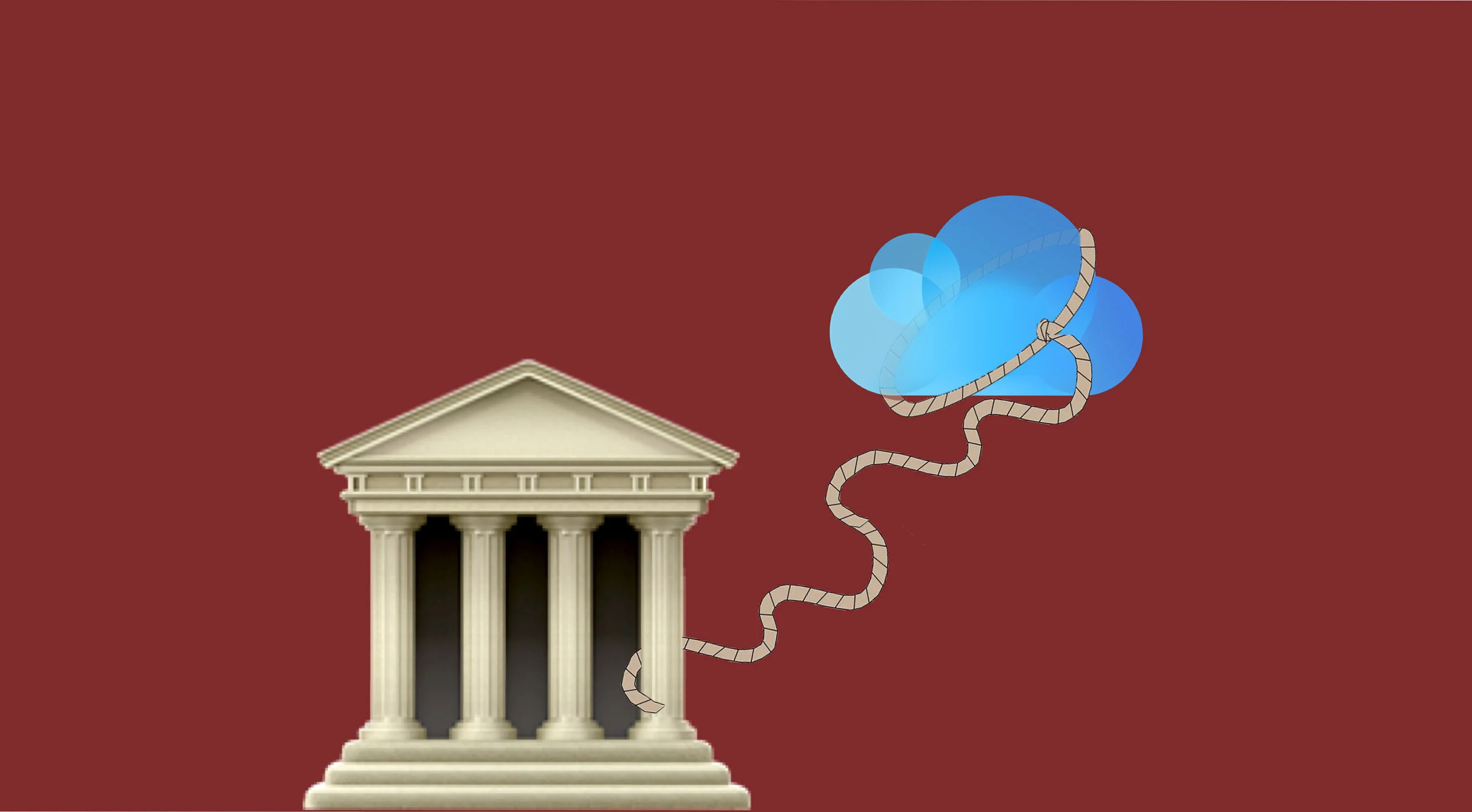
The Best Time For Apple To Implement End-to-End Encryption for Entire iCloud Accounts Was Years Ago. The Second Best Time Is Now.

I’ve written before about how the government could unjustly subpoena Apple for your iCloud backups to receive a copy of literally everything on your phone at any given moment. I knew the threat was very real, but I was forced to write about it in a mostly hypothetical manner because there wasn’t a great example to point toward. Now, we have an example.

Steve Kovach, writing for CNBC:

Apple said it received a subpoena from a federal grand jury on Feb. 6, 2018. According to Apple, the subpoena requested data that belonged to a seemingly random group of email addresses and phone numbers. Apple said it provided the identifiers it had for some of the requests from the DOJ, but not all of the requests were for Apple customers.

Katie Benner, Nicholas Fandos, Michael S. Schmidt and Adam Goldman, reporting for The New York Times:

All told, the records of at least a dozen people tied to the committee were seized in 2017 and early 2018, including those of Representative Adam B. Schiff of California, then the panel’s top Democrat and now its chairman, according to committee officials and two other people briefed on the inquiry. Representative Eric Swalwell of California said in an interview Thursday night that he had also been notified that his data had been subpoenaed.

Prosecutors, under the beleaguered attorney general, Jeff Sessions, were hunting for the sources behind news media reports about contacts between Trump associates and Russia. Ultimately, the data and other evidence did not tie the committee to the leaks, and investigators debated whether they had hit a dead end and some even discussed closing the inquiry.

Kovach, again:

Because of a nondisclosure order signed by a federal magistrate judge, Apple could not notify the people that their data was subpoenaed. The so-called gag order lifted on May 5, which is why Apple only recently alerted the affected users. According to Apple, the subpoena did not provide details on the nature of the investigation.

[…]

Microsoft on Friday told CNBC it received a similar subpoena from the DOJ.

The DOJ doesn’t play fair here. Not only in this specific instance, which was egregious because it represents a Watergate-level instance of a President spying on his political enemies (and at least one member of his own administration, apparently), but in general. At any time, you could receive the same notice from Apple that they had been forced to give the government all your data years ago, and that they’re just now allowed to tell you about it. The Department of Justice has operated with impunity in this arena even before Trump’s corrupt impulses and arm twisting got added into the mix, and they need to be reeled in. The accounts they demanded access to were not government accounts. They were personal iCloud accounts belonging to elected officials, their aides, and even more outrageously, their family members, including their kids.

The DOJ knows this is outrageous, and they don’t like having this conversation. They don’t want you to cause a fuss over your civil liberties or privacy, so they put Apple under a gag order, forbidding them from telling you that they were forced to give the government your data until several years have passed. The incident we’re learning about now actually occurred in 2018, but Apple was just now allowed to inform those whose accounts had been violated. This is egregious. Our elected officials need to hear from us, loud and clear, that despite living in a post-9/11 world and a Facebook surveillance state, we still value our privacy, and are willing to protect it with our votes.

Political pressure may be one of our most effective tools, in fact, because the very small number of tools that are currently available to us are partially effective at best. For example, my suggestion from last year of disabling iCloud backups to safeguard your iMessage decryption key remains useful to protect your messages, but it’s a bit of a hassle and a risk, and it only protects your messages. There’s nothing you can do (besides pulling out of iCloud altogether) to protect data like your photos, notes, voice memos, contacts, your backups, and your iCloud Drive files. But there is something Apple could do.

They need to give us the option to encrypt the entire contents of our iCloud account. Of course, doing that comes with more risk, so they should make sure customers are informed about the risk of data loss and the greater responsibility they would have to protect and maintain their own access to their accounts, and let users opt-in only if they want to. But I bet a lot of users would opt in. Financially, I think Apple could offer this as a free option for customers without much overhead, but they could even charge more for it if they wanted to, whether by rolling it into an iCloud+ tier or charging a separate fee. I’d pay for it, and I’m sure a lot of other people would too, from power users, to privacy advocates, to those working with exceptionally sensitive data. Their most loyal customers and promoters care about this, but Apple currently gives them no good options. Whether it comes down to a paid iCloud service or not, Apple must stand up for their users here.

Perhaps, though, Apple just needed an example; maybe this story about the DOJ (and the gag order expiring) is what they were waiting on. My hope is that they wanted to wait for an incident like this that they could point to to rally public support for end-to-end encrypted iCloud data, despite government objections. It would make some amount of sense, to help sustain themselves (PR-wise and legally) against the gale-force winds that are sure to come from the peeping toms that comprise the law enforcement and investigative communities. It’s basically a redo of the showdown between the Apple and the FBI over the San Bernardino shooter’s iPhone, but with Apple taking a more reactive step forward (whereas last time, they were just refusing to take a step backward). Again, I hope that is the case. And if it is, then Apple needs to know that their customers have their back and will support them through this change and the fight that would ensue.But whether that’s the case or not, we all need to let them know we’re concerned about government overreach, and that we want the option to have ALL the contents of our iCloud accounts protected by end-to-end encryption. Feel free to whip something up yourself, or copy and paste the prompt below into Apple’s iCloud Feedback portal.

Hi. I’m reaching out because I’m concerned about the extreme government overreach we’ve recently learned about regarding subpoenaed iCloud account data. I don’t think it’s right that a government agency can seize private user data without permission or notice.

I’m concerned that there’s no truly secure way to use iCloud. I want the option to have ALL of my iCloud data (including backups, contacts, photos, and everything else) protected by end-to-end encryption. Privacy is a fundamental human right, and Apple users value that right. I believe Apple truly values that right as well, and that’s why I’m hopeful that you’ll soon provide users with an option to protect all of their data with end-to-end encryption.

WWDC 2021: Thoughts and Observations

I’ll give my overall musings on the updates to each platform, then some specific thoughts about new features.

tvOS:

Didn’t get a ton of love, but there were a couple nice improvements.

  • The one thing it did get, though, was Spatial Audio. That’s not a small deal, because it sounds incredible, but it’s not a huge deal because most people don’t watch TV with headphones.

  • You can now use two stereo-paired HomePod Minis as a Home Theater setup, so they’ll handle all of your Apple TV’s audio by default. That’s a great move.

watchOS:

This was not a very big year for watchOS.

  • They didn’t seem to update sleep tracking in any meaningful way, so that’s a big disappointment.

  • Only one new watch face, and it’s very basic, even if visually enjoyable.

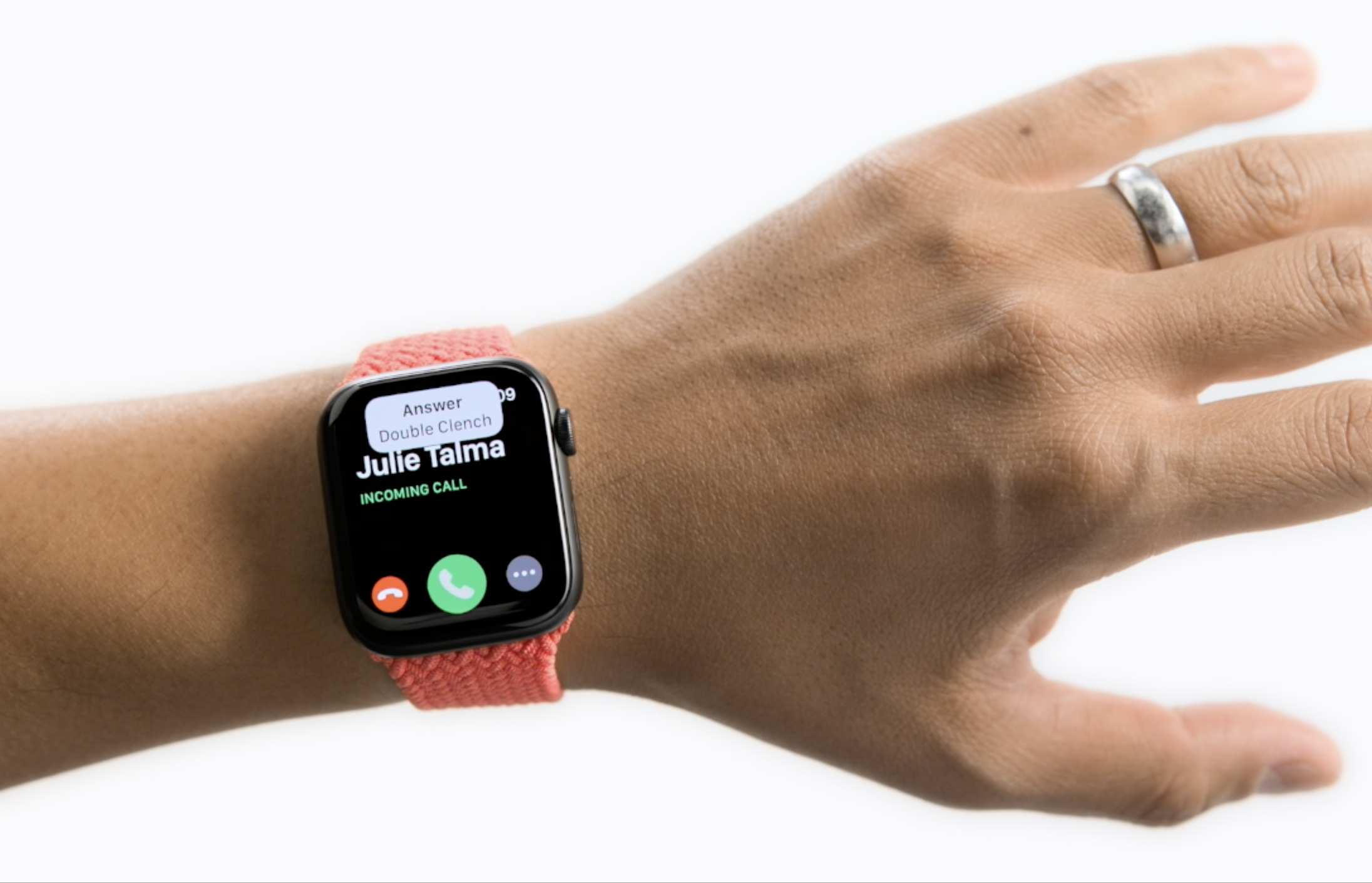
  • They didn’t spend much (or any) time talking about Assistive Touch, but I’ve tried it on the watchOS 8 beta, and it really is impressive.

  • The Mindfulness app seems like a step in the right direction for a larger focus on mental health, but it’s still quite basic.

  • They’ve added new Find My apps for finding items (AirTags) and finding devices. I’m not sure why they couldn’t have just rolled that into the existing Find My app that was just used for finding people on the watch. Would’ve been a lot less clunky than three separate apps.

  • They talked a lot about the photos app, but who is using the photos app on Apple Watch? Maybe it’s a chicken and egg situation, but I just can’t see anyone spending a ton of time looking at photos on a screen smaller than a matchbook.

  • They’ve finally revamped how text input works. You can now combine scribble with dictation and emojis, and you have a chance to review the message before it sends (unlike with dictation before, when it would often send the message automatically, whether it heard you correctly or not).

iOS:

I think iOS 15 has some significant improvements. Probably nothing that will be as culturally exciting as widgets were last year, but some good updates that everyone will appreciate.

  • Facetime got several cool improvements. It’s a bit “better late than never,” at this point, but still. And it’s pretty exciting to see FaceTime Links, which will let anyone (Android and Windows!) join a group FaceTime call, which is still end-to-end encrypted. Take that, Zoom.

  • The Health app got some attention. I’m not sure the features they added will be used by many people, but they’ll be very important to those who do. And I’m fine with that.

  • Live Text is incredible. It works pretty well in the first beta.

  • The ability to analyze photos and provide relevant information like plant species, book titles, dog breeds, etc, is so cool.

  • No update to the Music app, it’s as frustrating as ever.

  • They really made good use of their Dark Sky acquisition in the weather app this year. New precipitation notifications and radar views really beef up the out-of-the-box Weather offering.

  • No lockable photo album, again. Sigh.

  • They didn’t spend a ton of time talking about Siri and she certainly didn’t get the update I’ve been hoping for for years, but moving the speech processing on device should make her a bit snappier, and it looks like they did try for at least a little bit more conversational continuity.

  • I like some of the Safari updates a lot. Some of them seem unnecessarily complicating, though. For example, the gestures to reload and switch tabs are great, and I love the new tab overview and Tab Groups, but the lack of a visible share button is insanity. They buried buttons that people use all the time, seemingly for aesthetic purposes only, and it was the wrong move. I may write more about how I think they could keep the good and fix the bad with this version of Safari.

  • No updated Cash card with a bank account.

  • Speaking of Wallet though, they did announce some great new features. Car keys was probably the worst update (as far as I’m aware, the only car manufacturer that supports it is BMW, and it’s only available on their brand new cars; some company should really come up with one of those little dash plugs that could bring this to older vehicles), and it didn’t really get any super meaningful updates over what it could already do. Home Keys is a feature that I didn’t see coming, but one that is very welcome. Hopefully you’ll be able to get a compatible smart lock that doesn’t cost an arm and a leg.

  • Also new to wallet: ID cards. This was a complete surprise, and it totally blew my mind. It’s something I’ve been desperately wanting Apple to do for years, but I’d almost written it off as a possibility because of the fractured nature of states controlling their own systems for drivers licenses and IDs (we need a national ID card). I’m sure it will take several years before most states adopt this, but I’m so excited that they’re giving it a shot.

iPadOS:

We didn’t get as much here as I’d hoped. Or maybe I’m looking at it the wrong way because we just didn’t get the overhaul I was hoping for: after all, there were some significant improvements to the existing system.

  • Quick Notes is a cool feature, and Apple made it a lot more useful than it otherwise could’ve been by giving it string contextual awareness of what’s going on when you summon a new note.

  • Widgets did show up, as expected. But as I said a few days ago, I don’t think Apple necessarily deserves credit for turning in their homework a year late.

  • There were some improvements to multitasking, but I don’t know that they’ll really make a meaningful difference. The biggest thing is that you can now add any app to Split Screen or Slide Over, not just apps from the dock. That’s not nothing. The Shelf also seems like it'll be helpful for letting you quickly switch back to a window pair you had been using before, but it still just seems like even more complications to smooth out kinks in the current system, not a rethinking of it. Time will tell, and I hope I’m wrong.

  • The Safari updates are trash. The new tabs are so difficult to use. They’re tiny, and they’re never in the same place. I hope they just go back to how it was before.

macOS:

I feel like this WWDC was fairly light for macOS. Most of the Mac features were also available (and perhaps more natural) on other devices.

  • Universal Control seems pretty incredible. If your workflow involves an iPad and a Mac, this could be huge for you.

  • Shortcuts coming to Mac is something.

  • The ability to use a Mac as an AirPlay display is big, and it’s not something I ever expected to see. It’s another good example of the garden walls coming down a little.

  • Ditto my point about Safari under the iPadOS segment.

Find My & AirPods

Find My actually got several improvements, and AirPods Pro continue to justify their high price tag.

  • AirPods Pro now work on the Find My Network, which means you can actually find them now.

  • iPhones can now transmit their location even when turned off and if they’ve been erased. This could really deter theft.

  • You can now get separate notifications any time you leave something behind, whether it’s your iPhone, AirPods, or an AirTag, or another device.

  • Conversation Boost for AirPods Pro users is really cool. As someone who doesn’t have a diagnosed hearing disability but does seem to struggle with poor hearing in noisy environments, I’m excited to try this.

Privacy

They had a whole segment dedicated to privacy, and it was glorious. We got several meaningful updates.

  • The app tracking reports are nice. Most customers wont look at them, but those who care will, and they’ll quickly out the shady developers who abuse the data we give them permission to use.

  • Private Relay is very interesting. It’s not quite a VPN service, but it’s pretty close. The biggest downfall is that it only protects your internet traffic through Safari. I’ll be sticking with my ExpressVPN subscription for now, but I’ve got a feeling we could actually see a full fledged VPN from Apple within the next year or two.

  • The ability to generate email addresses that can be disabled is nice, and I’m glad Apple is taking action against spy pixels in emails.

Overall, I think this was a pretty big WWDC. When you dig into the specifics, there were a few let downs, but there were also several big surprises. I’m excited to see how these OSes evolve over the beta period.

Cocktail Napkin Calculations For Expected M1X Performance

Analysis (and speculation) by Jason Snell on Six Colors:

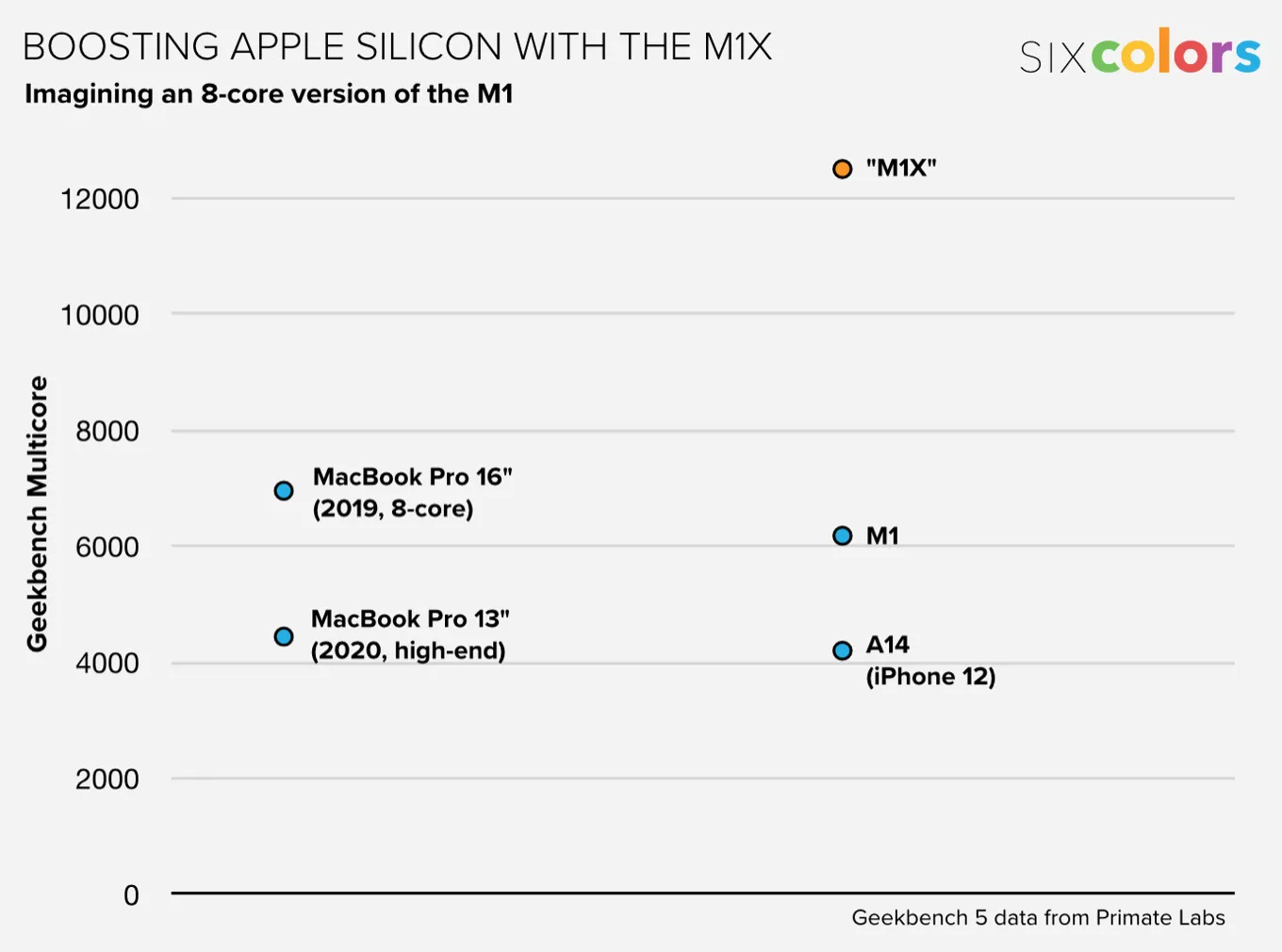
Though Gurman’s report suggests these would be 10-core systems, the important number is the number of high-performance cores—eight. Though energy-efficient cores are very helpful in keeping a Mac bubbling along nicely, they don’t make enormous contributions to the overall top performance of a device. It’s all about the performance cores. And eight is—follow me here—twice as many as four.

So if an M1 processor scores around a 6180 in GeekBench 5’s multi-core score, I can extrapolate and guess that a new chip—let’s call it the M1X, because I’m guessing that this chip is based on the same cores as the M1 and the A14 chips—would score roughly double the M1—let’s say 12,500.

To put this in context, I’ve included the current high-end Intel MacBook Pro models in the chart. The M1 models already surpass the existing 13-inch MacBook Pro with Touch Bar, but the eight-core 16-inch model still wins out in overall multiprocessor performance. (I’m leaving aside single-core performance, graphics power, and energy efficiency here and just focusing on top CPU speed.)

The 16-inch MacBook Pro would pale in comparison to the M1X, though. And it’s not hard to imagine Apple executives appearing in a video next week and declaring that the new MacBook Pros are roughly twice as fast as their predecessors.

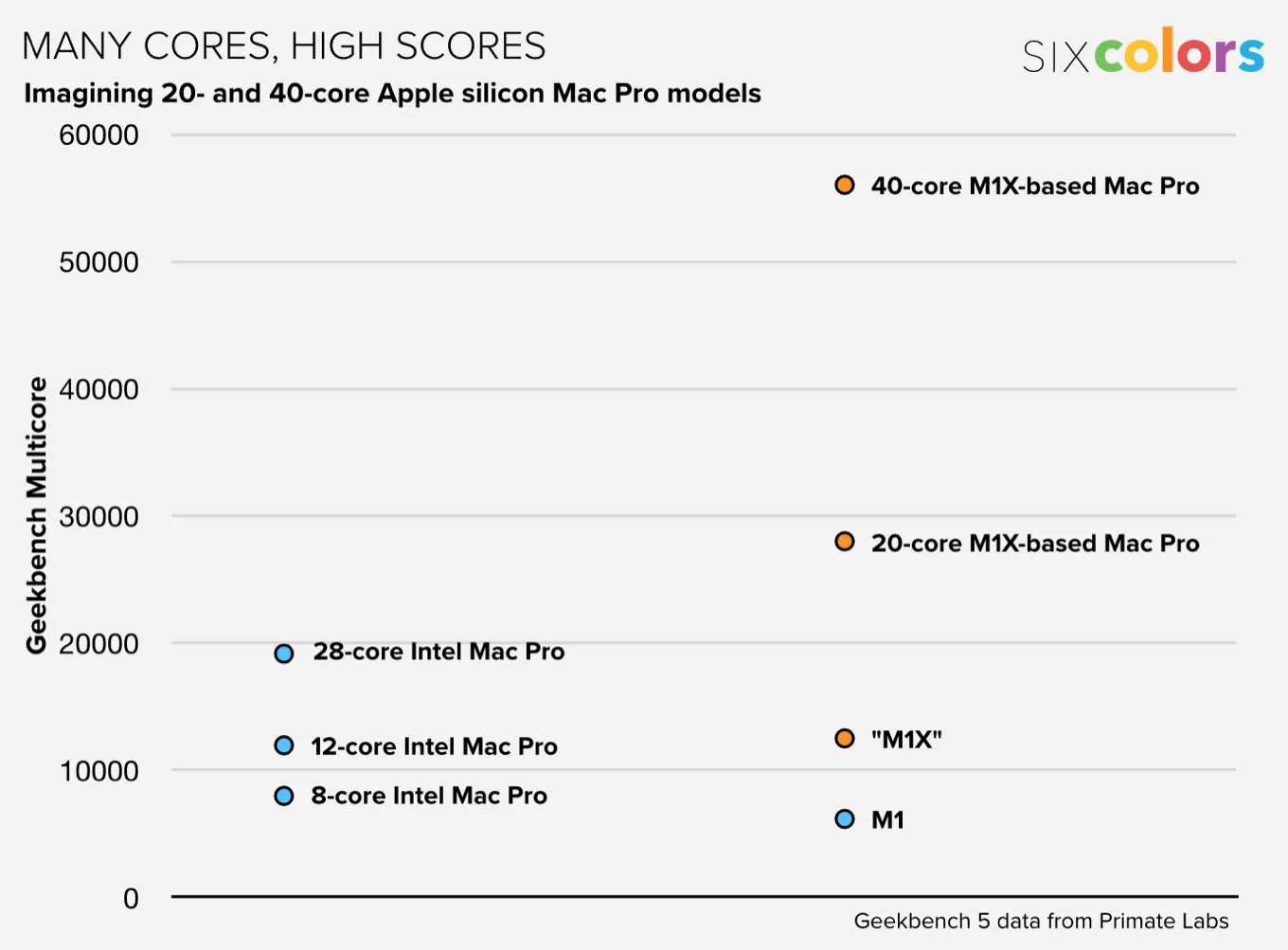
Just for kicks, I also threw together a chart based on Gurman’s report that Apple is also planning Mac Pro models based on the same chip design, but variants with 20 and 40 performance cores. Yep, that’s a lot of cores. Just for kicks, let’s make a guess about future Mac Pro performance and compare it to existing Intel-based Mac Pro models:

The back-of-the-envelope calculation suggests a 20-core Apple silicon-based Mac Pro would be quite a bit faster than a 28-core Intel Mac Pro at multiprocessor performance, making it the fastest Mac of all time. And that 40-core model would be… well, yeah, more than twice as fast as the previous speed champion.

 
m1x-speculation-6c.png
 
40-core-speculation-6c.png

Advances like this just don’t happen. Yes, technology improves every year and computers get faster, but Apple is the only player in the industry making chips that routinely double their clock speed. They’ve been on an exponential increase with the A-series chips, and the M-series is based on the same basic formula, using the same cores. If the M-series chips continue to improve at the same rate as the A-series, Apple’s M-series chips will be a decade ahead of Intel and the rest of the industry within the next three years.

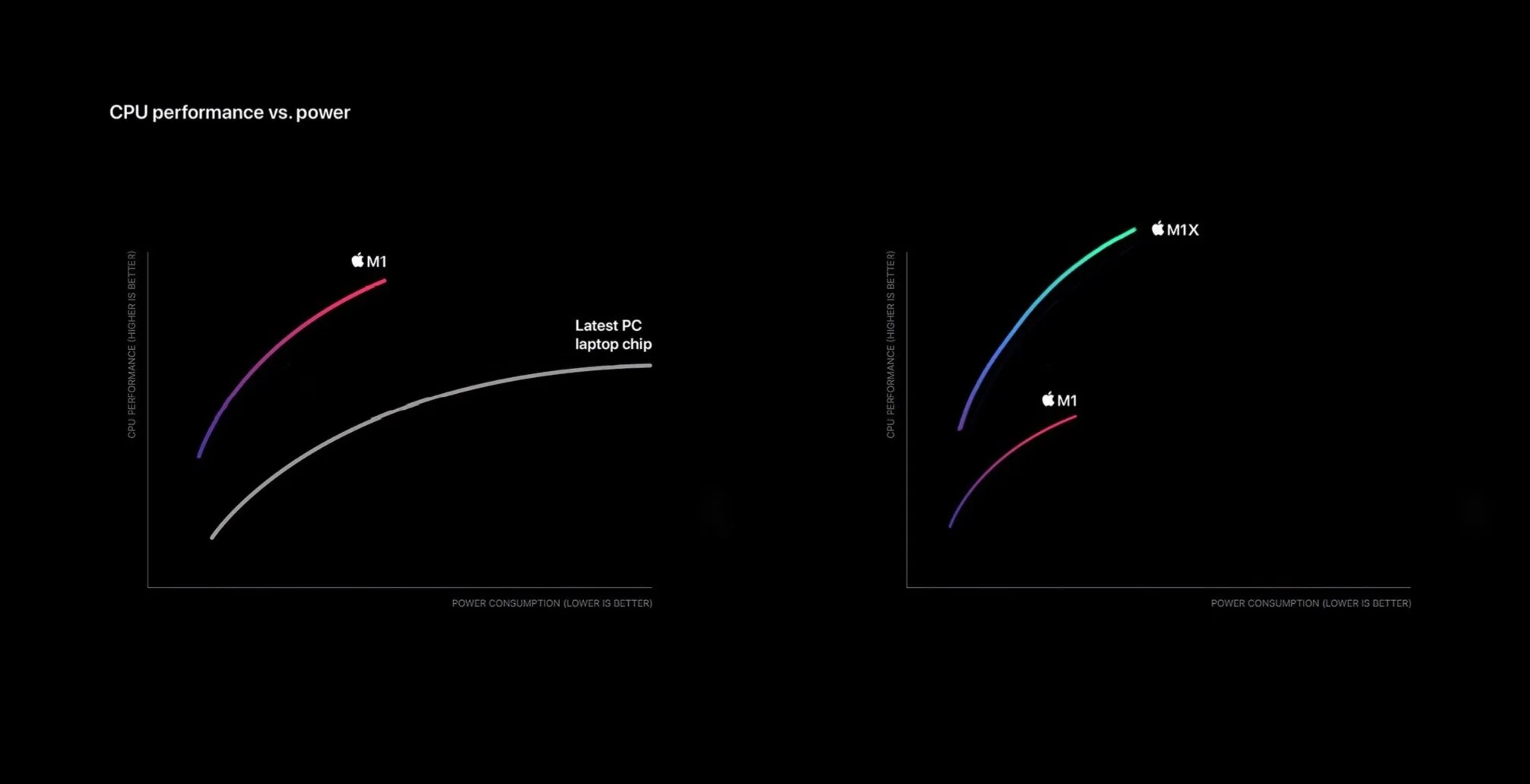
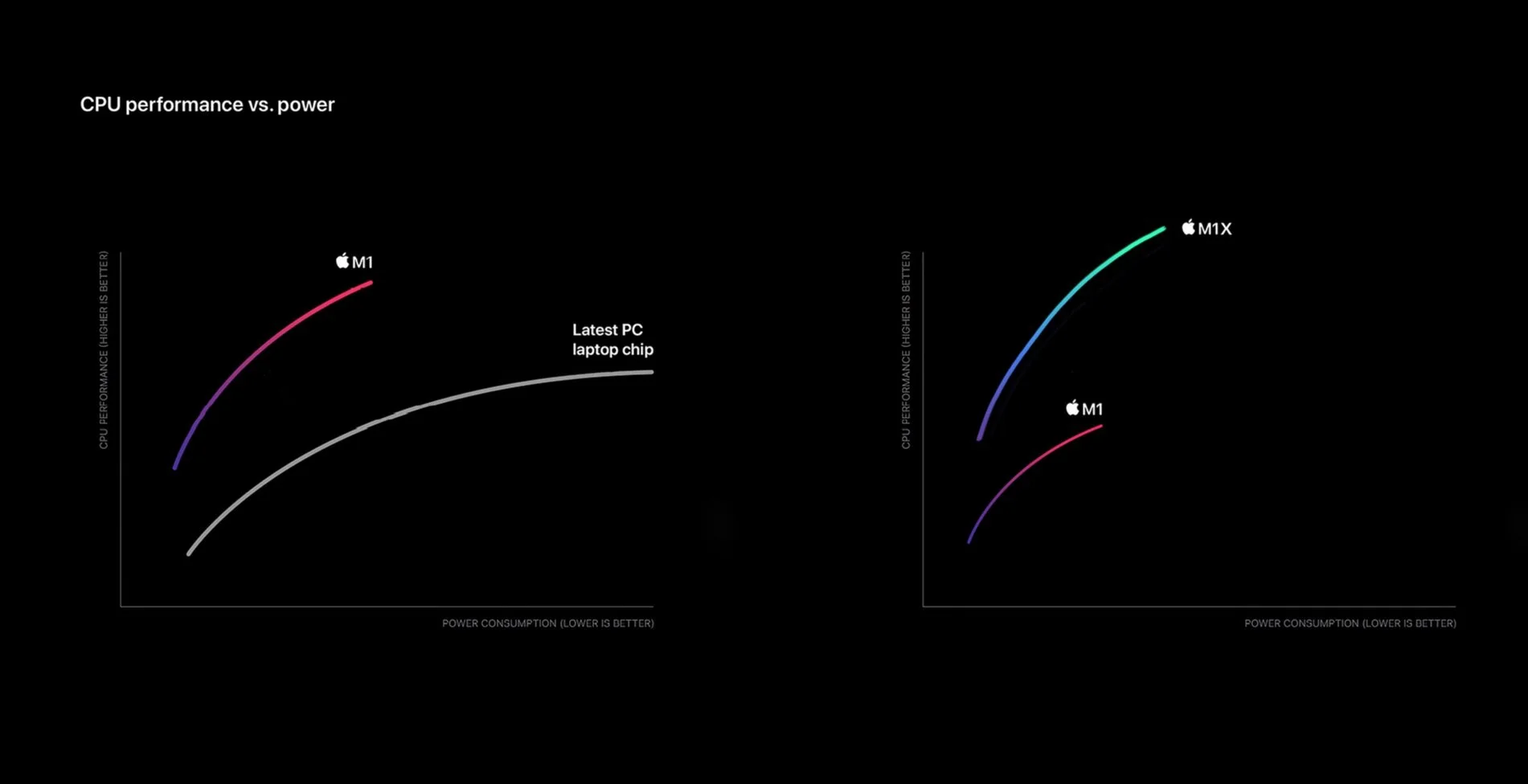
The charts above were Snells, but I made one too (right). It's very scientific and precise, just like the one Apple showed last fall (left).

IMG_1038.PNG
It Turns Out That Bitcoin Isn’t Just Annoying, It’s Also Terribly Energy Inefficient

Charles Q. Choi, in a 2019 article for IEEE Spectrum:

A major weakness of Bitcoin is the extraordinary amounts of energy it demands, and the vast amounts of the global warming gas carbon dioxide it spews out as a result. Bitcoin reportedly has a global electricity consumption approaching that of the entire nation of Austria, and a global carbon footprint comparable to that of Denmark.

I will be the first to admit that I don’t fully understand how cryptocurrencies like Bitcoin really work. I think most of the people who devote a lot of time and energy to it are nerds who need to get a life (and if you ever ask a retail employee if their establishment accepts bitcoin, you deserved to be ridiculed and shamed until you leave, you fucking dweeb). That said, I have a general understanding of how the concept (and I did buy some DOGE a year ago as an experiment), including how the mining process works, but I had no idea how much energy it wastes.

[One] potential flaw in any digital cash scheme would permit a digital token to get spent more than once. 

To solve this problem, Bitcoin broadcasts messages to its entire network to get everyone to confirm each transaction, all to prevent malicious […] players from cheating. Bitcoin achieves such consensus by implementing a blockchain, which is a secure ledger of all transactions in the system that is maintained by its community of users instead of any intermediary such as a bank.

In order for blockchains to reach consensus on the validity of all transactions, users must execute complex, energy-intensive computing “proof of work” tasks. […]

However, [some computer scientists] argue that Bitcoin and other cryptocurrencies based on blockchains are essentially overkill. They suggest that solving the problem of double-spending does not require the complex task of achieving consensus. Instead, much simpler, faster, and less energy-intensive algorithms can suffice.

The latest algorithms the scientists developed broadcast messages about each transaction in a manner similar to gossip: one user tells a small group about the transaction, and they go on to inform others about it, and so on, with the message spreading to a growing number of participants in the system in an exponential manner. […]

[Then,] instead of seeking consensus from every participant in the system for each transaction, the algorithms check to see if a random sample of users has received messages about each transaction. If this sample is sufficiently large, the chance that malicious attackers can fool the system into thinking another transaction occurred is lowered enough to ensure that such hacks do not occur within the age of the universe, the researchers say.

[…]

The consensusless algorithms also generate just a few grams of carbon dioxide per transaction, compared to an estimated 300 kilograms per Bitcoin transaction. In addition, while the original Bitcoin protocol took up to an hour to confirm that a transaction went through correctly, the Swiss team’s prototype algorithms can do so in less than a second.

This seems like a promising system. Hopefully there will be a way for established cryptocurrencies to take advantage of it, but I seriously doubt it. That said, if we can’t find a way to make cryptocurrency work that isn’t so preposterously bad for the environment — whether through the methods these researchers proposed or through some other method — then the entire idea deserves to be abandoned. It bears repeating: a single Bitcoin transaction produces 300 kilograms of carbon dioxide. That is atrocious.

WWDC 2021: Wish List and Predictions

It’s that time of year again, where Apple nerds will gather around their screens for two hours to watch Apple executives tell us what we get to geek out over for the next year. Like last year, this year’s WWDC will be completely online, but for most of us, that’s how we’re used to experiencing it anyway.

My gut feeling is that this is going to be a big year. There have been several large, exciting announcements from Apple in just the past few weeks about new products and new software features. Announcing things like Spatial Audio and lossless Apple Music, the new iMacs and iPads, and impressive new accessibility features a month or two before Dubdub seems to indicate that they didn’t have time to include them in the keynote, which is exciting because it suggests the keynote is chock full of other cool stuff.

Here are the lists of things I’m hoping to see, and then some things I’m expecting to see.

Wish List:

  • [Recycled from 2019’s list.] Fix the atrocious Apple Music app. Get rid of the useless Browse, For You, and Radio tabs at the bottom, and replace them with Playlists, Artists, and Albums. Work in better sorting. Streamline the search feature.

    I’m still sick of Apple Music. All of those problems are still there, and they’ve brought some of the issues from the Music app to the Podcasts app. I’ve recently switched to using Overcast as my podcast app, but as an One subscriber, I'm stuck with the shitty Music app.

  • [Recycled from 2019’s list.] It is HIGH TIME for some Siri improvements. We have been waiting and watching for years, every year expecting this to be the keynote where Apple rolls out a badass new Siri. They’ve teased us a few times with things like Siri suggestions and other minor voice improvements, but at the end of the day, I don’t give a shit about having Siri tell me hockey scores. I’m talking Iron Man-style, JARVIS-level intelligence. I know that Apple is behind the curve on this as a result of their focus on privacy, but they’ve gotta figure out a way to at least get Siri up to speed with the Google Assistant. 

    [Recycled from last year’s list.] Please. Please, please. Puhleeeaaaazeee. PLEASE. PLEASE make this the year that Siri gets a major boost. I would honestly be completely content, nay, happy, if this were the only change they announce this year. It’s so overdue. Siri was the first voice assistant on the scene, and now she’s in last place for speed, accuracy, and general capabilities. There’s so much potential here to make a truly intelligent voice assistant that would really set the iPhone apart from its competitors.

    What do you have to do to get a decent virtual assistant around here? My god. As John Gruber has pointed out, if you hired a personal assistant and she was as stupid and contextually unaware as Siri is, you’d fire her within a week.

  • [Recycled from last year’s list.] I doubt Apple will ever implement this because it would be de facto acknowledging the fact that people use their iPhones to take nudes, but a locked photo album is also overdue.

    Apparently Samsung has something like this. Please copy it, Apple.

  • [Recycled from last year’s list.] New privacy features are always welcome. They didn’t disappoint last year, but a VPN or a social network would still be great.

    I will add to this to say that it isn’t on the list because Apple neglected privacy last year. They gave us some great improvements, I just want them to go even farther.

  • [Recycled from last year’s list.] iPadOS 14 has the potential to send my MacBook packing, if it’s upgraded as it deserves to be. The iPad Pro Magic Keyboard already has me reaching for my iPad more than I reach for my Mac, but there are some relatively basic everyday workflows (word processing, desktop class browsing, etc.) that are still just easier on the Mac. If they can use iPadOS 14 to make some of those processes even marginally easier, it will make the iPad a much more powerful platform and a truly viable option for people in the market for a new laptop.

    Apple didn’t do that last year. Maybe this is the year, now that the iPad Pro has an M1.

  • [Recycled from last year’s list.] In my opinion, macOS just deserves some bug fixes and attention to detail.

  • [Recycled from last year’s list.] As I mentioned in my Apple Card review, I would really like for them to expand the capability of the Cash card to function more like a typical checking account.

    I would really like this. A lot. Give me a nice, black titanium debit card, and then Apple can truly take all my money.

  • [Recycled from 2019’s list.] I would really like for them to revamp the Apple Watch UI in a meaningful way, and finally give the side button a distinct, useful role in controlling the device.

    I think it’s also time for third party watch faces. Apple’s offerings just don’t scratch the itch, anymore.

  • Meaningful updates to the Apple Watch’s sleep tracking functionality would be nice. It’s currently such a mess that it isn’t worth using. The mandatory bedtime “feature” sucks.

  • Some new widget sizes would be nice for the iPhone, as well as the ability to make widgets more interactive. A now playing widget would be great.

  • The Home app is in desperate need of attention. It’s about 70% reliable, which is about 29% below where it needs to be, if it wants you to trust it with the responsibility of controlling your home.

  • I also hope Apple announces that they’re working on new programs for third party companies to build HomeKit support into their products. The market for HomeKit compatible devices is just not diverse enough.

  • I can’t put my finger on what exactly has been wrong with tvOS the past few years, but I think it needs some attention.

  • I think we’re also getting to the point where it’s safe to say the rollout of Look Around on Apple Maps is way too slow. Only a handful of cities in the US support it. It’s a really useful feature that I think is way better than Google’s street view, but not nearly enough people can benefit from it.

  • An option to have your iMessage conversations remain end to end encrypted in ALL scenarios (see: iCloud backups) is very necessary. I hope Apple fixes this, and touts iMessage’s security and privacy features to compete with dedicated secure messaging apps like Signal or Wickr.

  • AirPlay has been a bit less stable lately. I hope they iron out those kinks.

  • Invoking Siri by holding the side button on iOS devices sucks. I hope they’ll figure something else out, but I know they won’t.

  • Did I mention a locked photo album? 🍆

Predictions

  • I think it’s reasonable, given the sheer volume of the rumors, that we may see a new MacBook Pro. I think it would be a little weird for them to introduce a new MBP without introducing a new MacBook Air (or MacBook plain, hopefully; please ditch the “Air” branding!)

  • [Recycled from 2019’s list.] I predict that Apple will, once again, disappoint me by leaving the Music app practically untouched.

  • I think a lot of the updates we’ll get for macOS are going to be performance improvements and bug fixes. It’s hard to imagine them revamping the UI or introducing a bunch of new features this year. For the name, I’m going to throw my hat in the “macOS Monterey” ring.

  • When it comes to iPadOS, I think we will get some decent updates and improvements, but I don’t think they’ll go far enough to make the iPad a real computer. We might be substantially closer if they fix multitasking, but I’ll believe that when I see it. I do think they’ll find a way to bring the App Library to the dock, so that’ll ease some pains with multitasking.

  • Speaking of iPadOS, I bet Apple will tout the ability to add widgets anywhere on the Home Screen this year. They should get no credit for that. It should’ve been there last year, so as far as I’m concerned, they’re a year late.

  • I think we could see some more health features for the Apple Watch. The blood oxygen sensor on the Series 6 seems like it could have a few more tricks up its sleeve, and I wouldn’t be shocked if they added something like blood alcohol level measurements through a WatchOS update.

  • I’m sure we’ll get something in the way of privacy, but I don’t think it will go as far as ATT from last year.

All in all, there haven’t been many leaks or rumors about the software we’re going to see this year, so I have a feeling we’re in for a good show with some exciting surprises.

Trump’s Blog Is Dead After Less Than A Month

Kevin Breuninger, reporting for CNBC:

Former President Donald Trump’s blog — a webpage where he shared statements after larger social media companies banned him from their platforms — has been permanently shut down, his spokesman said Wednesday.

The page “From the Desk of Donald J. Trump” has been scrubbed from Trump’s website after going live less than a month earlier.

It “will not be returning,” his senior aide Jason Miller told CNBC.

I’m shocked that this didn’t take off. I mean, it’s not like Trump only acquired an audience because the type of people who wanted to listen to him prefer short, incendiary tweets and were seemingly allergic to any sort of long-form reading. He should write another book, I’m sure his base of voracious readers would tear through a several hundred page volume with glee.

Dan Pfeifer makes an excellent point about this from a largely unconsidered angle on Thursday’s episode of Pod Save America, taking aim at Facebook:

It is a massive indictment of Facebook in particular, because their argument always is that “this is the content people want, we’re just serving it up to you.” But here you have: Trump has content, he’s off Facebook, and no one is going to get it. And so what that shows is that it’s not that Facebook is giving people what they want, Facebook is giving people something pretty dangerous that they think they want. And that has had a very alarming, radicalizing effect on the American people.

#deletefacebook

People Trust Amazon?

John Gruber on Daring Fireball:

Josephine Wolff, writing for Slate:

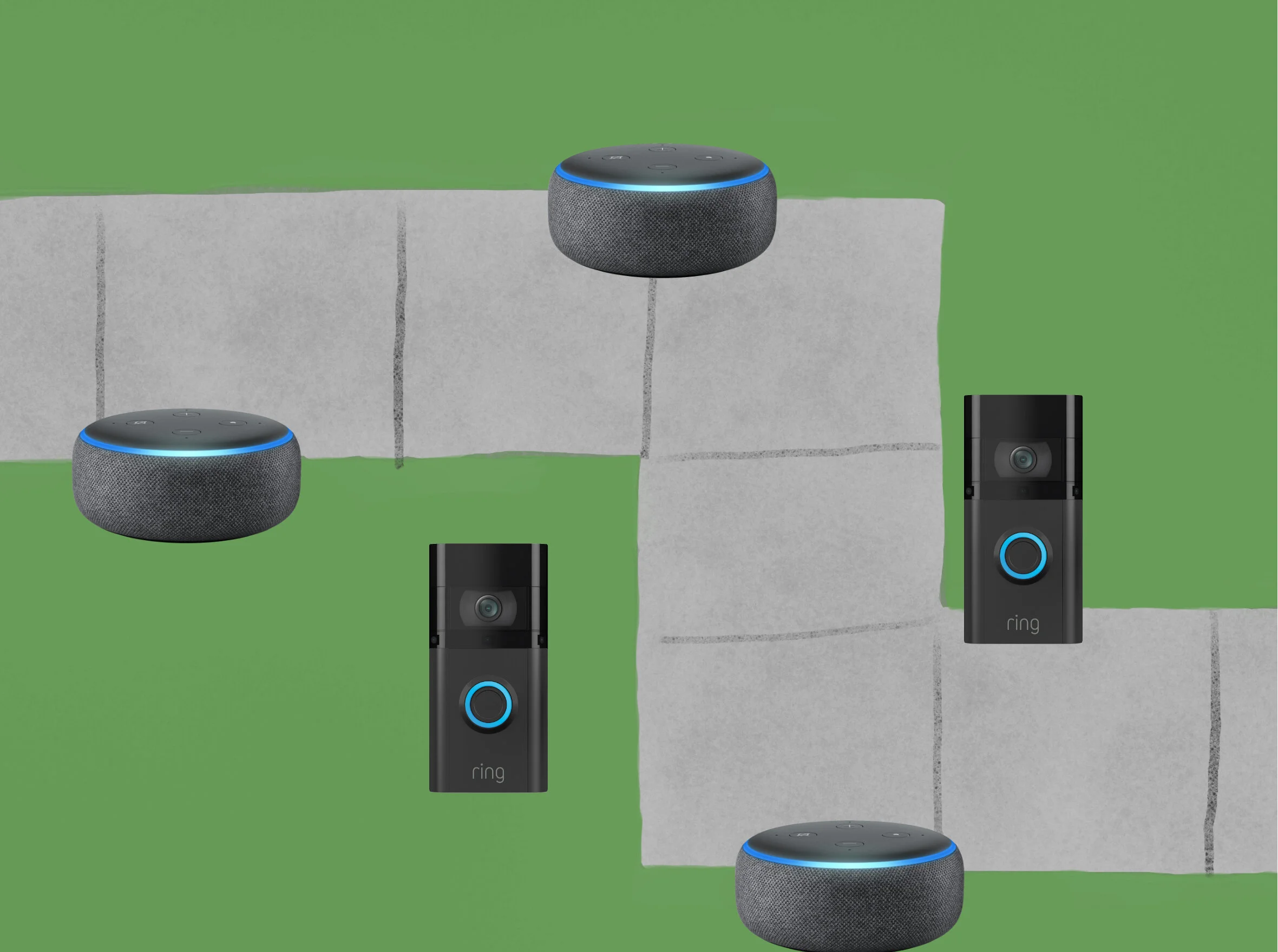
If you’ve already reconciled yourself to the privacy implications of owning an Echo or a Ring, the additional privacy and security drawbacks of participating in Sidewalk seem very limited and the benefits are potentially considerable, for you and for everyone around you.

I like this take. The thing to consider is whether you trust Echo and Ring devices with your privacy. If you do, you might as well participate in Sidewalk. It’s not that different, conceptually, from Apple’s Find My network.

I don’t like this take. There’s absolutely no reason you should trust the Ring or Echo, and you shouldn’t trust Sidewalk, either. In technology especially, trust has to be earned, and Amazon has done nothing to earn anyone’s trust.

Biden Announces Free Beer For Getting Vaccinated

President Joe Biden, giving remarks on the White House’s partnerships in the ongoing COVID-19 vaccination effort:

Anheuser-Busch announced that beer is on them on July the 4th. That’s right, get a shot and have a beer. Free beer for everyone 21 years or over to celebrate the independence from the virus.

What an absolute bro.

Now get your shots, you filthy animal.


Remember the other guy? He wanted you to drink bleach; what a contrast.

The New Siri Remote

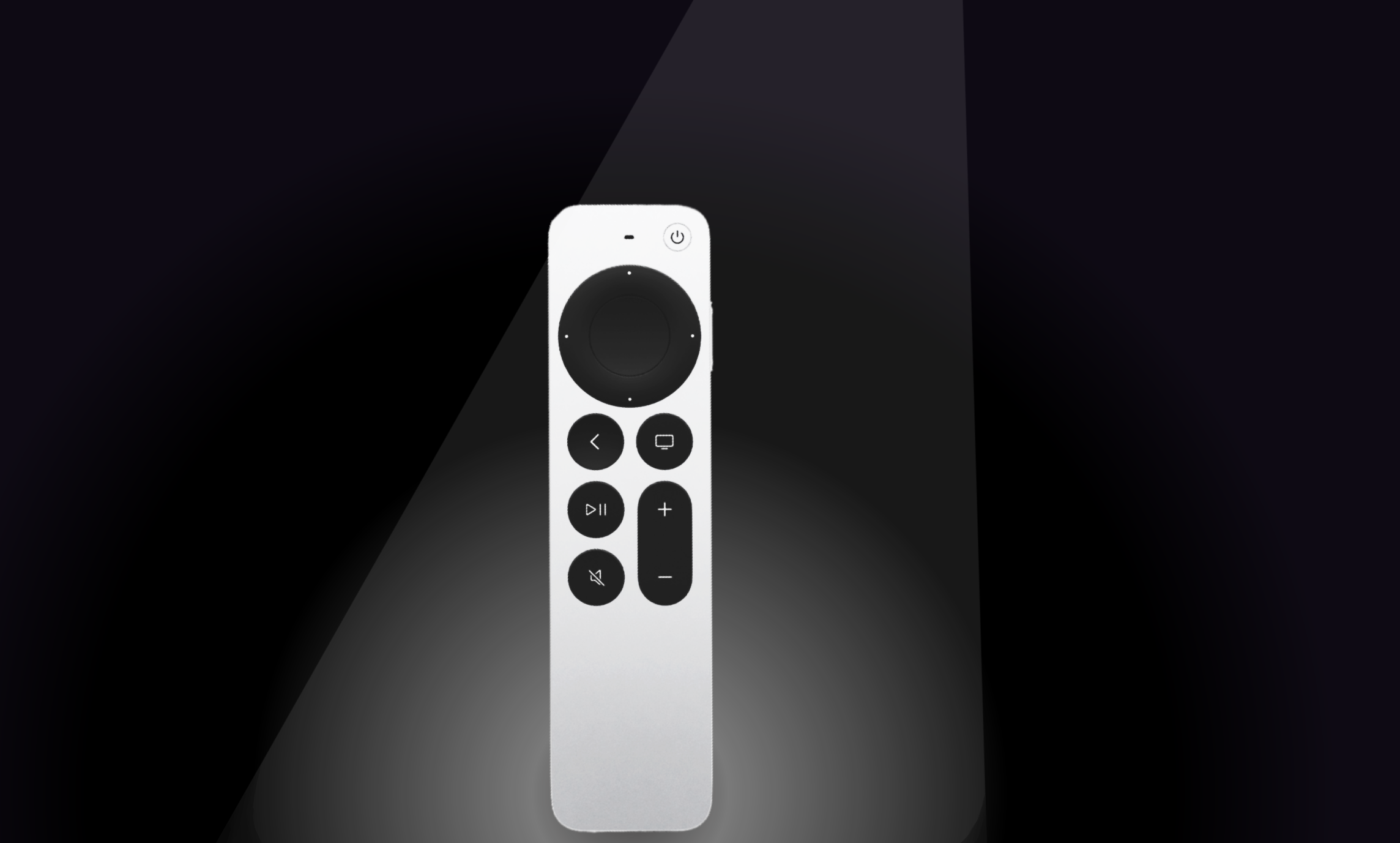
I was frequently annoyed by the old Siri Remote, but I didn’t loathe it like a lot of people did. The trackpad wasn’t all that precise and did occasionally result in unintended input, I did occasionally pick it up upside down, and it was fragile, but overall I thought that Siri and the swiping gestures genuinely added to the tvOS experience. That said, the new Siri Remote is a delight to use, and a vast improvement over its predecessor.

The new design is a lot more robust and sturdy. It’s made out of aluminum, rather than glass on the top, and the design is a bit thicker and heavier. It’s easier to pick up off of a table, and impossible to pick up backwards without realizing it.

There are also some changes to the buttons. The addition of a mute button wasn’t my favorite, and I could’ve done without it (especially since they put it in the same place as the old play/pause button; there have been several times where I mean to pause a show and don’t notice until a few minutes later that I’d just muted it). However, the other button they added was a power button, and while it isn’t very aesthetically pleasing, it works well and it’s simple. No more aimless trackpad clicking or button pressing to turn the tv on, no more pressing and holding and then swiping and clicking to turn it off. You just press the power button and it turns on or off. As for the Siri button, it has been relocated to the side of the remote. At first I didn’t really care either way about this, but in practice, I think this is actually worse. I can see the reasoning behind having the Siri button in a separate location from all the playback control buttons, but it wasn’t a good ergonomic choice to put it on the side. It’s awkward to press with your thumb, and it requires completely changing your grip on the remote.

But let’s talk about the buttons that people care most about: the circular trackpad and directional buttons, which Apple calls the “clickpad with touch surface.” This element makes the new Siri remote perhaps the best TV remote control I’ve ever used. They preserved the ability to quickly swipe through menus, and did it all on top of a functioning, clicky d-pad. The clickpad with touch surface is comprised of two separate surfaces, the outer ring and the center circle. The center circle functions as a “select” button, while the outer ring can be pressed up, down, left, and right for situations where more granular navigation is preferable to quick swipes. As far as the actual swiping goes, you can swipe on any portion of the clickpad with touch surface. The two discrete surfaces act as one large touchpad, meaning you can begin swiping on the far left edge of the outer ring (not touching the center circle), traverse the left side of the ring, then the center circle, and all the way over the right edge of the outer ring, and it will result in the remote recognizing one long swipe, rather than three distinct instances of the different touch surfaces receiving electrostatic input (even though that’s what’s technically happening).

When Apple introduced the new remote, they showed off a feature where you can use the outer ring of the clickpad just like an iPod click wheel to precisely scrub through videos. This works well, but it was a little difficult to discover (you first have to pause the video, then briefly rest your finger on the outer ring before beginning the circular gesture). For some reason, many people believed the outer ring was also capable of quickly scrolling down lists, like a playlist or settings menu, but this just isn’t the case, unfortunately. Trying to do so results in your selection moving up the list while your finger moves up on the outer ring, and then beginning to move back down the list as your finger rounds the top of the ring and begins traveling down the other side again. (This proves that the outer ring is a part of the whole touch surface, which was a point of confusion among many reviewers.)

It sucks that the remote doesn’t include the U1 chip so that you can use precision finding to locate it if it walks off or gets lost in the couch, and there’s really no good reason it couldn’t have included it. It’s also (slightly) disappointing that Apple removed the accelerometer and gyroscope. As much as they’ve focused on Apple Arcade, it’s curious that they would ship a remote that is incompatible with the vast majority of games available for tvOS. Don’t get me wrong, I’m not devastated — most games for Apple TV suck anyway — but if you’re someone who liked them, then this would be frustrating.

Overall, even though it’s not a perfect remote for a few reasons, it’s so much better and more fun than the last one that I would definitely recommend it to anyone with an Apple TV. It costs $59, so if you have an Apple TV HD, you may be better off upgrading your whole system, but if you have the first generation Apple TV 4K, you can’t go wrong by just upgrading to this remote.

Assistive Touch On Apple Watch

To support users with limited mobility, Apple is introducing a revolutionary new accessibility feature for Apple Watch. AssistiveTouch for watchOS allows users with upper body limb differences to enjoy the benefits of Apple Watch without ever having to touch the display or controls. Using built-in motion sensors like the gyroscope and accelerometer, along with the optical heart rate sensor and on-device machine learning, Apple Watch can detect subtle differences in muscle movement and tendon activity, which lets users navigate a cursor on the display through a series of hand gestures, like a pinch or a clench.

This is technically astonishing. Watch the video. It’s less than two minutes long, and it’s one of the most technically impressive things you’ll watch this year. Seriously, watch it.

Also astonishing, is Apple’s commitment to accessibility. It’s something that is totally unparalleled in the tech industry, and it’s something everyone at Apple should be truly proud of. Features like this don’t make Apple money and they probably take a lot of resources to develop, but for the individuals who rely on them, they really can be life changing. It warms the heart to see Apple continuing to make products that are truly for everyone.

New Blood-Related Health Features Rumored for Apple Watch

Hartley Charlton, writing for MacRumors:

Apple has been revealed to be the largest customer of the British electronics start-up Rockley Photonics, The Telegraph reports.

Rockley Photonics has developed non-invasive optical sensors for detecting multiple blood-related health metrics, including blood pressure, blood glucose, and blood alcohol levels, many of which are only normally detectable with more invasive dedicated medical equipment. Rockley's sensors beam infrared light through a user's skin, much like the existing sensors on the back of the Apple Watch for detecting heart rate and blood oxygen levels.

Rockley's disclosure that its biggest client is Apple came about as the company prepares to go public in New York. The company's filings said that Apple accounted for the majority of its revenue over the last two years and that it has an ongoing "supply and development agreement" with the company, under which it expects to continue to heavily rely on Apple for most of its revenue.

It’s never a great idea to read too much into Apple rumors, but I’m really excited by their strong focus on bringing health features to the Apple Watch, even if none of the individual features are revolutionarily impactful for me personally.

One health feature at a time, Apple is cementing the Apple Watch’s status as the best smartwatch available. They started with a heart rate sensor which is pretty much a given on any smartwatch or fitness tracker, but over time they’ve been adding to what the Apple Watch is able to detect and measure. The Apple Watch was able to not only check your heart rate rate, but alert you if it was unexpectedly high or low. Then they added fall detection so your watch could automatically call for help if you were unresponsive after a hard fall, which was an impressive and welcome feature, especially among older customers. But then the Series 4 came, when they added the ability to take an ECG and recognize signs of atrial fibrillation. This was the first medical function that was more specialized, and I think it marked a turning point in how Apple viewed the watch, adjusting their trajectory to more directly lead them down the health and fitness path. The following year, they added the ability to monitor noise levels to alert you when you could be at risk of damaging your hearing, and they added menstrual cycle tracking for women; both quite specific and not a concern for most wearers, but nice features to have if you want them. The year after that, they added the blood oxygen sensor for the Series 6, which again, was a highly specialized use case that isn’t likely to be used by the majority of wearers. The watch can also now use a variety of metrics to algorithmically calculate your cardio fitness, or VO2max.

Recent studies have even shown that the Apple Watch was able to detect COVID-19 up to a week before it showed up in lab tests based on changes to metrics the watch already measures, though this capability wasn’t rolled out by Apple.

Now, there are rumors that Apple could be eyeing more blood-related features, like blood alcohol levels, blood pressure, and blood sugar. The first of those three would be a fun (and potentially life saving) party trick for younger wearers. The blood pressure monitoring would be great for older people especially, and those with conditions where blood pressure may be a complication or indicator of other issues. But non-invasive blood glucose monitoring (without a finger prick) would be a real game changer for diabetics, and would also be useful in diagnosing new patients early to help them avoid more serious conditions. An ounce of prevention is worth a pound of cure, and Apple is trying to pack as much prevention into the Apple Watch as possible. All three of these rumored features would undoubtedly save lives.

The point isn’t that Apple is adding health features that everyone wants or that everyone will rely on, but that they’re relentlessly focusing on health features. At this rate, within the next five to ten years, the Apple Watch will likely be capable of tracking most if not all major vital signs (I can’t imagine that body temperature is too far down the road), as well as diagnosing (with all the proper legal disclaimers) a wide swath of common medical conditions that someone could be suffering from. It’s a bit of a patchwork now, but if they continue down this path, the Apple Watch Series 15 could be well on its way to becoming a proactive WebMD alternative that tells you what’s wrong, rather than leading you down rabbit holes. Imagine the peace of mind you’d have, knowing that a device you wear for convenience is also on the lookout, ready to alert you to any potential health problems you aren’t capable of noticing for yourself.

The Apple Watch is still a young product, and I’m very excited for its future.

AirTags

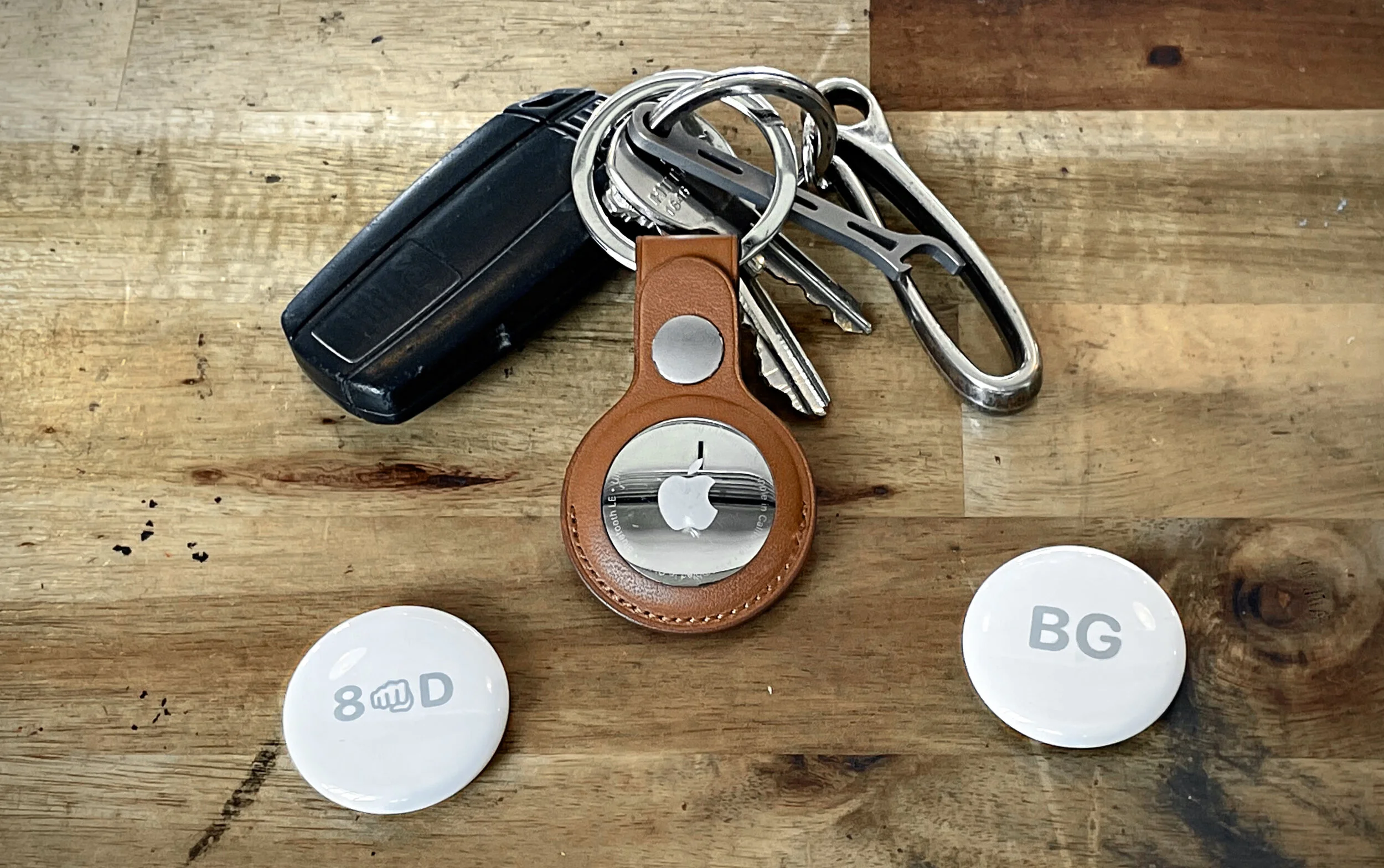
The idea is quite straightforward. An AirTag is a small round tracking device, slightly larger than a peppermint. You can pair an AirTag with your iPhone (which is extremely easy and can be done in just a few seconds) and then attach the it to something you don’t want to misplace. If you do lose that item, your iPhone will be able to lead you back to it.

A Word on Tile

AirTags have been a long time coming (since 2019, actually, according to Apple’s own packaging), and there were several Apple events prior to now where I really thought they were coming, but now they’re finally here. And the Tile company must be feeling a mix of things, validation (for their endless bitching to Congress about Apple “stealing” their (very obvious and destined to be sherlocked) idea), embarrassment (that their product is so much worse), fear (that their business is going to tank).

I was a fan of Tile back around 2015. I had a bad habit of misplacing my keys and wallet, and Tile was (seemingly) the perfect solution. In practice, though, they didn’t work well at all. They didn't connect half the time, the bluetooth range was very limited, and the network of other devices that had the tile app and could find your lost Tile was practically nonexistent. I never once found an item I’d lost because another Tile user had gotten close enough to it to alert me to its location. Their close-proximity finding tool was also extremely weak and inaccurate. The only real way Tiles would help you find your stuff was by beeping (which isn’t nothing, but Tiles on the whole certainly weren't nearly as useful as they had promised to be).

AirTags Versus Tiles

I didn't want to spend too much space in this review talking about Tile, but since this is a new type of accessory for Apple, and Tile happens to be AirTag’s biggest competitor and the only bluetooth tracker people may already be familiar with, it’s actually very useful and illustrative to contrast the two. And there is a lot of contrast, because AirTags have drastically improved everything about Tile’s experience.

When it comes to finding an AirTag that isn’t in close proximity, Apple’s Find My network whoops Tile’s network's ass. I’ve never left an AirTag anywhere that its location wasn’t updated within ten minutes by someone else with an iPhone getting near it. I lost Tiles for days at a time in public places and never saw them updated.

When it comes to finding an AirTag that is in close proximity to you, AirTags are, again, vastly superior to Tiles. Apple’s Precision Finding mode works pretty well. It isn’t perfect, but it gets close, giving you guided directions to your AirTag that are accurate to within about six inches in most instances. Tile’s interface (the last time I used it) gave a three step indicator to show your approximate distance from the lost Tile (and they weren't labeled with distances, they were just abstract circles that basically indicated “you’re cold,” “you’re lukewarm,” and “you’re warm,” but they were never accurate enough to actually get you to “you’re hot”). At best, the Tile would get you within about 8 feet.

One point that can go to Tile is the volume of the speaker used to make the trackers play a sound. Tile’s is technically a little louder if you just look at decibels. That said, I’m convinced Apple does some sort of voodoo with their speaker, like they’re intentionally playing frequencies that travel very well. It’s more difficult for an AirTag’s sound to be muffled than a Tile’s, so in practice, I’ve found the AirTag’s “play a sound” option to be more useful than Tile’s, despite it technically being (very) slightly quieter.

It’s also quite nice that AirTags have replaceable batteries, this was a(n extremely wasteful) mistake Tile made early on. The' batteries are supposed to last for a year, and the specific coin-shaped batteries they use are a pretty common type that will only cost you about $3 or $4 to replace.

The Pets/Kids Issue

A lot of people have been wondering if these can be used to track pets or children.

I don’t have a child, but I do have a dog, and while I haven’t lost him since putting an AirTag on his collar, I can tell you that it seems to work just fine and any time I leave him at home by himself, it only ever takes about 10 minutes at any given point for someone to get close enough for their iPhone to recognize his AirTag and let me know he’s still where I left him. If he ever did escape or get lost, then the AirTag would serve multiple functions. Since I live downtown and there are always a lot of people around, the odds of my dog running somewhere were no iPhones would be in close enough proximity to him to keep me appraised of his location is rather low. Additionally, if someone were to find him, they could use the AirTag to find out how to get in touch with me since you can put a custom message on the screen displayed to anyone to finds your missing AirTag (of course, you can also put your phone number on a normal name tag, but the AirTag allows for a lot more information to be passed on to whoever finds him than just a phone number).

Now, if you are wanting to use an AirTag to track for your kids, I would say you probably don’t need to waste your money. Again, I’m not a parent, but I’d imagine children don’t usually get lost in the same way pets do. I think children are less likely to just dart off by themselves, so I would imagine that if your child goes missing, they’re probably being accompanied by someone with less than pure intentions, and such an individual would probably have them empty their pockets/discard their backpack/etc. And then you’d be down one child and one AirTag, and that’d really suck! If you’re worried about your child going missing to the degree that you feel like you need to put a tracker on them, I’d probably just suggest saving your money and putting it towards some courses on how to be a more responsible parent.

The Stalking Issue

I think this is mostly a nonissue, and that a small kernel of genuine concern has been transformed by bored, Apple-critical tech journalists using clickbait headlines into a debate about human trafficking and stalking that are blown way out of proportion. The basic concern was that bad actors could slip AirTags into the purses (or otherwise) of individuals they wanted to stalk, and then track them around town. Obviously this would be possible, because it’s exactly what AirTags are built to do, but I seriously doubt that many people would do it. After all, it’s a pretty expensive trick, to treat AirTags as thirty bucks-a-pop disposable trackers that would be useless as soon as the victim found it in their bag, anyway. In any case, bluetooth trackers have been around for about a decade and I’m not aware of this ever happening before, this is just the Apple hate machine finding some new (Qanon-ish) bullshit to spout for a while.

Nonetheless, Apple did actually take several measures to prevent unwanted tracking. If an AirTag is separated from its owner and stays around the same person for a while, it will alert that individual that it’s there. It will also play a sound whenever it moves after being disconnected from its owner’s iPhone for a while. You might think “great, now it won’t be a problem at all,” but you’d be wrong. The sound doesn’t start until three days later, and alerts only work for people with iPhones, not Android devices. On top of that, it actually makes the AirTag itself less valuable, because it makes it far less useful to track stolen items. If a thief is going to be warned that whatever they stole could be tracked by you, they’re just going to toss out the AirTag, and with it goes any hope of getting your stuff back.

I wish Apple had just ignored this problem altogether and let a nonissue continue to be a nonissue. The “problem” they’re “solving” was far less likely than the problem their solution creates.

Price & Accessories

AirTags are one of Apple’s most reasonably priced accessories. I wouldn’t have put it past Apple to charge $50+, but they’re only $29 (or $25 each, if you spring for the $99 four pack). They also offer free engraving. If you’re in the market for AirTags and know you want one or two, go ahead and get the four-pack. Once you have them, you’ll find things you want to attach them to (and even if you don’t, they make nice little gifts).

The accessories, though, are a bit pricier. Apple’s AirTag loop and AirTag Leather Loop ($29 and $39, respectively) are nice options if you want to attach an AirTag to something like luggage, but my personal favorite is the Leather Keyring ($35). Of course, it was a bit peculiar and price-grabby that Apple didn’t just put a hole on the AirTag itself to attach a keyring or a cord, but alas, they did not.

Miscellaneous

It would be nice if AirTags had a button which could be used to find your iPhone or something like that (though you can already use your Apple Watch for that), but they did something similar: the NFC coil in AirTags can be used as an automation trigger in the shortcuts app. Basically what that means is that you can set your AirTag up to prompt your iPhone to perform an action (just about anything you want) when you hold the AirTag within an inch or two of your iPhone. For example, I set up the AirTag on my keys to trigger an automation that starts directions to my home. It’s not a button, but in some ways it’s actually more versatile.

Final Word

The bottom line here is that AirTags work well and they’re fairly inexpensive. I have five (one for my keys, wallet, backpack, dog, and car), and when I’ve had to use them, they’ve been able to lead me back to my items in under a minute. If you’re an iPhone user who occasionally misplaces things, a pack of AirTags will probably be a good investment for you.

UPDATED: 06/03/21, 14:00