Posts in Technology
Apple Kills Force Touch on Apple Watch

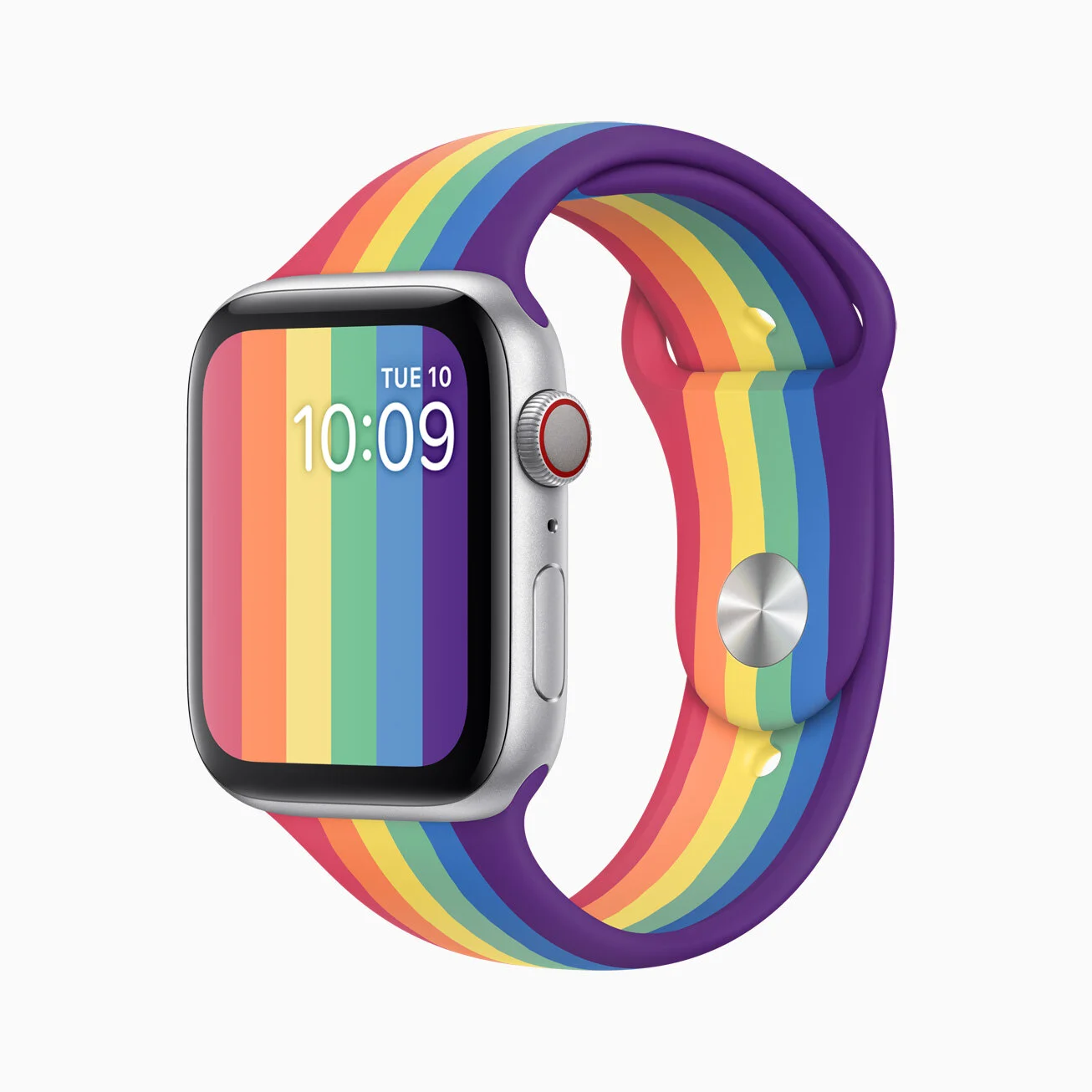
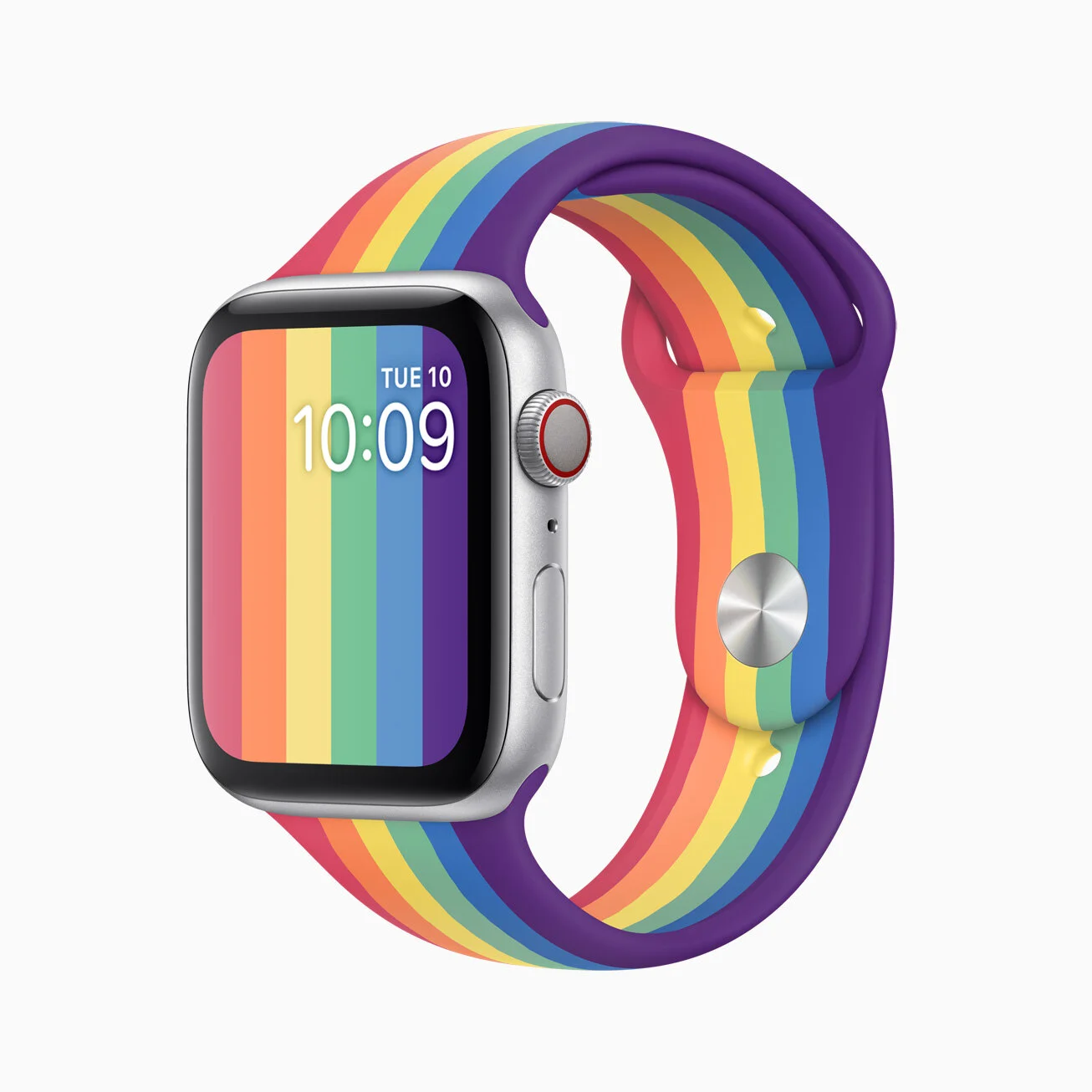
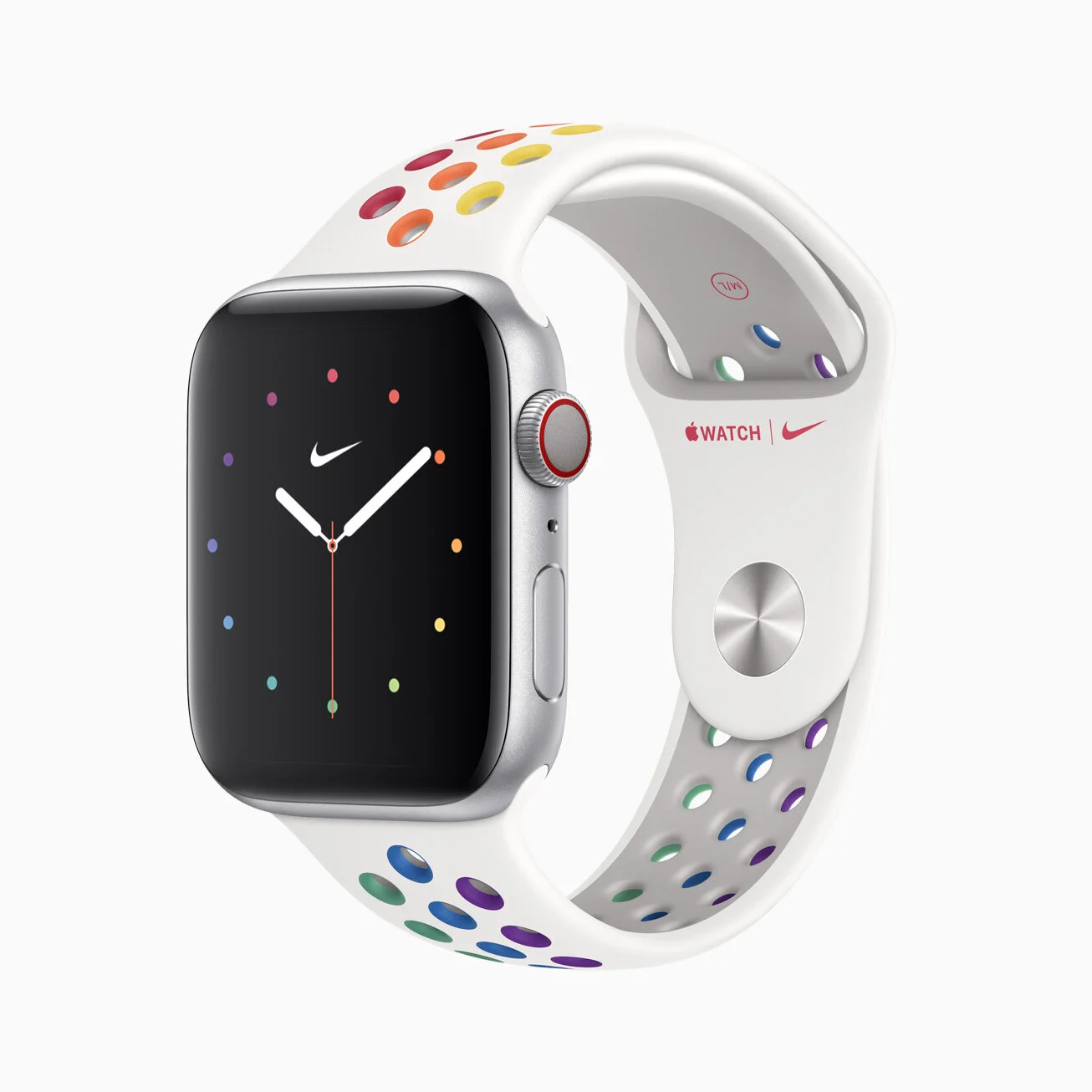
I’m not the first to point this out, but with watchOS 7, Apple decided to remove Force Touch from the Apple Watch. I’ve been using watchOS 7 for a little more than 24 hours, and I already miss Force Touch a lot.

The Apple Watch was the first device to feature a pressure sensitive touch option, and it made a lot of sense. The display is so tiny that Force Touch was able to solve a lot of problems by effectively doubling the screen real estate for on screen controls. I used it all the time: editing my watch faces, clearing notifications quickly, accessing controls in apps like messages and calendar; the list goes on. I don’t know why on earth they would remove support for it on devices that have hardware dedicated to it, but it’s safe to assume that future models wont have it (I’m really not okay with this, but maybe I’ll be able to make peace with it if it allows them to make the watch noticeably thinner or markedly improve battery life).

Some people have suggested that Force Touch wasn’t widely used on the Apple Watch, but I disagree. I think nearly everyone used it: it was the only way to change your watch face from the watch or clear all your notifications at once. People who say otherwise are likely associating Force Touch too closely with 3D Touch (basically the same thing, they just called it something different for the iPhone). The argument is that not enough people used them because they were difficult to discover, but there’s a diction between 3D Touch and Force Touch and I think that distinction matters: 3D Touch enabled neat shortcuts and features but was ultimately superfluous and unnecessary for navigating the iPhone, but Force Touch enabled some very important functions that couldn’t be accessed otherwise and was nearly essential for navigating the Apple Watch.

WWDC 2020: Wish List And Predictions

Apple’s WWDC kicks off on Monday, so it’s time for our annual wish list and predictions! This is always a fun time for the Apple nerds out there, and a much bigger deal for most regular people than they realize. Here are my thoughts about this year’s keynote, which is set for Monday, June 22nd, at 10AM (pacific time).

Wish List:

  • Fix the atrocious Apple Music app. Get rid of the useless Browse, For You, and Radio tabs at the bottom, and replace them with Playlists, Artists, and Albums. Work in better sorting. Streamline the search feature. [recycled from last year’s list]

  • It is HIGH TIME for some Siri improvements. We have been waiting and watching for years, every year expecting this to be the keynote where Apple rolls out a badass new Siri. They’ve teased us a few times with things like Siri suggestions and other minor voice improvements, but at the end of the day, I don’t give a shit about having Siri tell me hockey scores.  I’m talking Iron Man-style, JARVIS-level intelligence. I know that Apple is behind the curve on this as a result of their focus on privacy, but they’ve gotta figure out a way to at least get Siri up to speed with the Google Assistant. [recycled from last year’s list]

    Please. Please, please. Puhleeeaaaazeee. PLEASE. PLEASE make this the year that Siri gets a major boost. I would honestly be completely content, nay, happy, if this were the only change they announce this year. It’s so overdue. Siri was the first voice assistant on the scene, and now she’s in last place for speed, accuracy, and general capabilities. There’s so much potential here to make a truly intelligent voice assistant that would really set the iPhone apart from its competitors.

  • I doubt Apple will ever implement this because it would be de facto acknowledging the fact that people use their iPhones to take nudes, but a locked photo album is also overdue.

  • New privacy features are always welcome. They didn’t disappoint last year, but a VPN or a social network would still be great.

  • iPadOS 14 has the potential to send my MacBook packing, if it’s upgraded as it deserves to be. The iPad Pro Magic Keyboard already has me reaching for my iPad more than I reach for my Mac, but there are some relatively basic everyday workflows (word processing, desktop class browsing, etc.) that are still just easier on the Mac. If they can use iPadOS 14 to make some of those processes even marginally easier, it will make the iPad a much more powerful platform and a truly viable option for people in the market for a new laptop.

  • In my opinion, macOS just deserves some bug fixes and attention to detail.

  • As I mentioned in my Apple Card review, I would really like for them to expand the capability of the Cash card to function more like a typical checking account.

  • I would really like for them to revamp the Apple Watch UI in a meaningful way, and finally give the side button a distinct, useful role in controlling the device. [recycled from last year’s list]

Predictions

  • Some people are speculating that we’ll see some new hardware at this year’s keynote. It wouldn’t surprise me to see an upgraded iMac, but I’m not holding my breath for anything brand new like the rumored, tile-like tracking devices (supposedly to be named “AirTags”).

  • I predict that Apple will, once again, disappoint me by leaving the Music app practically untouched. [recycled from last year’s list]

  • It seems like this may be the year that iOS finally allows for some basic widgets to be permanently affixed on the home screen, and a moderate rethinking of how the home screen functions.

  • I feel sure that we’ll see the Apple Watch move more into the category of health/fitness device. Sleep tracking, finally?

  • This isn’t an original prediction by any means, but it seems clear that Apple will announce that they’re moving on from using Intel processors in the Mac and begin the transition to their own, Apple designed ARM chips.

I said this last year as well, but this WWDC doesn’t feel particularly exciting. Maybe it’s because so much else is going on in the world, or maybe it’s because Apple’s most exciting platforms are reaching maturity and are now only getting incremental software updates. In any case, lower expectations going in means that there’s a higher likelihood of them surprising us with cool new stuff.

Facebook: The Social Network for Racists

As everyone knows, like a hundred years ago (last week) Twitter made headlines by finally taking a stand against some of Trump’s tweets for spreading misinformation and glorifying violence. This week, Facebook is making headlines for their refusal to take a stand against Trump for the same posts.

Of course, Zuckerberg has been defending this position under the guise of free speech, but we all know that on Facebook, sowing division reaps ad revenue. His creepily robotic statement was as follows: “Personally, I have a visceral negative reaction to this kind of divisive and inflammatory rhetoric, but I’m responsible for reacting not just in my personal capacity but as the leader of an institution committed to free expression.” That’s definitely how normal people talk, affirmative?

On Friday, Zuckerberg had a phone call with the President regarding the call. In an open call with employees, he expanded on the nature of the call, saying, “I used that opportunity to make him know I felt this post was inflammatory and harmful, and let him know where we stood on it.” He then reiterated his puzzling stance that the posts didn’t technically violate the rules, because it was about “state force” which is apparently allowed under Facebook’s rules. Okay.

To their (nominal) credit, Facebook employees are speaking out against him. On Monday, The New York Times reported that a few Facebook employees were so strongly opposed to this position that they have decided to leave the company, and hundreds participated in a “virtual walkout” in protest. A large number of employees have made public remarks (usually on Twitter) criticizing Zuckerberg’s decision and saying that it makes them ashamed to work for the company. Here are a few remarks from Facebook employees:

“Along with Black employees in the company, and all persons with a moral conscience, I am calling for Mark to immediately take down the President’s post advocating violence, murder and imminent threat against Black people.”

“The hateful rhetoric advocating violence against black demonstrators by the US President does not warrant defense under the guise of freedom of expression.”

“The lack of backbone, and this weak leadership, will be judged by history. Hate speech should never be compared to free speech.”

Another employee explained his frustration with Facebook constantly moving the goalposts when it comes to holding Trump accountable. Ben Thompson and John Gruber had a good analysis of this employee’s statement on their new podcast “Dithering”. Essentially, they point out that when Zuckerberg was asked several months ago by Congress what sort of posts Facebook would remove, he explained that Facebook didn’t want to be in the business of moderating or fact checking because they saw it as a free speech issue, but he also conceded that if anyone (including a politician) posted something that incited or promoted violence, that it would be taken down. The podcast’s assessment was that in making that commitment, Zuckerberg was trying to avoid being in this position by drawing a line in the sand so far out, that even Trump wouldn’t cross it. Lo and behold, Trump crossed it, and Zuckerberg didn’t keep his word. Not a good look.

From Daring Fireball:

Facebook’s real risk here, as I see it, is getting branded as the social network for racists.

Here’s the thing, Facebook is already the social network for racists, it’s just a matter of when people start to associate racism with their brand on a fundamental level. Of course, not everyone who uses Facebook is a racist, but based on anecdotal evidence and the many structural advantages Facebook’s platform provides them, I would be willing to bet a large sum of money that people who are racists prefer Facebook over any other social network.

Not only does Facebook’s platform work well for racists to share their opinions and find one another, it helps them breed and radicalize budding racists. Facebook’s Achille's heel is that their executives are too greedy to stop this cycle. But this isn’t news, I’ve said it a hundred times: Facebook’s algorithms are designed to drive division because division drives engagement, and engagement equals ad revenue.

To back up my assessment, here’s a quote from an article posted to Medium by former Facebook employee, David Schnitt:

Unfortunately, I do not think it is a coincidence that the choices Facebook makes are the ones that allow the most content–the fuel for the Facebook engine–to remain in the system. I do not think it is a coincidence that Facebook’s choices align with the least resources required, outsourcing important aspects to third parties. I do not think it is a coincidence that Facebook’s choices appease those in power who have made misinformation, blatant racism and inciting violence part of their platform. Facebook says, and may even believe, that it is on the side of free speech. In fact, it has put itself on the side of profit and cowardice.

#deletefacebook

Facebook Knew Their Platform Was Divisive and Chose Not To Address It

Jeff Horwitz and Deepa Seetharaman, reporting for The Wall Street Journal:

In essence, Facebook is under fire for making the world more divided. Many of its own experts appeared to agree—and to believe Facebook could mitigate many of the problems. The company chose not to.

Old news.

Another concern, they and others said, was that some proposed changes would have disproportionately affected conservative users and publishers, at a time when the company faced accusations from the right of political bias.

A 2016 presentation that names as author a Facebook researcher and sociologist, Monica Lee, found extremist content thriving in more than one-third of large German political groups on the platform. Swamped with racist, conspiracy-minded and pro-Russian content, the groups were disproportionately influenced by a subset of hyperactive users, the presentation notes. Most of them were private or secret.

Facebook is the social network for racists.

The high number of extremist groups was concerning, the presentation says. Worse was Facebook’s realization that its algorithms were responsible for their growth. The 2016 presentation states that “64% of all extremist group joins are due to our recommendation tools” and that most of the activity came from the platform’s “Groups You Should Join” and “Discover” algorithms: “Our recommendation systems grow the problem.”

To their credit, some Facebook employees were concerned about this, and tried to implement new features and policies to correct course.

Building these features and combating polarization might come at a cost of lower engagement, the Common Ground team warned in a mid-2018 document, describing some of its own proposals as “antigrowth” and requiring Facebook to “take a moral stance.”

Zuck said “nah, imma pass”.

One early discovery: Bad behavior came disproportionately from a small pool of hyperpartisan users.

A second finding in the U.S. saw a larger infrastructure of accounts and publishers on the far right than on the far left. Outside observers were documenting the same phenomenon. The gap meant even seemingly apolitical actions such as reducing the spread of clickbait headlines—along the lines of “You Won’t Believe What Happened Next”—affected conservative speech more than liberal content in aggregate.

The fact that conservatives are more likely to publish clickbait headlines with misinformation to ensnare ignorant readers who may not be as invested in less sensationalized news says a lot about the state of conservatism in America today. The fact that they can’t play by the rules and still win every now and then doesn’t mean Facebook should write a new, less fair rule book for them.

Don’t get it twisted: Facebook executives made a conscious decision to prioritize profit over ethics. They decided that their bottom line was more important than making sure that their platform wasn’t making human beings more hostile and inflamed.

#deletefacebook

The ‘Apple Store Index’ for Post-Coronavirus Economic Reopening

Josh Centers, writing at The Prepared:

Of course, Apple isn’t the only company in the world that’s hurt its bottom line in an effort to stem the tide of COVID-19, but what makes Apple particularly interesting is its enormous cash stockpile: $207.6 billion as of Q1 2020.

What that pile of cash means is that Apple isn’t desperate. Unlike say, a restaurant with deep debt and thin margins, or a hair salon with the rent coming due and no income, Apple isn’t forced to risk spreading a plague to keep the doors open. It has the enviable position to hold off until it’s safe for both its employees and customers. […]

Apple, being a wildly successful business even in the worst economic conditions, can withstand a lot more pressure to re-open than any politician. While many governors are having their arms figuratively twisted by President Trump and angry protestors, no one will be calling for Tim Cook’s head until at least Apple’s Q2 earnings report, due on April 30, 2020. Even then, years of strong performance under Cook and his prior experience in dealing with shareholder uprisings will insulate him for a long time.

So for that reason, no matter what my governor says, I won’t consider stepping into a crowd until Apple gives the all-clear.

I’ve been using this index — albeit untitled — since early March when Apple announced that they were closing all of their stores worldwide (apart from mainland China). The announcement itself was almost unbelievable, and it came well before other companies. This was when the threat of COVID-19 really became serious for me. Having worked in Apple’s retail stores for years, I have a deep trust in their threat assessment teams, and I trust Apple’s leadership to use the information those teams provide to make the most responsible decisions for their customers and employees. It was clear at that point that we were facing something unprecedented. In hindsight, it’s was clear that at that if Apple knew about the true gravity of the threat at that point, then so did the government, and they were keeping us in the dark.

Check out CopyrightBro’s COVID-19 coverage roundup.

PSA: Law Enforcement Can Trick You Into Giving Them Access to Your Phone

I’ve written before on the contentious relationship between privacy advocates and law enforcement agencies, who are all the time encroaching further upon your personal privacy. Be sure to check out this article on defending yourself with a strong passcode.

Recently it was reported by NBC News that Grayshift, the company responsible for developing the atrocity that is the GrayKey device (used to unlock citizens’ iPhones via brute force passcode attempts [learn how to protect your device here]), has developed software they call HideUI, which is malware designed to trick people into unlocking their devices for police officers.

In order for this feature to work, law enforcement officials must install the covert software and then set up a scenario to put a seized device back into the hands of the suspect, said the people familiar with the system. […] For example, a law enforcement official could tell the suspect they can call their lawyer or take some phone numbers off the device. Once the suspect has done this, even if they lock their phone again, Hide UI will have stored the passcode in a text file that can be extracted the next time the phone is plugged into the GrayKey device. Law enforcement can then use the passcode to unlock the phone and extract all the data stored on it.

If law enforcement takes your phone out of your sight for even a second, assume they’ve installed HideUI on it. Consider it a complete loss, and buy a new one. If they give it back to you for any reason, refuse to unlock it. Throw it in a lake. Do not trust them or the device.

Furthermore, many courts have determined that while they can compel people to provide biometric data like fingerprints or their face to unlock a device (in line with precedents that allow them to compel you to provide DNA or hand writing samples), they generally cannot force you to provide an alphanumeric passcode to unlock the device because it is considered self-incrimination and a violation of your fifth amendment rights. You may be wondering why it even matters if they can still force you to unlock your device with your fingerprint or face. But, there’s one little tip you can use to ensure that your device can ONLY be unlocked by your passcode. If you turn your phone off before allowing law enforcement to take it, it will require a passcode when it’s turned back on. You can also disable biometric authentication in just two seconds by holding your phone’s volume button and power button at the same time.

This is why HideUI is dangerous: in many cases, law enforcement knows that they’d be unable to access your device lawfully, so they resort to shady tactics to trick you into giving them the master key, your passcode.

I strongly doubt any of my readers are criminals nor likely to be arrested for any reason, but as the government continues its encroachment upon our liberties, it’s important to remember our rights, and use the tools available to us to protect them from infringement. Use a strong passcode. Make sure your device is locked with biometric authentication disabled (via the side button/volume button trick) before allowing law enforcement physical access to your device. And don’t trust your phone if they take it out of your sight.

Magic Keyboard for iPad Pro
apple_ipad-pro-keyboard_now-available_04152020 2.jpeg

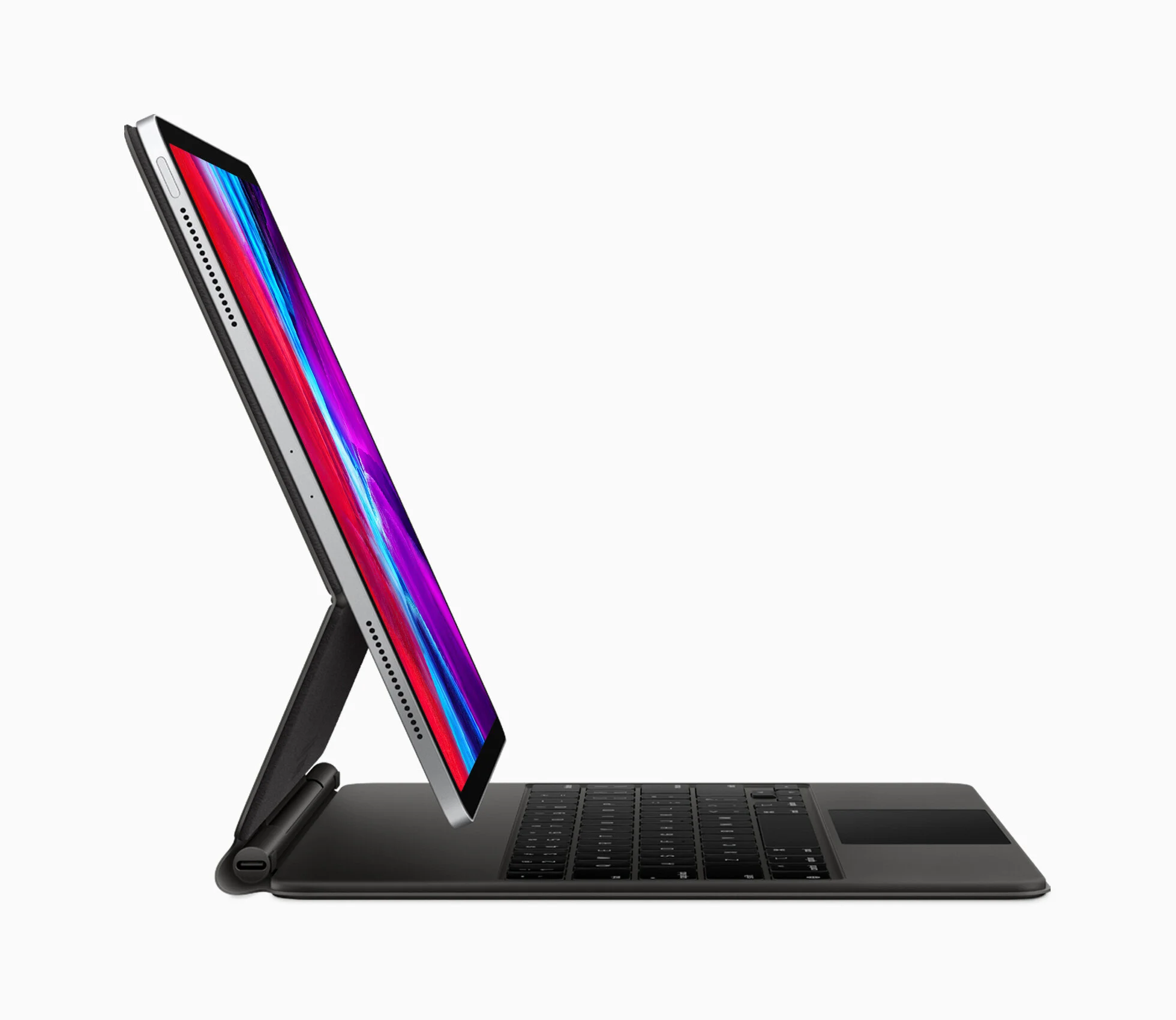
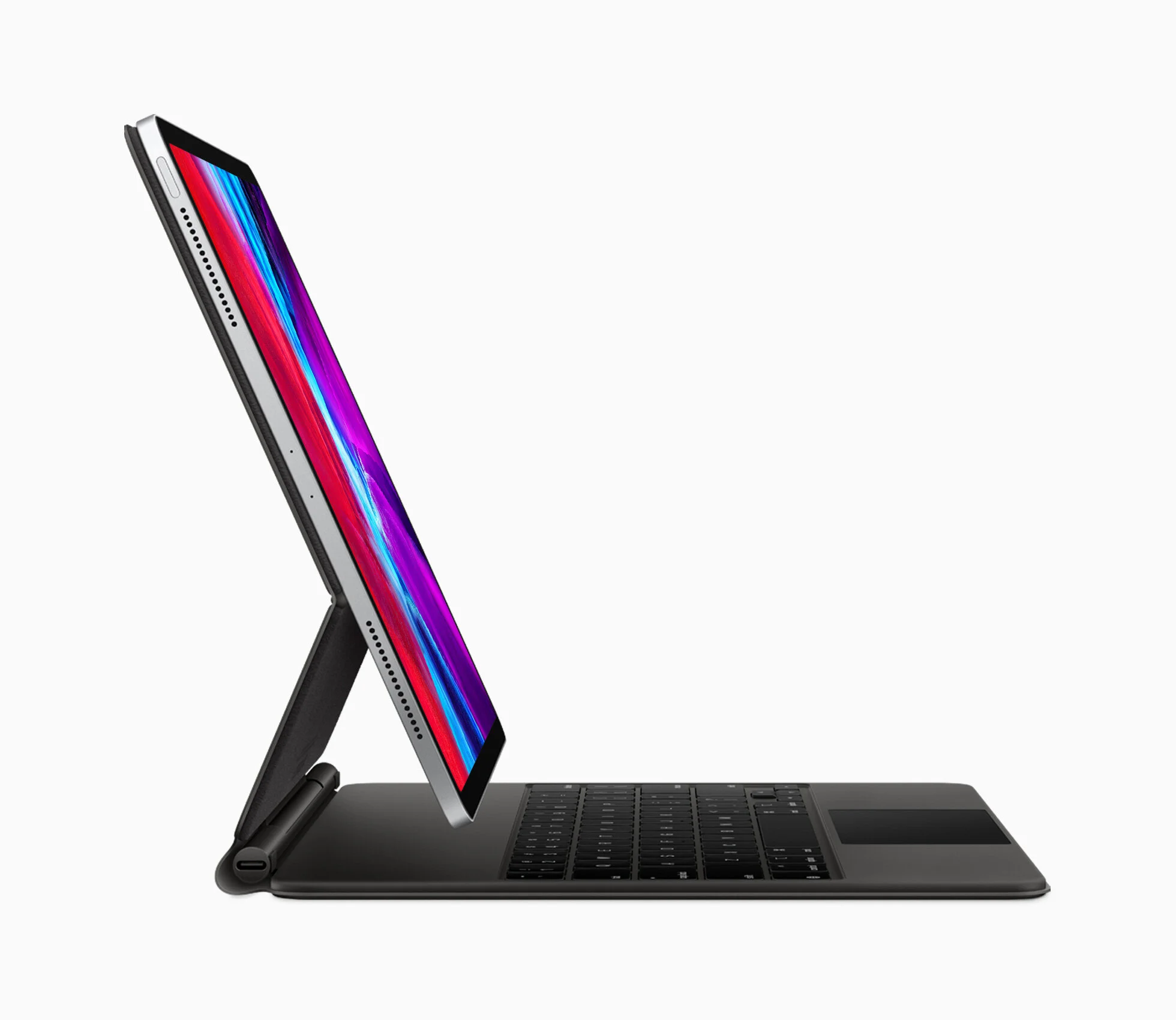
I’ve been using the Magic Keyboard for iPad Pro for about two weeks now. I wanted to give my opinions time to mature, but my impressions from the first hour using it have only been confirmed with further use. This accessory is a game changer, and it’s made using my iPad more fun.

The Magic Keyboard costs $300 or $350, depending on which size iPad you have, which is a lot for a keyboard case. However, it’s a pretty damn good keyboard case. The design quality is terrific: while it is a bit heavy, it’s remarkably sturdy and the magnets that attach the iPad are almost unbelievably strong. The keyboard itself is nice, but I do find myself hitting the wrong keys more frequently than I do on my Mac, for some reason. The Magic Keyboard’s trackpad is a delight to use, and the way Apple has implemented cursor support on the iPad makes it clear that they spent a lot of time thinking about how to do it well.

For a long time, Apple has been positioning the iPad (especially the iPad Pro line) as a laptop replacement, but the iPad hasn’t really been good enough at computer-y things for me to recommend people buy one for that purpose. The Magic Keyboard doesn’t fix all of the problems it has, but it gets the iPad a lot closer to truly being a viable laptop replacement. Before this accessory, I might’ve suggested that 5-10% of people should get an iPad instead of a laptop as their next daily driver, among them would be children under 12, old people, and those whose computer use and general tech know how maxes out around email and social media. With the Magic Keyboard, that number of folks I’d recommend an iPad for jumps to around 40%. It’s still not great for everyone as a primary machine, and there are a lot of things that the iPad can do that are still just better on a Mac, but for a new chunk of people, I think this could be a good fit.

Of course, after you consider the price of an iPad Pro plus the Magic Keyboard (the 11” setup costs $1100 and the 12.9” setup costs $1350), you’re well within range of a MacBook Air, so it’s a difficult argument to make. But the iPad does have a few advantages: a MacBook Air can’t separate its display from its base, you can’t interact with the display via touch, and the Apple Pencil (sold separately for an additional $130) is a great tool for creatives. However, Macs have their own advantages, from longer battery life to a more mature and capable operating system. For example, if you wanted to crank up a professional photo editing app and touch up a photo on a MacBook Air, it may be a little slow, but you could do it. On an iPad, you’ll be hamstrung by the availability of good photo editing apps and their less robust, touch-first UI design.

In any case, the point of this article isn’t to serve as an assessment whether the iPad can finally replace your laptop, because that metric is different for everyone. The point of this article is to say that the Magic Keyboard is a terrific product (even though it’s one for which Apple charges a particularly high price), and everything about it is better than its competition. If you think you’d like an iPad with a keyboard, you’ll love the Magic Keyboard.

PSA: Facebook Buys GIPHY

Mitchell Broussard for MacRumors:

Facebook today announced that it has acquired the popular GIF sharing platform GIPHY. […]

The sum of the GIPHY acquisition by Facebook is reportedly around $400 million, according to Axios.

Terrific. It’s curious though, isn’t it? Why would Facebook pay $400M to acquire a service that just sends gifs?

John Gruber:

Of course Giphy is going to retain its own brand. If they renamed it to “Facebook Tracking Pixels”, usage might drop off. Think about all the messaging apps that don’t offer Facebook integration for security/privacy reasons […], where Giphy images appear. You know, like Apple’s Messages. Well, now Facebook has tracking pixels in them.

Ah, that’s why. Not sure what tracking pixels are? Spoiler alert, they’re bad news. A lot of emails have them as well, and you should do what you can to avoid them.

Check out this great gif keyboard, aptly named “GIF Keyboard”.

#deletefacebook

A Fun iOS Vs Android Processor Checkup

John Gruber on Daring Fireball:

Apple’s new $400 iPhone SE offers faster performance than any Android phone money can buy, but that the two-and-a-half-year-old iPhone 8 has better single-threaded performance than any Android phone today — and the iPhone 8 was the phone Apple discontinued for the new $400 iPhone SE. Apple discontinued an iPhone that, if it were an Android phone, would be the fastest in single-threaded performance on the market today.

Processor performance is definitely an area where Apple doesn’t get nearly enough credit. iPhones are blowing Android devices out of the water.

PSA: You Should Be Using Apple Pay All The Time

I love Apple Pay, and you will too. Let me tell you why.

First things first, it’s important to make the distinction between Apple Pay, the payment facilitation service, and Apple Card, Apple’s recently launched credit card offering. This article is about the payment facilitation service, bu you can click here to see my thoughts on Apple Card, if you’re interested.

There are two primary reasons that I love Apple Pay: financial security/privacy protections and convenience. In both areas, Apple Pay is truly top of class.

Convenience

When it comes to convenience, Apple Pay is hard to beat because it’s lightning fast and can be used in a variety of contexts.

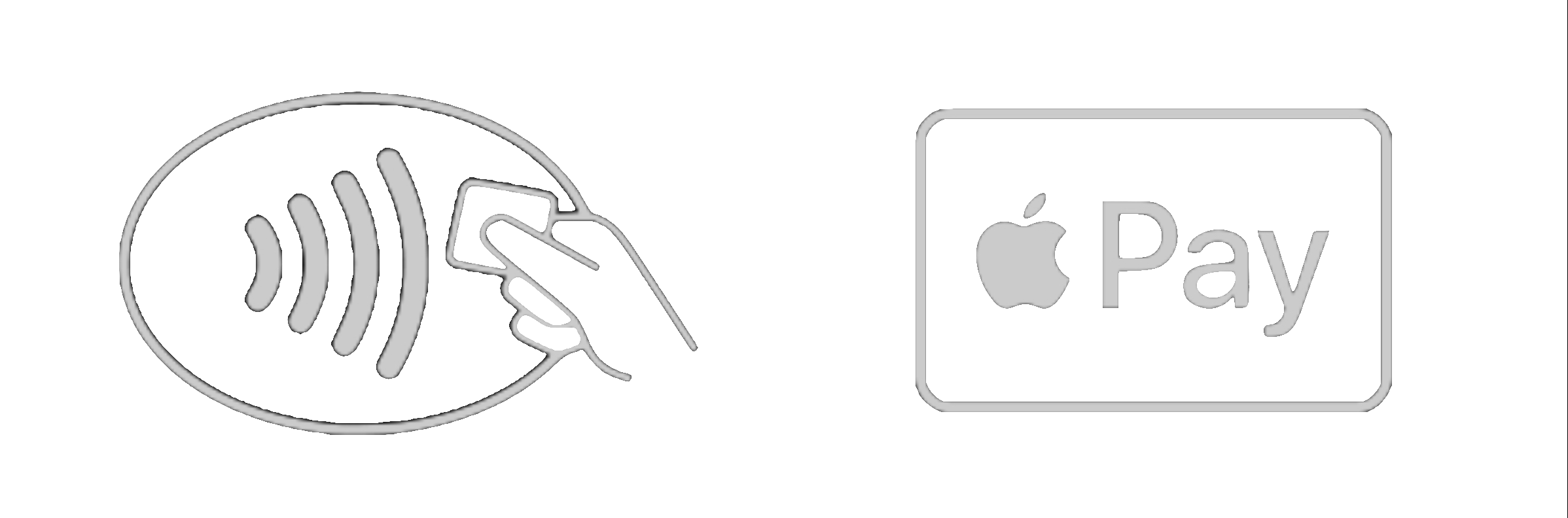
Primarily, Apple Pay was designed to replace your physical card when you need to pay for something in a brick and mortar store. It works a lot faster than the chip cards, and it doesn’t require any physical contact between your device and the payment terminal (this is obviously a plus, given that we’re in the middle of a pandemic). After you’ve added your card to Apple Pay, the Wallet app will offer more detailed transaction lists than most bank accounts provide (whether you used the version of your card in Apple Pay or the physical card), which are easy to read and even include location data so you know exactly where that transaction took place. It really comes in handy if you need to purchase something and find you’ve forgotten your wallet or purse. Most retailers accept Apple Pay these days, and I personally prefer to shop at places that do because it’s so much faster than swiping or inserting a physical card. You can use Apple Pay anywhere you see one of these two symbols:

 
IMG_2588.png
 

However, Apple Pay isn’t limited to in-store use: you can also use Apple Pay in apps and on websites on your iPhone, iPad, and Mac to quickly pay for things with just one step. It’s great when you want to order something from a merchant you don’t frequently purchase from because it keeps your payment information private and doesn’t require you to create an account with that retailer.

Most recently, Apple Pay has expanded to allow individuals to send money to other Apple Pay users directly through the built in Messages apps from their iPhone, Apple Watch, or iPad. This expansion challenges popular services like Venmo and the Cash App, and it gives Apple users another, more convenient option to send money to their friends without needing to install separate apps that have their own security and privacy baggage. To facilitate payments between individuals, Apple has also created a digital Apple Cash card, which works just like your other credit and debit cards. Whenever you receive money from someone, this card is essentially the debit card account where that money lives, until you either spend it using Apple Pay (which you can do in stores or online), send it to someone else, or transfer the funds to your bank account.

Security & Privacy

A common misconception is that Apple Pay is not very safe because it’s digital, but in fact, the opposite is true. Apple Pay is so secure that it’s actually safer than using your real credit or debit card in brick and mortar stores, online, or in apps. Let me elaborate.

When you add your card to Apple Pay, your device will create a new 16-digit card number (called a device account number) which will be given to merchants when you use Apple Pay for a transaction. This number is unique to your device, and it cannot be unscrambled or put through any sort of algorithm to spit out your real card number. This means that if someone were to get their hands on your device account number, they wouldn’t be able to use it to steal your money. For example, when a merchant’s payment system gets hacked and bad actors get ahold of a bunch of people’s credit card numbers (like what happened with Target in 2013), had you been using Apple Pay, they would’ve only gotten your device account number, not your real credit or debit card number (because your device never gave Target your real number). They wouldn’t have been able to steal any money, and you wouldn’t need to get a new card from your bank. In fact, you wouldn’t have had to do anything at all.

The reason for that is that each Apple Pay transaction you initiate requires a unique token code that is specific to the time and date, the amount of money you’re trying to spend, and the merchant trying to process the transaction. This works in concert with the Device Account Number, and if all of those elements don’t check out, the transaction won’t be authorized.

Even still, cards you add to Apple Pay are never stored in iCloud or Apple servers, and are protected by your device’s passcode and biometric authentication systems, meaning that even if a bad actor somehow got around the protections offered by the device account number and the token code, they would still have to have physical possession of your device, AND know your passcode.

There is really no imaginable way in which this system could be thwarted.

Adding Your Card in Wallet

So, you’re interested, but how do you set it up and try it out? I’ll help you get started.

The process for setting up Apple Pay is largely the same across devices. You’ll scan your card with your device’s camera or just type in the numbers manually, and in some cases you’ll need to verify your identity with your bank, usually through a text message authentication code. If your device doesn’t already have a passcode (which it absolutely should, even Apple Watches*)

To set up Apple Pay on your iPhone, go to the Wallet app and tap the + button in the top right corner, then choose “Credit or Debit Card”, and follow the steps to add your card.

To set up Apple Pay on your Apple Watch, start off by going to the Watch app on your iPhone, tap Wallet & Apple Pay → Add A New Card.

To set up Apple Pay on your iPad, go to Settings → Wallet & Apple Pay → Add A New Card.

To set up Apple Pay on your Mac, go to System Preferences → Wallet & Apple Pay, and click the + button.

If you have any trouble along the way, check out Apple’s “Set Up Apple Pay” support page, or get help from CopyrightBro by selecting “Tech Help” from the menu and filing a support request.

Using Apple Pay

Actually using Apple Pay couldn’t be any easier.

To use Apple Pay in stores:

With an iPhone:

If your iPhone has Face ID:

Open the Wallet app, or double click the side button to quickly open the Wallet app with your default payment card ready to go. If you want to use a different card, just slide your default card down and your other cards will pop up. Choose the one you’d like to use, authenticate with Face ID, and hold your device near the payment terminal when the merchant is ready. You should feel a little pulse, hear a chime, and see a checkmark appear on screen: these cues are just letting you know you’ve done your part to complete the transaction.

If your iPhone has Touch ID:

Open the Wallet app, or double click the home button from the lock screen to quickly open the Wallet app with your default payment card ready to go. If you want to use a different card, just slide your default card down and your other cards will pop up. Choose the one you’d like to use, authenticate with Touch ID, and hold your device near the payment terminal when the merchant is ready. You should feel a little pulse, hear a chime, and see a checkmark appear on screen: these cues are just letting you know you’ve done your part to complete the transaction.

With an Apple Watch:

Open the Wallet app, or double click the side button (the flat one that doesn’t turn) to quickly open the Wallet app with your default payment card ready to go. If you want to use a different card, just slide your default card to the left to access the next card in your wallet. Hold your Watch near the payment terminal. You should feel a little pulse, hear a chime, and see a checkmark appear on screen: these cues are just letting you know you’ve done your part to complete the transaction.

To use Apple Pay in apps and online:

With an iPhone, iPad, or Mac:

Click or tap on the button that says “Pay with  Pay”, confirm all of the details that appear, select the card you want to use and the appropriate billing/shipping addresses, and then authenticate with Touch ID or Face ID. You should feel a little pulse, hear a chime, and see a checkmark appear on screen: these cues are just letting you know you’ve done your part to complete the transaction.

To use Apple Pay to send money to friends:

With an iPhone or iPad:

Go to the Messages app and open a conversation with the person you’d like to send money to. Choose the Pay button from the app drawer that shows up at the bottom of the screen when the keyboard is dismissed. Select the amount you want using the +/- buttons or the keypad, and then tap “Request” or “Pay” depending on whether you want to send or ask for money. You can also type a message to send with the request or payment denoting what it’s for. If requesting, you can send the request by tapping the send button. If sending money, an Apple Pay screen will pop up when you tap the send button, prompting you to review the details of your payment and then authenticate with Touch ID or Face ID to complete it. You should feel a little pulse, hear a chime, and see a checkmark appear on screen: these cues are just letting you know you’ve completed the payment.

With an Apple Watch:

Open Messages and chose a conversation with the person you want to send money to. Tap the Pay button, adjust the amount you want to send, and then double tap the side button to confirm the payment.You should feel a little pulse, hear a chime, and see a checkmark appear on screen: these cues are just letting you know you’ve completed the payment.

Next time you go to the store, you’ll be delighted by how much faster it is to pay for your items. Next time a retailer you frequent has their payment systems compromised, you won’t have to freak out because some stranger might have your debit card number. Apple Pay solves a lot of problems, and it’s also delightful to use. Try it out for a few weeks: you won’t want to go back.

*If you don’t have an Apple Watch, or you already have a passcode on your Watch, you can skip this paragraph. If you do have one but you haven’t set up a passcode, read on. Since the Apple Watch doesn’t have a biometric authentication system yet (like Touch ID or Face ID), you do have to set up a passcode on your watch to use Apple Pay — but that’s a smart idea anyway, because it protects your data and makes your device less appealing to thieves through a sort of digital herd immunity — I know it sounds cumbersome, and a lot of people think that having a passcode on their watch means typing in a number on a tiny screen every time you want to reply to a quick text or check the time, but that’s not the case. You actually only have to put the passcode in one time after you put the watch on, and it will recognize that it’s still on your wrist and not require it again until you’ve taken the watch off and put it back on again. You can set up Apple Pay on your Apple Watch through the Watch app.

Apple and Google Partner On COVID-19 Contact Tracing Technology

From the Apple Newsroom:

Apple and Google will be launching a comprehensive solution that includes application programming interfaces (APIs) and operating system-level technology to assist in enabling contact tracing. Given the urgent need, the plan is to implement this solution in two steps while maintaining strong protections around user privacy.

As I noted in a piece titled “The New Patriot Act” a few weeks ago, I am staunchly opposed to the implementation of any sort of mandated contact tracing surveillance system.

As a general rule, I trust Apple implicitly when it comes to privacy matters, so this piece of news about Apple partnering with Google to build contact tracing technologies was startling to me upon first glance. However, after reading their Newsroom briefing, it seems to me that Apple is doing this for the sake of consumer privacy rather than in spite of it: by announcing the development of a contact tracing system before one could be created by the government, they’re making it much more likely that a mandatory surveillance system from the government will never come to fruition, allowing citizens the privacy of an opt-in system provided by the free market.

First, in May, both companies will release APIs that enable interoperability between Android and iOS devices using apps from public health authorities. These official apps will be available for users to download via their respective app stores.

Second, in the coming months, Apple and Google will work to enable a broader Bluetooth-based contact tracing platform by building this functionality into the underlying platforms. This is a more robust solution than an API and would allow more individuals to participate, if they choose to opt in, as well as enable interaction with a broader ecosystem of apps and government health authorities.

The approaches they’re taking do seem to respect user privacy, in that they’re requiring users to explicitly opt-in and that they're creating these systems in a way that they can function without any GPS data (though I’m concerned about the ease with which nearly all of this anonymous proximity location could be associated with real world locations).

There are other instances of contact tracing happening in the United States already (not to mention the outright surveillance systems being used by Iran, China, and Israel). For instance, Massachusetts is implementing an old school contact tracing system to slow the spread of COVID-19 that involves employees calling infected patients and all of their contacts to create social maps of potential infections among contact networks, very similar to the (frankly offensive and regressive) programs utilized by public health departments when a new case of a sexually transmitted infection is reported to them (a legally mandated practice, even if you are diagnosed with an STI at a private practice), whereby the health department takes it upon themselves to contact the patient and demand they tell them who all they’ve been bedding down with so they can stir shit up and make the patient and anyone else they contact feel bad about themselves because our society is fundamentally built upon the puritanical notion that sexuality is an inherently shameful aspect of the human condition; I digress, the point is that contact tracing is not a process that respects privacy and I have little confidence that the government will get it right this time around, whether its done digitally or the old fashioned way.

I still believe our best options for combating COVID-19 are frequent hand washing and sanitizing, maintaining distance in public spaces, wearing masks when around crowds, and expanded testing for people who currently may have the virus, as well as antibody tests to determine who has acquired immunity.

I am not likely to opt in to any sort of tracking, and I would encourage you to strongly consider the long term consequences of allowing systems like this to get a foothold in our society.

Check out CopyrightBro’s COVID-19 coverage roundup.

Facebook Releases A Scrapbook App for Couples

Ashley Carman, writing for The Verge:

[The app] connects to Spotify for music sharing, and a couple can send each other photos, notes, cards, and voice memos. They can also use custom stickers and reactions. It’s free to use and seemingly doesn’t require a Facebook account, although users are subject to Facebook’s data rules, meaning the data people provide can be used for ad targeting.

Of course it can, Facebook is not in the business of giving anything away for free: any time you use a Facebook product, you are paying for it with as much data as Facebook is able to lap up.

Despite the fact that Tuned’s App Store page uses the word “private” four times, nothing about this app is private. Every time they use this word in the context of a product or service governed by the Facebook Data Policy, they are lying to you.

Last year, we learned Facebook was setting up a dating service, so this new project obviously seems related. Not only does Facebook want to try its hand at setting people up for intimate relationships, but they also want to analyze they behavior of couples who are already together. All of this makes Facebook better at manipulating people, and it sets them up to make more money through increasingly effective targeted advertising.

If you use this app, you’re nuts.

#deletefacebook

Zooming In On Zoom Reveals Disturbing Details

Well, it didn’t take long for another round of headlines to pop up exposing Zoom for a host of newly discovered privacy and security problems. Indeed, the closer you look, the worse they appear: these new issues were discovered so quickly once people started looking into Zoom that it leads one to believe that their leadership is not only unconcerned with actually making their platform private and secure, but that they’re either too stupid or too apathetic to even hide the evidence when they cut corners.

The most recent news:

  • The Washington Post reported yesterday that Zoom calls are susceptible to eavesdropping by virtually anyone in the Internet, having verified that they were able to spy on business meetings, school children during classes, personal therapy sessions, and others types of calls.

  • The Citizen Lab reported yesterday that some Zoom calls were being routed through servers located in China, and so were the encryption keys for those calls. This is a problem because the Chinese government is operating a surveillance state, and could force Zoom to hand over any data stored within Chinese borders, encryption keys included. So not only does Zoom itself have the ability to snoop on your calls, but so does the Chinese government. They claimed this was an accident spurred by increased strain on domestic servers that resulted in calls being handed off to overflow servers in China. Okay.

  • Additionally, The Citizen Lab uncovered that Zoom was actually using a significantly weaker type of encryption than they told users, opting for AES-128 encryption instead of AES-256 encryption they advertised.

  • Before you blindly trust Zoom’s Chinese CEO Eric Yuan, note that The Citizen Lab also reported that Zoom has over 700 employees in China and operates three subsidiary companies there. But it was totally an accident that they tossed the Chinese government their encryption keyring. Sure.

Just what you like to hear when you’re relying on Zoom to connect with others in the age of social distancing. Again, if your organization uses Zoom, I implore you to pressure them to find an alternative.

Wisely, some organizations, including the New York City Department of Education, are now banning the use of Zoom. Hopefully other institutions will follow their lead.

PSA: Zoom Is Dangerous and You Shouldn’t Use It

I don't write articles on subjects where I feel like I wouldn’t truly be adding something to the conversation, and this is a case where I considered not writing this piece. It has already been covered more thoroughly than I am capable of doing here, but I felt it was still worthwhile to reiterate what others have exposed and warn the public of the dangers Zoom presents.

Most people didn’t know too much about Zoom before the pandemic started and hoards of people were suddenly tasked with finding a way to perform their jobs from home. Now, Zoom is a household name, and millions of people are being herded into their user base like swine into a slaughterhouse. Personally, I’ve never used Zoom: I rarely have the need to video conference with more than one person, and in instances where I have needed to, Group FaceTime was more than sufficient. Based on Zoom’s reputation and their habit of completely abusing their users, I would never use their services, and in fact, I think they’re such a malignant company that I’m taking the time to warn CopyrightBro readers.

Last summer, news broke that quickly turned into a scandal, when it was revealed that Zoom was flagrantly abusing users’ trust by having their app automatically reinstall itself after it had been deleted by the user, and then go on to start a Zoom call (with the webcam and microphone enabled) to any website that knew this “feature” existed and wanted to take advantage of it. This was the instance that made me distrust Zoom, and again, this was nearly a year ago.

Now, even more evidence has come out illustrating just how low user security and privacy rank on Zoom’s list of priorities.

  • Last week, Motherboard reported that Zoom was using software development kits (SDKs) created by Facebook that sends Zoom users’ personal data to Facebook, regardless of whether those Zoom users also had Facebook accounts. They have since removed this SDK, but the fact that it was used in the first place is cause for concern.

  • A few days later, The Intercept reported that Zoom was flat out lying about how Zoom meetings are encrypted and trying to pass it off as a marketing miscommunication. As John Gruber notes on Daring Fireball, the phrase "end-to-end encryption” is not open to interpretation. What Zoom was actually using is called transport encryption, and it is not as secure. Lying about how secure your platform is will certainly lead to trouble for users. It’s unethical and gross to use false claims of strong encryption for marketing.

  • Yesterday, Motherboard reported another issue that allowed Zoom users’ personal email addresses and photos to be leaked to complete strangers.

This is a staggering list of major privacy and security concerns for one company to deal with in a year, much less in a week. If your organization is asking you to use Zoom, you should forcefully object and tell them that you don’t agree with their privacy policy (which is a joke). If video conferencing is a must for you, suggest an alternative like Group FaceTime (check out this list from The Verge for some more options). If you absolutely cannot refuse to use Zoom, follow John Gruber’s advice and only use it on an iOS device, where Apple’s sandboxing will protect you more than any other platform is capable of doing. If you don’t use an Apple device, here’s another reason to consider switching.

#deletefacebook

UPDATED: 04/02/20, 13:00

Apple Buys Dark Sky

This is certainly an exciting announcement.

I’ve long thought this deal would make a lot of sense for a few reasons: Dark Sky is an excellent utility that’s truly loved among its users, they are very respectful of user privacy, and Apple’s weather app is certainly due for a few new features.

I can’t wait to see what Apple has in mind for Dark Sky in the future. Hopefully it’ll be a full implementation into iOS like what they did with their acquisition of Workflow, rather than just a behind the scenes ownership change like what happened with their acquisition of Shazam.

The New Patriot Act

Governments are considering tracking citizens locations as a way to monitor the spread of coronavirus and enforce quarantines and lockdowns.

My thoughts are as follows: fuck that. This will be the new Patriot Act. The world is quickly becoming an episode of Black Mirror.

Israel is doing it. Fuck them.

The Israeli government has approved emergency measures for its security agencies to track the mobile-phone data of people with suspected coronavirus.

The new powers will be used to enforce quarantine and warn those who may have come into contact with infected people.

Absolutely atrocious. If Israel ever had a brain, they’ve lost it.

Unfortunately, the United States isn’t very far behind. Terrifyingly enough, this is an idea I’ve heard reverberating a bit in recent days, both on a podcast I usually enjoy (Crooked Media’s Pod Save America*) as well as a blog I stumbled across. I never expected to see the day where American government leaders would be calling for a mass surveillance system, much less American citizens themselves asking for it.

If the U.S. government allows this to happen, then fuck them, too. I‘ll stop carrying a phone before I just go along with something like this, pandemic or not. This is deeply un-American.

Those who would give up essential Liberty, to purchase a little temporary Safety, deserve neither Liberty nor Safety.

— Benjamin Franklin

And oh yeah, of course, Facebook is involved in this, so #deletefacebook

UPDATED: 04/09/20, 17:12

Check out CopyrightBro’s COVID-19 coverage roundup.

On Foldable Phones

Why though? What added utility does it offer? What problem does it solve? How does it improve upon the experience? These phones have fundamentally bad designs; not because of how they look (though that doesn't help many of them), but because of how they work.

The Samsung Galaxy Fold was a complete disaster. The new Motorola Razr seems pretty poorly built as well. The Samsung Galaxy Flip Z looks like a GameBoy and can’t really be used while it’s closed, and they’re marketing it as having “foldable glass”, which is clearly a lie.

Not only do these phones not offer a measurably better experience, by all indications, they’re garbage. Even the ones that seem well built break and fall apart, often in a very short amount of time.

I think we’ll eventually see foldable devices that feel like they’re truly more useful than non-foldable ones, but so far nobody knows what the use case is for a phone with a folding display. As of right now, all of these phones have a gimmicky feel to me. They’re strangely reminiscent of the phone I had in seventh grade, the Motorola Krave, which was a touchscreen flip phone with a completely transparent flip. Sure, phones like this look cool and they seem to be pushing the envelope of what technology can do in the present, but their blockbuster features arguably make them less useful. At least the Motorola Krave had decent build quality.

Mark Zuckerberg’s 2006 ‘Book of Change’

Check out this great piece on Mark Zuckerberg by Steven Levy, writing for WIRED.

In the early days of Facebook, Zuck kept his plans for world domination in handwritten journals. He destroyed them. But a few revealing pages survived.

Much of Levy’s piece was informed by what Zuckerberg wrote in those journals, as well as interviews with Zuckerberg himself and other Facebook executives. The pattern of corporate irresponsibility and depravity we’ve seen from Facebook recently has been there since the very beginning.

What distinguished Facebook from other social networks was the assumed privacy provided by its gated setup [when Facebook was only available to college students]. Open Reg[istration] would throw open those gates to the masses. But would people then no longer see Facebook as a safe space? In designing Open Reg, he posted one final question to himself.

“What makes this seem secure, whether or not it actually is?” He seemed at least as concerned about the perception of privacy as with privacy itself.

”What makes this seem secure, whether or not it actually is?” Incredible.

Using Facebook needs to feel like you're using a futuristic government-style interface to access a database full of information linked to every person. The user needs to be able to look at information at any depth … The user experience needs to feel “full.” That is, when you click on a person in a governmental database, there is always information about them.

A government-esque catalog of every person in the world. Charming. But not everyone would sign up for Facebook, so this wasn’t achievable. Not to fear, Zuckerberg had a plan.

He took three pages to lay out a vision for something he called “Dark Profiles.” These would be Facebook pages for people who, whether by omission or intention, had not signed up for Facebook. […]

Zuckerberg was aware that allowing the creation of profiles for people who had no desire to be on Facebook might stir up privacy concerns. He spent some time pondering how this could avoid being “creepy.” Maybe, he mused, dark accounts might not be included in search engines.

Shadow profiles are not a joke, they’ve been a part of Facebook’s plan from the very early days.

There will be a tipping point for Facebook. One after another, the curtains are being pulled back and what we’re finding is that the people behind Facebook have always been immeasurably negligent and downright disrespectful of their users. Hopefully, stories like this will move public opinion against Facebook sooner than later, and embolden people to delete their profiles.

#deletefacebook