
Apple Watch Series 6 & Apple Watch SE
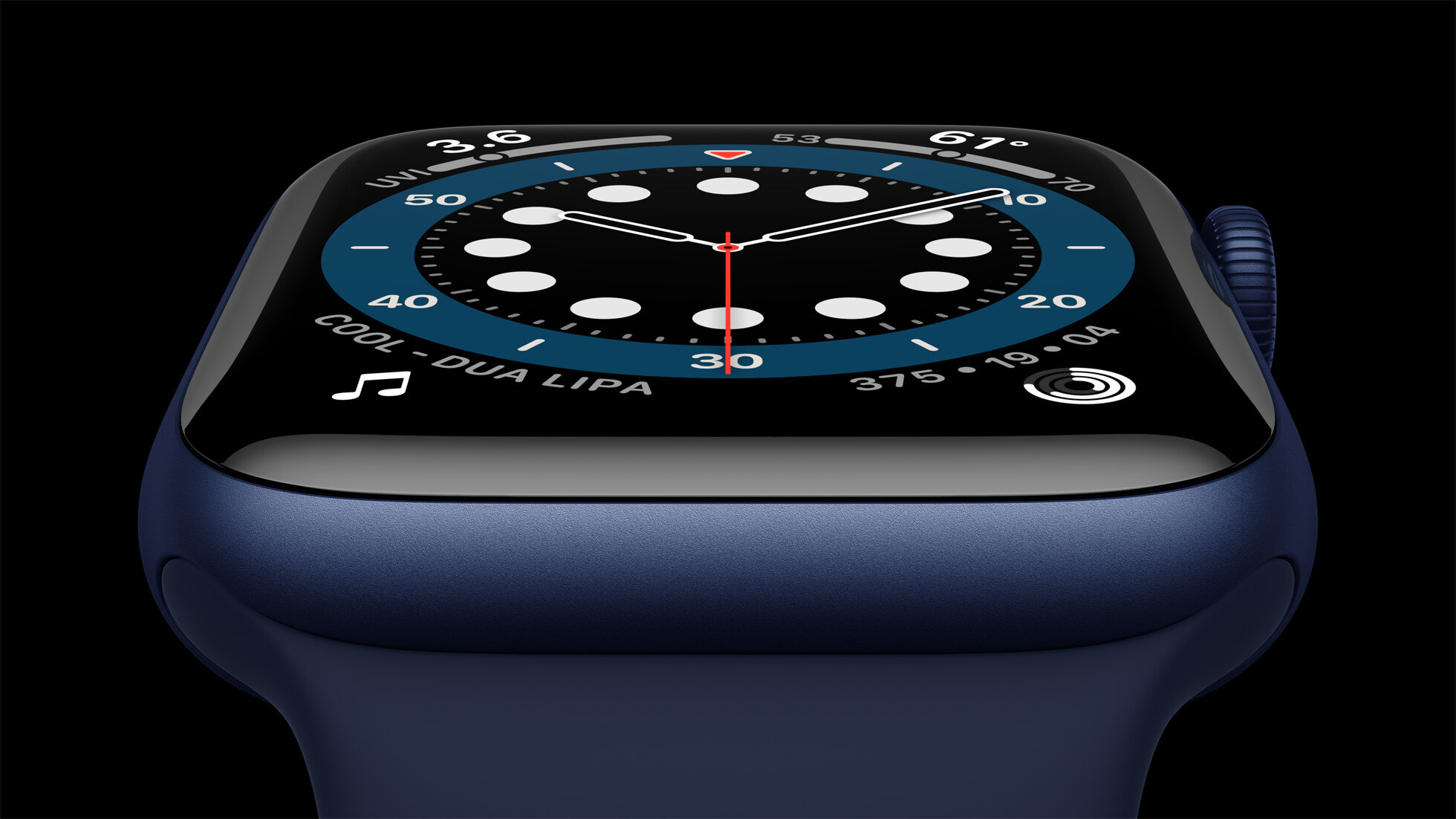
Two weeks ago, Apple announced the Apple Watch Series 6 and Apple Watch SE at their online event.
The Apple Watch Series 6 boasts a few new features over the Series 5, but it’s certainly more of a refinement than a revolution. It now includes a sensor capable of measuring blood oxygen, an always-on altimeter, a processor that’s 20% faster, and the always-on display is now 2.5x brighter while inactive outside. It also comes in a few new aluminum and stainless steel finishes, with two new styles of bands.
The Apple Watch SE is a combination of features from the Series 3, 4, 5, and 6, made to be a bit more future proof than the older models while coming in at a lower price point. There’s nothing new here, so we’re going to focus primarily on the Series 6’s new features, and then offer some comparisons at the end of the article for people considering which model they may want to upgrade to.
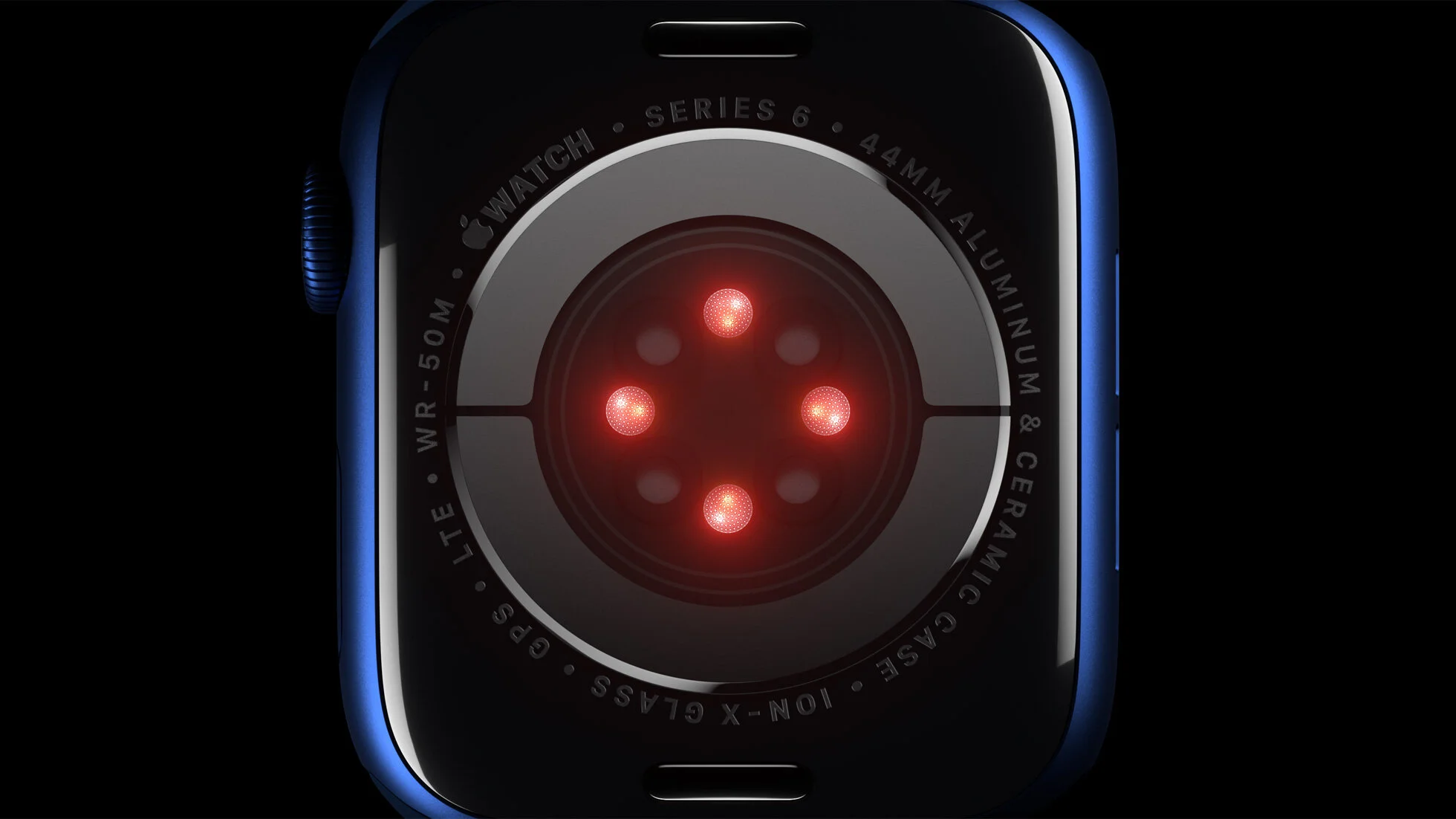
The blood oxygen sensor is the most advertised new feature, but in my opinion, it doesn’t deserve to be. It’s a nice feature to have and it seems to be fairly accurate, but the sensor is quite temperamental and doesn’t always produce a reading if your wrist isn’t perfectly flat and still. Even if the sensor was a lot more capable, it still just doesn’t have a lot of utility. More data is always better than less, and I’m sure it will be used more frequently than the ECG sensor (mostly because it only takes half the time and it’s something the watch can do on its own throughout the day without user initiation), but I still can’t imagine that it will be used except by people experiencing medical emergencies, or perhaps very serious athletes. I’m sure it’s for legal reasons, bit it’s important to note that Apple includes a disclaimer in the blood oxygen app that the pulse oximetry readings it provides are not intended for medical use, which raises the question of what they actually are intended for.
The story on the display is short: the display is noticeably brighter while your wrist is down. It’s nice.
The altimeter is a nice feature to have and it seems to be fairly accurate, and I’m excited to toy around with it on a hike. I imagine it will make the “flights climbed” metric in the Activity app a bit more precise.
Apple claims the S6 chip is 20% faster than the S5 (which was exactly the same as the two year old S4), and I beliebe them, but 20% honestly isn’t enough of an improvement to be noticeable. It’ll just make this watch a little more future proof.
My overall experience with this watch has not been terrific. WatchOS is a fairly simple operating system (relative to iOS), and I’ve never had problems with it being buggy or feeling undercooked in the past, but that’s a big issue with this one. In the first two days I had to power cycle it four or five times to resolve various bugs. I encountered an issue during setup where 90% of the usual complications available to you when creating a new watch face simply weren’t available. At seemingly random times, it becomes impossible to access Notification Center and Control Center.
Another thing I don’t like about this watch (well, less about this watch and more any watch running WatchOS 7) is the lack of Force Touch. For some reason — I presume to be more consistent with the current iPhone models — Apple has removed the watch’s ability to detect a more forceful press on the display as opposed to regular taps. The feature on the iPhone was called 3D Touch, but it was the same thing, just less widely implemented and not as necessary to operating the device. They finally got rid of 3D Touch on all the new iPhone models last year, and now with WatchOS 7, they’ve taken the ability to use Force Touch away from every Apple Watch. The new watch models don’t have the hardware necessary to detect those more forceful presses, so it’s clear that it isn’t coming back. I’m personally quite upset by this. Force touch was an integral part of the watch experience from day one, and it added a lot of convenience and depth to an operating system that was hugely restricted by a tiny display, effectively doubling the number of controls that could be accessed from any given screen. Now, if you want to end navigation directions, you have to tap a back arrow several times and find a new “end” button that’s difficult to locate, as opposed to force touching one time and then tapping the “end” button. If you want to clear all the notifications in Notification Center, you now have to scroll all the way to the top and tap an ugly button that says “clear all” rather than force touching to be presented with that button. Changing watch faces now takes a few extra seconds, because you have to long press on the face to enter the editing mode, and then again to get out of it. It’s a markedly worse user experience.
If you’re wondering whether it’s worth your money to upgrade, the factors to consider are:
Which model do you have now?
How much do the Series 6 specific features appeal to you?
If you have a Series 4 or Series 5 and the always-on display, always-on altimeter, and blood oxygen sensor aren’t of critical importance to you, then the Series 6 is only a modest upgrade, and the SE wouldn’t really be an upgrade at all, so you can feel good about holding on to your watch for another year.
If you have a Series 3 or older, you may want to consider upgrading, but perhaps not to the Series 6. There’s a good chance that the Apple Watch SE will be a better (and more affordable) fit for you if the display isn’t a huge factor for you. The Apple Watch SE has the same physical design with the larger screen, and it can take advantage of all the new watch faces with richer complications. It uses the S5 chip, does NOT have an always-on display or an always-on altimeter, and it can’t take ECGs or blood oxygen measurements, but otherwise, it’s the same as the Series 6, and it costs quite a bit less. It’s also worth mentioning that for people interested in a cellular watch, you can get a cellular SE model for only a $50 up charge, as opposed to the $100 up charge for the Series 6 models.
No matter which model you currently have, if you’re hugely attracted to the always-on display, then you’ll obviously want to go for the Series 6. If the pulse oximetry capabilities or the always-on altimeter are important to you, then again, you’ll want to spring for the Series 6.